
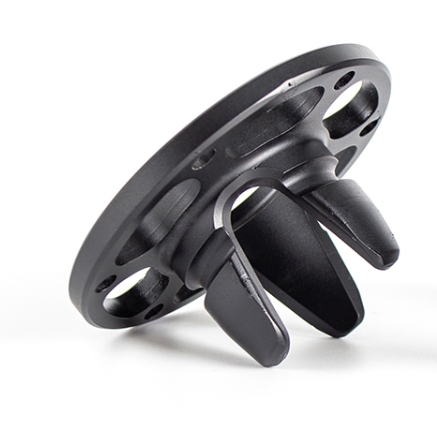
Stereolithography (SLA) 3D printing is the benchmark for high precision, fine detail, and smooth surface finishes. It’s the preferred technology for dental guides, intricate jewelry, microfluidic devices, and master patterns where aesthetics and accuracy are non-negotiable. However, the very process that grants this precision—curing liquid resin with UV light—introduces unique design constraints. Ignoring these leads to failed prints, brittle parts, and frustrating post-processing. This ultimate guide distills essential SLA 3D printing design principles into actionable strategies. You will learn how to navigate material shrinkage, support needs, and geometric limits to consistently produce parts that are not just printable, but robust, functional, and true to your design intent.
Why is SLA Design Different?
SLA’s power comes from its unique physics. Unlike FDM, which deposits melted plastic, or powder-based processes like SLS, SLA uses photopolymerization. A UV laser (or LCD screen) solidifies liquid resin layer by layer. This yields isotropic parts with uniform properties in all directions, but also presents specific challenges:
- Material Shrinkage: Resins shrink during curing, typically 0.3-0.8%. This must be accounted for in critical dimensions.
- Internal Stress: Uneven geometry or poor orientation can cause parts to warp or crack as layers cure and contract.
- Support Necessity: Overhangs need supports, which leave marks and require removal.
- Trapped Volumes: Hollow parts without proper drainage become fluid traps.
- UV Sensitivity: Cured parts can degrade and yellow with prolonged UV exposure, affecting long-term stability.
Designing for SLA means proactively managing these factors in your CAD model.
What Are the Foundational Geometry Rules?
Success starts with respecting the process’s physical limits for features, walls, and corners.
How Thin or Thick Should Walls Be?
Wall thickness is the cornerstone of structural integrity in SLA.
- Absolute Minimums: A supported wall (connected to other geometry) can be as thin as 0.4 mm. An isolated, unsupported wall must be at least 0.6-1.0 mm to survive handling and post-processing.
- The Uniformity Imperative: Avoid drastic changes in wall thickness. A thick section (3 mm) connected to a thin section (0.6 mm) will cure at different rates, creating internal stress that leads to warping or cracks. Use gradual transitions (fillets) to blend sections.
- Hollowing Strategy: To save material and reduce mass, hollow your parts. Ensure a uniform shell thickness of 2.0-3.0 mm. Crucially, you must add drainage holes (at least two, 3.0-5.0 mm in diameter) to allow uncured resin to escape during washing.
Case Study: An Engineer’s Costly Mistake
An engineer designed a sensor housing with a 0.5 mm unsupported wall to save weight. While the print looked fine, 30% of the housings cracked during support removal. The fix was simple: increasing the wall to 0.8 mm eliminated all failures. The minimal weight gain was irrelevant; the reliability gain was critical.
How Do You Handle Corners and Edges?
Sharp corners are stress concentrators in any material, but brittle resins are especially unforgiving.
- The Rule: Apply generous fillets to all internal corners. A fillet radius of at least 0.5-1.0 mm distributes stress and prevents cracks from initiating. External edges also benefit from a small chamfer or radius (0.2-0.5 mm) to prevent chipping.
What Are the Minimum Feature Sizes?
While SLA is precise, it has limits. Features below these thresholds may fail to print or be too fragile.
| Feature Type | Recommended Minimum Size | Reasoning |
|---|---|---|
| Pins, Protrusions | 0.8 – 1.0 mm diameter | Smaller features are prone to breakage during handling or support removal. |
| Gaps, Slots | 0.5 – 0.7 mm width | Ensures the gap remains open and doesn’t fuse shut from resin bleed. |
| Engraved Text | 0.8 mm line width, 0.5 mm depth | Shallower or narrower text will fill in and become illegible. |
| Embossed Text | 0.8 mm height | Ensures legibility and durability. |
| Holes (for screws/pins) | 1.0 mm diameter | Smaller holes are difficult to clean and may close. For press-fit parts, design for post-print drilling for best accuracy. |
How Do You Design for Assembly and Fit?
SLA is excellent for creating multi-part assemblies in a single print job, but clearances are critical.
- Clearance for Moving Parts: For hinges, gears, or sliding fits, a per-side clearance of 0.2-0.3 mm is a reliable starting point. This accounts for minor shrinkage and any resin “bloom” on surfaces.
- Snap-Fit Design: Due to resin’s brittleness, SLA snap-fits need careful design. Use long, tapered cantilevers with a large fillet at the base to maximize flexibility and avoid stress concentration. Allow more deflection than you would for a molded plastic part.
- Press-Fits and Fixed Assemblies: For parts that will be glued or pressed together, a clearance of 0.05-0.1 mm provides a snug fit. For the most precise fits, design undersized holes and ream or drill them post-print.
What Are the Secrets to Successful Orientation?
How you orient your part on the build platform is a critical cost and quality decision.
- Minimizing Supports: Orient the part to reduce the area and number of overhangs. This saves support material, reduces post-processing labor, and minimizes surface blemishes. Use a 45-degree rule as a guideline, but rely on your slicer’s preview.
- Preserving Critical Surfaces: Place the most important cosmetic or functional surfaces (e.g., the face of a model, a sealing surface) facing upwards or at an angle. They will have the best finish and be free of support marks.
- Managing Cross-Sectional Area: Large, flat areas printed parallel to the build plate can create high suction forces when the plate peels from the resin vat (FEP film). This can cause print failures or layer distortion. Angling such surfaces reduces this force.
- Reducing Layer Lines on Curved Surfaces: For a smooth, curved surface like a sphere, orient it so that the curvature is built in the X-Y plane, not the Z-axis. This minimizes the “stair-stepping” effect.
How Do You Master Support Design?
Supports are a necessary element of most SLA prints. The goal is to use the minimum necessary and place them strategically.
- Support Types: Light Touch Supports are smaller and easier to remove but may not be sufficient for heavy overhangs. Medium/Heavy Supports are stronger but leave more noticeable marks. Auto-generated supports are a good start, but manual editing is almost always required for optimal results.
- Strategic Placement: Never place supports on critical aesthetic or functional surfaces. Direct them to non-critical areas, edges, or hidden surfaces. Use the “island detection” feature in your slicer to find unsupported areas.
- Angles and Overhangs: While a 45-degree overhang is often cited as self-supporting, a more conservative 30-degree angle will yield more reliable results with fewer supports.
How to Design for Post-Processing?
A good SLA design makes post-processing easier and more effective.
- Drainage for Hollow Parts: As stated, drain holes are mandatory. Place them at the lowest points of the hollow cavity to ensure complete drainage during washing. Consider the part’s orientation during washing.
- Access for Support Removal: Design your model so support contact points are in accessible areas. Deep, narrow channels where supports cannot be reached are problematic.
- Designing for Painting or Coating: If parts will be painted or coated, slightly oversize fine details like text, as paint can fill them in. A matte surface finish often accepts paint better than a glossy one.
What Material Considerations Influence Design?
Not all resins are the same. Your design should reflect the chosen material’s properties.
- Standard/Draft Resins: For visual prototypes. Can be more brittle; design with slightly more robust features.
- Tough/Durable Resins (e.g., Formlabs Tough, Siraya Tech Blu): For functional parts that need some flex and impact resistance. You can design thinner living hinges or snap-fits with these, but they are still not as tough as molded thermoplastics.
- High-Temp/Castable/Flexible Resins: Each has unique shrinkage and behavior. Always consult the resin manufacturer’s design guidelines before finalizing a design for a specialty material.
What is a Practical Design Checklist?
Before sending your model to print, run through this list:
- Are all walls at least 0.6-1.0 mm thick (or 0.4 mm if well-supported)?
- Have I added fillets (R0.5mm+) to all internal corners?
- If the part is hollow, are there adequate drain holes (≥2, Ø3-5mm)?
- Is wall thickness relatively uniform, with smooth transitions?
- Have I oriented the part to minimize supports on critical surfaces?
- For assemblies, have I applied appropriate clearances (0.2mm for moving, 0.05mm for fixed)?
- Are small features (pins, text, holes) above the minimum size limits?
- Have I reviewed and manually edited auto-generated supports?
Conclusion
Mastering SLA 3D printing design is about embracing a preventive engineering mindset. It requires understanding the intimate relationship between your CAD geometry and the physical realities of photopolymerization. By deliberately applying rules for wall thickness, corner radii, orientation, and support strategy, you transform from someone who can print an SLA part to someone who can reliably engineer one. The payoff is immense: fewer failed prints, lower costs, less post-processing labor, and final parts that meet the high standards of precision and quality that make SLA such a valuable technology. Start integrating these principles into your workflow, and you will consistently unlock the full potential of SLA for your most demanding projects.
FAQ
My SLA part printed but cracked a week later. What happened?
This is likely due to incomplete curing or high internal stress. Ensure parts are fully post-cured according to the resin’s instructions. More critically, inspect your design for sharp internal corners or sudden changes in wall thickness that create stress points. Residual uncured resin inside a hollow part can also continue to cure and expand slowly, causing delayed cracks.
Can I print threads directly with SLA, and what size should they be?
Yes, SLA can print excellent threads. For best results, design metric or UNF threads larger than M5 (or #10). For smaller threads, it is often more reliable to print a pilot hole and tap it after printing and curing. Always orient threads vertically (parallel to the build plate) for the most accurate form.
How do I calculate the exact shrinkage compensation for a critical dimension?
Shrinkage is not always perfectly linear, but for a first approximation, you can scale your CAD model. If your resin has a 0.5% shrinkage rate, scale a 100.0 mm dimension to 100.5 mm. The most accurate method is to print a calibration part (like a hole-and-pin gauge) with your specific resin and printer settings, measure the deviation, and apply a custom scaling factor in your slicer for future prints.
Is it possible to print clear, truly transparent parts with SLA?
Yes, but achieving optical clarity is a multi-step post-processing challenge. You must use a clear resin and orient the part to minimize support marks on optical surfaces. After printing and washing, the part will be translucent. To make it clear: wet-sand with progressively finer grits (up to 2000+ grit), then polish with a specialized plastic polish, and finally apply a clear gloss coat to seal the surface. Design parts with this labor-intensive process in mind.
Discuss Your Projects with Yigu Rapid Prototyping
Designing for high-precision SLA printing requires expertise that blends mechanical design knowledge with deep process understanding. At Yigu Rapid Prototyping, our engineers specialize in Design for Additive Manufacturing (DfAM) for SLA. We can review your models, suggest optimizations for printability and strength, select the ideal resin for your application, and handle the entire printing and post-processing workflow to deliver flawless parts.
Contact us today for a free DFM analysis. Let us help you navigate the intricacies of SLA design, ensuring your parts are not only possible to print but are optimized for accuracy, durability, and cost-effectiveness.