
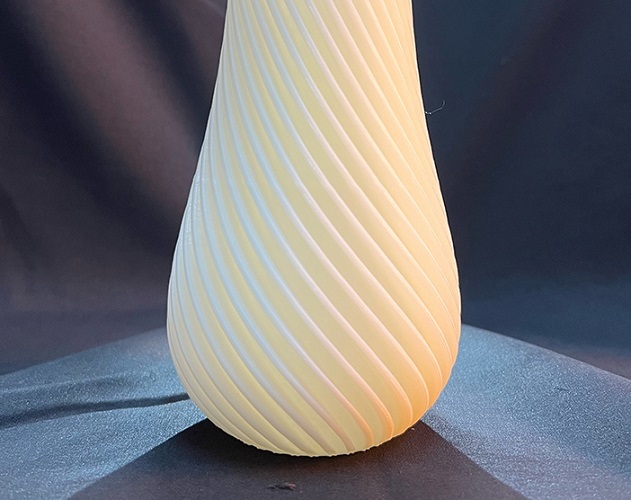
A rough surface on a 3D print is more than a visual flaw. It can ruin a part’s fit, strength, and use. This guide explains the main causes of 3D printing roughness. It covers the role of printer type, material, and settings. You will learn proven solutions for smooth 3D prints, from machine tuning to post-processing. We include real-world cases, measurement methods, and expert tips. Our goal is to help you control surface quality for any project.
Introduction:
You hit print, wait hours, and finally hold your part. But the surface feels gritty. Lines are visible. The finish is poor. This common issue is surface roughness in additive manufacturing. It affects how parts work, last, and look. For a functional gear, roughness causes wear. For a client model, it looks unprofessional. For a medical part, it can be unsafe. So, what creates this roughness? And how can you fix it? The answers lie in your process choices. This guide walks you through the science and the solutions. You will learn to diagnose causes and apply fixes. Let’s turn your rough prints into smooth successes.
Why Is Surface Roughness a Problem?
3D print surface quality is not just about looks. It directly impacts performance in four key ways.
Does It Hurt Part Function?
Rough parts do not fit or move well. Friction increases. Dimensional accuracy suffers.
- Real Case: A firm printed ABS gears. The tooth surfaces were rough. The gears meshed poorly. They made noise and wore out in 100 hours. After smoothing, the same gears ran quietly for over 500 hours.
Does It Reduce Part Life?
A rough surface has peaks and valleys. These create stress points. They catch and wear down faster.
- Data Point: A study found parts with an average roughness (Ra) of 1.6 μm lasted three times longer in wear tests than parts with an Ra of 6.3 μm.
Does It Affect User Trust?
For end-use products or client demos, finish equals quality. A rough part looks cheap and unrefined.
- Real Case: A startup showed a rough smartwatch band prototype. Investors doubted its quality. After smoothing the surface, they secured $500,000 in funding.
Is It Critical for Medical Use?
In medical 3D printing, roughness can trap bacteria. It may irritate tissue. Smooth surfaces are vital for biocompatibility.
- Real Case: A company recalled rough dental crowns. They irritated gums. After process changes, the smooth crowns met standards. Patient issues stopped.
What Causes Roughness in 3D Prints?
3D printing layer lines are a primary cause. But many factors add to print surface imperfections. They fall into three groups.
How Does Printer Type Set the Base?
The 3D printing technology you pick sets a “roughness floor.” Each has a typical surface finish resolution.
Technology Comparison:
| Printer Type | Typical Roughness (Ra) | How It Affects Finish | Best For Smoother Surfaces? |
|---|---|---|---|
| SLA / MSLA | 0.1 – 1.0 μm | Cures liquid resin with light. Very fine layers. | Yes. Best inherent smoothness. |
| SLS / MJF | 1.0 – 3.0 μm | Fuses powder. Slightly grainy but uniform. | Good. Minimal layer lines. |
| FDM / FFF | 3.0 – 10.0+ μm | Extrudes plastic filament. Visible layer lines. | No. Needs most tuning/post-work. |
- Example: A designer printed the same model on SLA and FDM. The SLA part was smooth (Ra ~0.8 μm). The FDM part showed clear layer lines (Ra ~5.2 μm).
How Do Materials Change the Feel?
Filament type and resin viscosity change flow and finish.
- FDM Filaments: PLA is often smoother than ABS. TPU flexible filament can be tricky and show more lines.
- SLA Resins: Standard resins cure smoothly. Tough or flexible resins may be slightly rougher.
- SLS Powders: Finer powder (e.g., 30 μm) makes smoother parts than coarse powder (e.g., 80 μm).
Which Settings Have the Biggest Impact?
Your slicer settings are key. Poor choices make roughness worse.
- Layer Height: This is the top factor. Thick layer heights (like 0.3mm) create big “steps.” Thin layers (like 0.1mm) reduce them.
- Fix: Lower your layer height. For FDM, use 0.12-0.16mm for smooth surfaces. Expect longer print times.
- Print Speed: Going too fast hurts quality. The nozzle can’t lay plastic neatly.
- Fix: Slow down. For outer walls, use 30-40 mm/s. For top surfaces, use 20-30 mm/s.
- Temperature: Wrong nozzle temperature causes under-extrusion (rough, incomplete) or oozing (blobby).
- Fix: Use a temperature tower test to find the perfect temp for your filament.
- Cooling: Too little cooling makes plastic sag. Too much cooling can cause layer adhesion issues.
- Fix: Ensure your part cooling fan is on (100%) for PLA after the first few layers. For ABS, use little to no fan.
- Nozzle Wear: A worn-out brass nozzle has a larger, irregular hole. It extrudes poorly.
- Fix: Check and replace your nozzle regularly. Use a hardened steel nozzle for abrasive filaments.
How Can I Fix Roughness During Printing?
Stop problems before they happen. Use these in-process solutions for smooth prints.
Can Slicer Settings Help?
Yes. Modern slicers have features to improve surface quality.
- Ironing: This feature moves the hot nozzle over the top surface again. It melts and smooths the plastic. It works well for flat tops.
- Variable Layer Height: Use thinner layers on curved surfaces. Use thicker layers on flat zones. This balances speed and finish.
- Outer Wall Wipe: The nozzle wipes against the inside wall before moving. This reduces blobs and zits on the surface.
Does Printer Calibration Matter?
A well-tuned machine is essential. Do these key checks:
- Extruder E-Steps Calibration: Ensures the exact amount of filament is pushed.
- Flow Rate / Extrusion Multiplier: Fine-tunes how much plastic comes out. Reduce by 2-5% to prevent over-filling.
- PID Tuning for Hotend: Keeps temperature steady. Prevents melt fluctuations.
- Bed Leveling: A perfect first layer is the foundation for a smooth print.
What About Hardware Upgrades?
Some cheap fixes can improve quality a lot.
- Direct Drive Extruder: Better control of flexible and soft filaments. Reduces stringing and under-extrusion.
- All-Metal Hotend: Allows higher temperatures for materials like PETG. Provides more stable heat.
- 0.25mm or 0.3mm Nozzle: A smaller nozzle prints finer details and thinner layer lines.
- Enclosure: Keeps heat stable for ABS/ASA. Reduces warping and layer splitting.
What Post-Processing Methods Work Best?
Most FDM prints need some post-processing for 3D prints. Here are the most effective ways.
Is Sanding the Best First Step?
Sanding is cheap and works on all plastics.
Sanding Guide:
- Start with coarse grit (120-220) to remove big layer lines.
- Move to medium grit (320-400).
- Finish with fine grit (600-1000+).
- Wet sanding (with water) prevents clogging and gives a finer finish.
- Tip: Use a sanding block for flat surfaces. For complex shapes, use flexible sanding sponges.
Can Chemical Smoothing Work?
For specific materials, chemicals dissolve the surface layer, making it smooth.
- ABS + Acetone: The most famous method. Use acetone vapor smoothing in a sealed container. It creates a glossy finish.
- PLA + Solvents: PLA is resistant. Specialized solvents exist but are less common and more toxic.
- Resin + Isopropyl Alcohol: For SLA prints, a good wash in IPA is essential. Polishing resin with UV resin can fill micro-pores.
What About Priming and Painting?
A primer coat fills small layer lines and scratches.
- Sand the part.
- Apply a spray filler primer.
- Let it dry, then sand lightly with fine grit (400+).
- Repeat steps 2-3 until smooth.
- Then apply your final paint.
- Pro Tip: Use an automotive filler primer. It sands easily and fills well.
Are There Professional Methods?
For industrial quality, these methods are used.
- Vibratory Tumbling: Parts tumble with abrasive media. It uniformly smooths many small parts.
- Media Blasting: Uses fine media (like glass beads) in a blast cabinet. Great for SLS nylon parts.
- Epoxy Coating: A brush-on or dip coating fills all pores. Creates a hard, smooth shell.
How Do I Measure Surface Roughness?
You need to measure to improve. Here are tools to measure 3D print surface finish.
What Tools Do Pros Use?
- Contact Profilometer: A stylus traces the surface. It gives exact Ra (average roughness) and Rz (maximum height) values.
- Non-Contact Optical Profiler: Uses light to scan. Good for soft or delicate parts.
- Comparison Surface Samples: A cheap, visual method. Compare your part to a set of samples with known Ra values.
What Ra Value Should I Target?
It depends on your use case:
- Visual Model: Ra < 3.2 μm is often acceptable.
- Functional Part / Fit: Ra < 1.6 μm is better.
- Bearing Surface / Seal: Ra < 0.8 μm may be needed.
- As-Printed FDM: Often Ra 5-10 μm. With work, you can get to Ra 1-3 μm.
What Are Real-World Smoothing Examples?
Case 1: Functional Car Part
A team printed a PETG cable guide for a car. The as-printed part was rough. It chafed the cable. They used 0.12mm layers, slower print speed, and sanding. The final part was smooth. It protected the cable perfectly.
Case 2: Consumer Product Prototype
A company printed a PLA handle for a kitchen tool. The rough grip felt cheap. They used acetone smoothing for their ABS version and sanding/primer for PLA. The smooth prototype impressed focus groups. It led to a production deal.
Case 3: Medical Training Model
A hospital printed a spine model for surgeon training. Layer lines obscured fine details. They used an SLA printer with 0.05mm layers and a matte biocompatible resin. The model was smooth and highly accurate. Training effectiveness improved.
Conclusion
Controlling 3D printing roughness is a mix of science and skill. It starts with picking the right tool for the job. It grows with deep knowledge of your machine and materials. It ends with careful post-processing when needed. A smooth surface is not a luxury. It is a sign of a well-made, functional part. By understanding the causes in this guide, you can diagnose your prints. By applying the solutions, you can achieve the finish you need. The path from rough to smooth is clear. Your next print can be your best yet.
FAQ
Q: My FDM prints are rough on the top surface. What is wrong?
A: This is often due to under-extrusion on top layers or pillowing. Increase your top solid layers to 5-6. Ensure your extrusion flow is calibrated. Also, enable ironing in your slicer for a smoother finish.
Q: Can I get a smooth finish without sanding or chemicals?
A: Yes, but with limits. Using an SLA resin printer will give the smoothest “out-of-the-printer” finish. For FDM, using very low layer heights (0.08mm), slow speeds, and ironing can reduce need for sanding. But some manual finish may still be needed for a perfect look.
Q: Does filament brand affect surface roughness?
A: Yes. High-quality filament with consistent diameter (±0.02mm) prints smoother. Cheap filament with poor diameter control causes uneven extrusion. This leads to a rougher surface. Invest in good filament from trusted brands.
Q: How do I smooth overhangs and supports areas?
A: These areas are often roughest. Use tree supports in your slicer (they touch less). Adjust support interface distance (like a 0.1mm gap). After removal, carefully sand the contact points. Consider designing the part to minimize supports.
Discuss Your Projects with Yigu Rapid Prototyping
Struggling with rough prototypes or final parts? Yigu Rapid Prototyping can help. We analyze your 3D printing surface finish issues and provide targeted solutions. We advise on printer selection, material choice, and optimal slicer settings. For finished parts, we offer professional post-processing services like precision sanding, vapor smoothing, and coating. Let us help you achieve the perfect balance of quality, strength, and aesthetics. Contact our team today for a free project review and quote.