
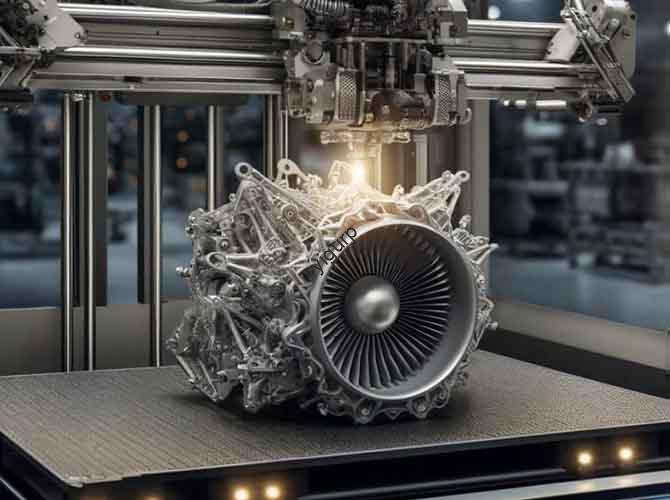
You’ve sent a 3D model to print, a critical component with tolerances tighter than a human hair. The print finishes, but your calipers tell a frustrating story: dimensions are off, surfaces are wavy, and mating parts won’t fit. The promise of 3D printing accuracy has collided with the messy reality of physics and machine limitations. For engineers, researchers, and manufacturers, this isn’t just an annoyance—it’s a project-stopping failure. Achieving true precision in additive manufacturing requires moving beyond default settings to master a triad of influences: technology selection, material behavior, and environmental control. This guide provides the definitive framework for diagnosing accuracy failures and implementing solutions to get predictable, high-precision results every time.
Introduction
In the context of 3D printing, accuracy refers to how closely the dimensions of a printed part match the intended dimensions in the digital CAD model. It’s a measure of dimensional fidelity. Precision (or repeatability) is the ability to produce the same accurate result consistently. A process can be precise but not accurate (consistently wrong) or accurate but not precise (correct on average, but with high variability). The industrial goal is to be both. The challenge is that additive processes are inherently susceptible to a cascade of errors: thermal shrinkage, mechanical backlash, optical distortion, and material relaxation. Understanding and controlling these errors is what separates a hobbyist print from a production-ready component. Let’s dissect the problem from the ground up.
What Are the Fundamental Types of 3D Printing Inaccuracy?
Before fixing problems, you must identify them. Inaccuracy manifests in specific, measurable ways:
- Dimensional Error: The part is uniformly too large or too small. Often caused by incorrect scaling, material shrinkage, or machine calibration errors (e.g., wrong steps/mm).
- Form Error: The shape is distorted—warped edges, bowed surfaces, or elliptical holes that should be round. Caused by internal stress, uneven cooling, or support structure deflection.
- Surface Artifacts: Layer lines, “elephant’s foot” (bulging first layer), ringing/ghosting (echoes of sharp movements), and stair-stepping on curved surfaces. These affect fit and function of sliding or sealing surfaces.
- Feature Error: Small details like thin walls, sharp corners, or tiny holes fail to resolve or are filled in. Limited by printer resolution, nozzle/laser spot size, and material flow characteristics.
How Does Your Choice of Technology Dictate Accuracy Potential?
Your 3D printing technology sets the ceiling for potential accuracy. Each has a unique error profile.
| Technology | Primary Accuracy Driver | Typical Best-Case Dimensional Tolerance (on a 100mm part) | Dominant Error Sources |
|---|---|---|---|
| Stereolithography (SLA) / Digital Light Processing (DLP) | Optical Resolution & Resin Cure Chemistry | ± 0.05 – 0.15 mm | Shrinkage during cure, laser/galvo distortion, penetration depth causing “blooming.” |
| Material Jetting (PolyJet) | Drop-on-Demand Inkjet Head Precision | ± 0.1 – 0.2 mm | Material shrinkage, support removal distortion, droplet placement error. |
| Selective Laser Sintering/Melting (SLS/SLM) | Laser Spot Size & Thermal Management | ± 0.1 – 0.3 mm | Thermal distortion (warping), particle size/geometry, powder bed temperature gradients. |
| Fused Deposition Modeling (FDM) | Mechanical Motion System & Extrusion Control | ± 0.2 – 0.5 mm (with calibration) | Nozzle diameter, belt backlash, extruder pressure inconsistencies, thermal contraction. |
| Binder Jetting | Powder Layer Thickness & Binder Droplet Placement | ± 0.2 – 0.5 mm | Shrinkage during sintering, powder spreading uniformity, binder penetration. |
Key Insight: Vat polymerization (SLA/DLP) generally offers the best as-printed surface finish and dimensional accuracy for small-to-medium parts due to its fine optical resolution and layer-by-layer solidification. FDM has the widest variability; its accuracy is not inherent but must be engineered through meticulous calibration and tuning.
What Role Does Material Science Play in Accuracy?
The material isn’t a passive medium; it actively fights against your dimensional goals through its physical response to the printing process.
The Thermal Contraction Problem:
All thermal processes (FDM, SLS, SLM) and exothermic curing processes (SLA) are subject to shrinkage as the material cools or polymerizes. This shrinkage is often anisotropic—different in the X, Y, and Z directions.
- FDM: PLA shrinks ~0.2-2%, ABS 4-8%. This causes warping as the bottom layers cool and contract, peeling corners off the bed.
- SLA Resin: Shrinkage can be 2-5% during cure. A 50mm part can be 1mm smaller without compensation.
- SLS/M: Metal and polymer powders contract significantly during sintering/melting, requiring careful shrinkage compensation factors in the original CAD file.
Material-Specific Strategies for Dimensional Fidelity:
- For FDM: Use low-warp materials like PETG or ASA over ABS. For critical dimensions, print a calibration cube with your chosen material and settings, measure, and apply a scaling factor in your slicer (e.g., 100.3% to compensate for shrinkage).
- For SLA: Choose “low-shrink” or “high-precision” engineering resins. Always post-cure parts uniformly to achieve final, stable cross-linking and prevent continued creep shrinkage.
- For SLS: Ensure powder is fresh and dry. Moisture causes inconsistent sintering and unpredictable growth of sintered zones.
How Do Machine Mechanics and Calibration Define Accuracy?
A printer is a precision robot. Its mechanical imperfections directly translate to part errors.
The Calibration Hierarchy: Do These in Order
- Frame Squareness & Rigidity: A wobbly frame is irrecoverable. Ensure all gantry components are square and firmly bolted. On CoreXY printers, check belt tension equality.
- Motion System Calibration:
- Steps per Millimeter (Steps/mm): This is fundamental. If your printer thinks it’s moving 100mm but actually moves 99mm, every dimension will be 1% off. Calibrate for X, Y, Z, and E (extruder) using precise measurement tools.
- Belt Tension: Belts should be tight enough to twang, not loose. Loose belts cause backlash, manifesting as sloppy corners and dimensional error on movements that change direction.
- Extrusion Calibration (FDM Critical):
- E-Steps: Ensures 100mm of commanded filament equals 100mm fed.
- Flow Rate/Extrusion Multiplier: Fine-tunes the volume of plastic extruded. Print a single-wall calibration cube and measure wall thickness with a micrometer. Adjust flow until the measured thickness equals your line width setting.
- First Layer “Squish”: An incorrect Z-offset causes “elephant’s foot” (too low) or poor adhesion and weak first layers (too high).
Pro Tip: Implement Linear Advance/Pressure Advance (Marlin/Klipper Firmware)
This firmware feature dynamically adjusts extruder pressure during acceleration and deceleration. It virtually eliminates bulging corners and improves dimensional accuracy of holes and features by ensuring consistent line width regardless of print head speed. It’s a must-tune for serious FDM accuracy.
How Does Your Environment Sabotage or Support Accuracy?
The printer doesn’t operate in a vacuum. Ambient conditions are a silent partner.
- Temperature Fluctuations: Drafts or changing room temperatures cause uneven cooling in FDM, leading to warping and layer adhesion issues. For ABS, Nylon, or PC, an enclosure is non-negotiable not just for fumes, but for maintaining a stable, warm ambient temperature (~40-50°C).
- Humidity: Hydroscopic materials (Nylon, PETG, PVA, many resins) absorb moisture from the air. Wet filament boils and pops in the nozzle, causing voids and under-extrusion. Wet resin cures inconsistently. Store materials in dry boxes with desiccant and use a filament dryer.
- Vibrations: A printer on a wobbly table will produce “ringing” or ghosting artifacts. Place the printer on a heavy, stable surface like a paver stone sitting on foam for damping.
The Post-Processing Path to Perfect Accuracy
Often, the path to a perfect dimension goes through the print, not stopping at it.
- Strategic Oversizing: For a critical 10.00mm hole that must be smooth, design and print it at 9.80mm, then ream or drill it to final size for perfect roundness and finish.
- Heat Treatment for Stability: For SLS and SLA parts, annealing can relieve internal stresses that would otherwise cause gradual distortion over time. For metals, Hot Isostatic Pressing (HIP) closes internal porosity and stabilizes dimensions.
- CNC Machining of Critical Features: This hybrid approach is standard in industry. Use 3D printing to create the complex near-net-shape, and use a CNC mill to put precision flats, holes, and threads where needed. This combines the geometric freedom of AM with the unmatched accuracy of subtractive methods.
A Step-by-Step Accuracy Troubleshooting Protocol
When a part is out of spec, follow this flow:
- Measure the Error: Use digital calipers, micrometers, and a coordinate measuring machine (CMM) if available. Quantify how it’s wrong (which dimension, which direction).
- Isolate the Cause:
- All dimensions uniformly scaled? → Scaling/Shrinkage compensation error.
- Error in one axis only (e.g., X is off, Y is good)? → Steps/mm calibration error for that axis or loose belt.
- Warping/lifting corners? → Bed adhesion, cooling, or ambient draft issue.
- Poor surface finish, blobbing, gaps? → Extrusion/flow calibration, temperature, or retraction settings.
- Implement and Test Fixes: Change one parameter at a time. Re-print a standardized accuracy test model (like a XYZ Calibration Cube, a Hole Tolerance Test, or a Overhang Test) to assess the impact.
Conclusion
Achieving high accuracy in 3D printing is not a mystery; it is a system engineering challenge. It demands a holistic view that connects your technology’s inherent capabilities, your material’s behavioral quirks, your machine’s mechanical truth, and your environment’s stability. There is no single “accuracy” setting. Instead, it is the product of a disciplined process: selecting the right technology for the tolerance band, calibrating the machine to its physical limits, compensating for material behavior, and employing post-processing to hit the final target. By adopting this systematic approach, you transform 3D printing from a prototyping tool into a viable method for producing functional, interchangeable, and reliable parts that meet the rigorous demands of modern engineering.
FAQ:
Q: What is a realistic tolerance I can consistently hold on a production FDM printer?
A: With a well-calibrated industrial FDM printer (e.g., Stratasys F370, Ultimaker S5) using stable materials like ABS or PC, you can achieve ±0.15 mm to ±0.25 mm on critical dimensions under 100mm. For hobbyist-grade printers, with exceptional calibration (including Linear Advance), ±0.2 mm to ±0.4 mm is an ambitious but possible target. These tolerances assume a controlled environment and part-specific tuning.
Q: How do I accurately 3D print threads that actually work?
A: Printing functional threads in-place is challenging. Best practices: 1) Orient the thread axis vertically (Z-direction). 2) Design with clearance: Use the “Hole Horizontal Expansion” setting in your slicer to slightly undersize internal threads and oversize external threads. 3) Consider tap or post-process: For strong, reliable threads, print a pilot hole and tap it, or design in a threaded metal insert that is installed after printing with a soldering iron. Never rely on as-printed threads for critical load-bearing applications.
Q: Does printing slower always improve accuracy?
A: Not necessarily, and sometimes it worsens it. Slower printing can improve surface finish and detail resolution. However, for FDM, printing too slow can cause excessive heat buildup, leading to part deformation, especially with materials like PLA. The key is finding the optimal speed for your specific material and cooling setup where layer adhesion is strong but heat input is managed. Use maximum volumetric speed limits as a guide.
Q: Can software alone fix my accuracy problems?
A: Software can compensate for known errors, but cannot fix underlying mechanical issues. Slicer settings like Horizontal Expansion (for hole/pin sizes) and shrinkage scaling factors are powerful tools for dialing in dimensions. Input Shaping (in Klipper) can mechanically compensate for printer resonance. However, if your printer has loose bearings, a bent lead screw, or an unlevel frame, software cannot correct the resulting geometric errors. Calibrate hardware first, then fine-tune with software.
Q: How accurate are “accurate” resin printers compared to machining?
A: High-end dental or jewelry SLA/DLP printers (e.g., from Formlabs, 3D Systems, or Asiga) can achieve ±0.025–0.05 mm accuracy on small parts. This is suitable for many injection mold patterns, dental models, and jigs. However, it still falls short of precision CNC machining, which can routinely hold ±0.0125 mm or tighter. Resin printing accuracy is also material and geometry-dependent, while machining accuracy is more consistent across part shapes.
Discuss Your Projects with Yigu Rapid Prototyping
Pushing the limits of 3D printing accuracy for end-use parts or pre-production validation requires specialized expertise and equipment. At Yigu Rapid Prototyping, we treat accuracy as a measurable, guaranteed outcome. Our facility houses industrial-grade SLA, SLS, and calibrated FDM systems in climate-controlled environments. For every project, we implement a first-article inspection protocol using CMM and laser scanning to validate dimensions against your CAD model, providing a full deviation report. We specialize in hybrid manufacturing, combining the design freedom of 3D printing with the precision of CNC machining to deliver parts that meet the most demanding tolerances. Contact our engineering team to discuss your accuracy requirements and receive a data-driven plan for achieving them.