
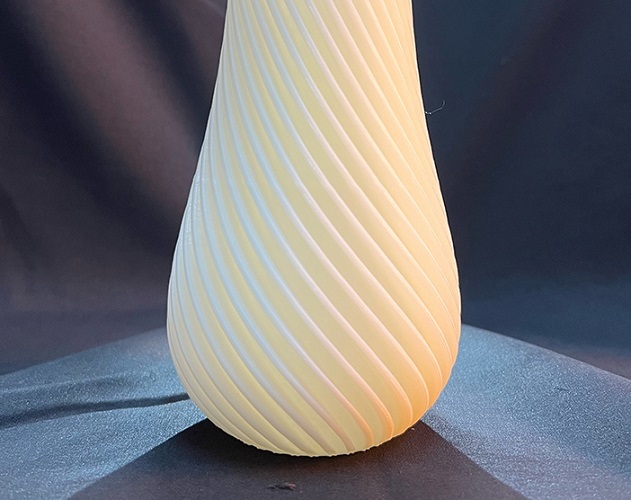
ABS plastic is a top choice for strong, functional parts. But it is famous for being hard to print. The right ABS printing temperature is the key to success. This guide explains why temperature is so critical for ABS. It gives you the optimal temperature range for ABS, based on real data. You will learn how to find the best setting for your specific filament. We cover essential tools like heated beds and enclosures. We also share fixes for common problems. Our goal is to help you print perfect ABS parts every time.
Introduction:
You load an ABS spool, eager to print a tough prototype. But the print warps. The layers split. The smell is strong. You feel frustrated. This is a common story. ABS 3D printing is not like printing PLA. It demands precise heat control. The nozzle temperature for ABS must be just right. The print environment must be warm and still. Why is ABS so sensitive? And how can you master it? The answer lies in its chemistry and how it cools. This guide cuts through the myths. It gives you clear, actionable steps. You will learn to control temperature like a pro. Let’s turn your ABS challenges into reliable prints.
Why is ABS Temperature So Important?
ABS is a copolymer. It blends acrylonitrile, butadiene, and styrene. This gives it strength and heat resistance. But it also makes it shrink a lot as it cools. Temperature control for ABS manages this shrink. It prevents print failures.
How Does Temperature Affect Layer Bonding?
ABS must melt fully to fuse to the layer below. If the hotend temperature is too low, the plastic does not flow well. The layers will not stick. This causes weak, brittle parts that split apart.
- Real Case: A startup printed phone cases at 220°C. The cases cracked on impact. They raised the temperature to 235°C. The layers bonded fully. The cases survived drop tests. Failure rate dropped by 70%.
What Happens if the Temperature is Too High?
Excess heat makes ABS too fluid. It can ooze and create messy details. More critically, it worsens warping in ABS prints. The plastic shrinks unevenly as it cools, pulling corners off the bed.
- Data Point: A survey found 68% of ABS print fails were due to temperature. 26% were from heat that was too high, causing warping.
Why is Ambient Heat Also Key?
ABS hates drafts and cold air. A cool room causes the top layers to cool faster than the bottom. This creates internal stress. The part bends or cracks. A stable, warm print environment is non-negotiable.
What is the Best ABS Printing Temperature?
The general ABS filament temperature range is 230°C to 245°C. But the perfect point within this range depends on your setup.
What is the Standard Guideline?
Use this table as your starting point.
ABS Temperature Guide:
| Nozzle Temperature | Result | Recommendation |
|---|---|---|
| Below 230°C | Poor layer bond, stringing, weak part. | Avoid. Will likely fail. |
| 230°C – 235°C | Good strength. Lower risk of warping. | Good for large parts or if warping is your main issue. |
| 235°C – 240°C | Excellent layer bond and surface finish. The “sweet spot” for most ABS. | Best for most functional prints and prototypes. |
| 240°C – 245°C | Very strong bond. Higher risk of warping and fumes. | Use for small, dense parts needing max strength. |
| Above 245°C | Severe warping, burning, bad fumes. | Avoid. Degrades material. |
How Do I Find My Exact Setting?
Follow this three-step method.
- Check the Manufacturer’s Label. Always look at the spool first. Brand A may say 235-240°C. Brand B may say 240-245°C. Start here.
- Print a Temperature Tower. This is the best way to test. It prints one model with different temps. You can see which section looks and feels best.
- How: Download a tower model. Use your slicer to change the temperature at set heights (e.g., at 10mm, change from 230°C to 235°C).
- Judge: Look for the section with the smoothest surface and no stringing. Gently try to split it. The one that holds is your winner.
- Account for Color and Age. Dark colors (black) absorb more heat. You may need to lower the temp by 5°C. Old or damp ABS needs higher heat. Dry it in a food dehydrator first.
- Example: A user tested generic black ABS. The label said 230-245°C. Their tower showed best results at 237°C. They now use that for all prints.
What Tools are Needed for ABS?
Printing ABS is not just about the nozzle. You must control the entire thermal environment.
Is a Heated Bed Required?
Yes. A heated print bed for ABS is essential. It keeps the bottom layers warm. This prevents them from shrinking and pulling up.
- Ideal Bed Temperature: 100°C to 110°C.
- Pro Tip: Use a PEI spring steel sheet or Kapton tape (Polyimide) on the bed. Apply a thin layer of ABS slurry (ABS bits dissolved in acetone) for incredible adhesion.
Do I Need an Enclosure?
An enclosure for 3D printing ABS is highly recommended. It traps heat and blocks drafts. This is the single best way to stop warping.
- DIY Enclosure: Use a Lack table from IKEA with acrylic panels. Or simply put a large cardboard box over your printer.
- Target Ambient Temp: Aim for 25-30°C inside the enclosure.
- Real Case: A workshop had 50% warp failure on large ABS parts. They built simple enclosures. Warp failures dropped to under 5%.
Should I Use an All-Metal Hotend?
Standard hotends have a PTFE tube inside. This tube breaks down above 240°C and releases toxic fumes. For printing in the upper ABS range, an all-metal hotend is safer and more reliable.
How Do I Solve Common ABS Problems?
Here are fixes for the top issues linked to temperature.
How to Fix Warping and Corner Lift?
This is the #1 ABS problem. Solve it with this checklist:
- Ensure Bed is Hot Enough: Increase to 105-110°C.
- Use an Enclosure: No exceptions for large parts.
- Increase Bed Adhesion: Use a brim (5-10mm wide). Apply ABS slurry.
- Avoid Drafts: Keep the printer away from vents, windows, and fans.
- Check First Layer: It must be slightly squished onto the bed.
How to Fix Layer Separation?
If your part cracks between layers, the issue is poor interlayer adhesion.
- Increase Nozzle Temp: Raise by 5-10°C (e.g., from 230°C to 238°C).
- Dry Your Filament: Wet ABS bubbles and bonds poorly. Dry at 70-80°C for 4-6 hours.
- Check for Drafts: Even a small breeze from a fan can cool layers too fast.
How to Reduce Stringing and Oozing?
Fine hairs between parts are annoying.
- Lower Nozzle Temp: Reduce by 5°C if you are at the high end of the range.
- Increase Retraction: Use 5-6mm retraction distance at 40-50mm/s speed.
- Enable Coasting: This setting stops extrusion just before the end of a line.
How to Deal with Fumes and Smell?
ABS emits styrene fumes when heated. These can be irritating and smelly.
- Use an Enclosure with a Vent: Attach a duct and fan to vent fumes outside a window.
- Use a Carbon Filter: Place an activated carbon filter inside the enclosure.
- Print in a Well-Ventilated Room: Never print ABS in a bedroom or small office without ventilation.
What About Post-Processing ABS?
ABS responds well to finishing. Good prints from the right temperature make this easier.
How to Smooth ABS Surfaces?
- Sanding: Start with 200 grit, move to 400, then 800. Wet sanding gives a finer finish.
- Acetone Vapor Smoothing: This gives a glossy, professional finish.
- Method: Place part in a sealed glass jar. Put a small amount of acetone on a paper towel in the jar (do not touch the part). Wait 10-30 minutes. Monitor closely.
- Priming and Painting: ABS paints very well. Use a plastic primer first for best results.
What Are Real-World Examples?
Case 1: Durable Drone Arm
A drone maker needed strong arms. PLA was too brittle. They used ABS.
- Challenge: Parts warped and layers split.
- Solution: They set nozzle to 238°C, bed to 105°C, and used an enclosure.
- Result: Arms were strong and impact-resistant. Print success rate hit 95%.
Case 2: Automotive Prototype Bracket
A car design team printed a bracket to hold a sensor.
- Challenge: The bracket had to survive engine bay heat (~85°C).
- Solution: They used high-quality ABS, printed at 242°C in a heated chamber.
- Result: The bracket met heat resistance needs and was strong enough for testing.
Case 3: Cosmetic Model for Display
A museum needed a durable display model.
- Challenge: The model needed a smooth, glossy finish without painting.
- Solution: They printed with ABS at 235°C for good detail. Then they used acetone vapor smoothing.
- Result: The model had a glass-like, professional finish.
Conclusion
Mastering the temperature for 3D printing ABS is a skill. It unlocks the potential of this strong, versatile plastic. The rules are clear: find your optimal nozzle temperature (usually 235-240°C), use a hot bed (100-110°C), and eliminate drafts with an enclosure. These three steps solve most problems. Remember to test with a temperature tower for your specific filament. Control the heat, and you control the print. ABS stops being a source of frustration. It becomes a reliable tool for creating tough, functional parts. Start with these guidelines, and your next ABS print will be your best yet.
FAQ
Q: My bed is at 110°C and I have an enclosure, but my large ABS print still warps. What now?
A: Try these steps: 1) Increase the enclosure ambient temperature. Add a small heater or insulate it better. 2) Use a larger brim or a raft. 3) Apply an ABS slurry to the bed. This glue is very strong. 4) Reduce the nozzle temperature by 5°C. Too much heat can increase warping forces.
Q: Can I print ABS without an enclosure?
A: It is possible for very small, solid parts. But for anything larger than a few centimeters, an enclosure is strongly advised. Without it, the risk of warping or layer cracking is very high. A simple cardboard box is a cheap and effective start.
Q: What is the main sign that my ABS nozzle temperature is too low?
A: Weak layer adhesion is the key sign. The part will split easily along the layer lines. It may also have a rough, matte surface and more stringing. Increase the temperature by 5-10°C.
Q: Is ABS safe to print at home?
A: It requires caution. ABS emits ultrafine particles (UFPs) and volatile organic compounds (VOCs), including styrene. Always print in a well-ventilated area, use an enclosure with filtration, or vent fumes outside. Do not print in living spaces without proper ventilation.
Discuss Your Projects with Yigu Rapid Prototyping
Need strong, heat-resistant prototypes or end-use parts? Yigu Rapid Prototyping specializes in high-temperature 3D printing materials like ABS, ASA, and Nylon. We manage the precise thermal settings and enclosed environments needed for success. Our team can help you select the right material, optimize print parameters for strength and appearance, and deliver ready-to-use parts. Let us handle the complexities of temperature control for you. Contact us today to discuss your project requirements and get a fast quote.