
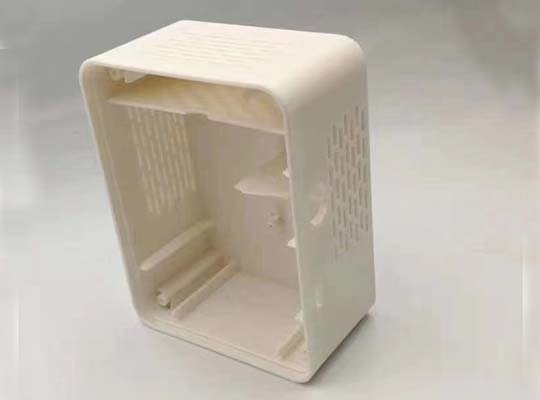
If you’ve ever pulled a 3D printed part off the bed only to find it warped, weak, or just not fitting right, you know the frustration. Fused Deposition Modeling (FDM) is incredibly accessible—it’s why many of us got into 3D printing in the first place. You can create functional prototypes, custom tools, or even end-use parts right on your desk. But here’s the catch: to get strong, reliable, and precise results, you can’t just design as if you’re using an injection molding machine. FDM has its own rulebook.
This guide cuts through the trial and error. We’ll walk through the key design principles that respect how FDM actually works—layer by layer. You’ll learn how to plan for its strengths, design around its quirks, and ultimately create thermoplastic parts that are not just printable, but are durable, accurate, and fit for purpose.
How Does FDM Printing Really Work? (And Why Should You Care?)
Before we tweak our CAD models, let’s get one thing straight: FDM is an additive, layer-based process. Understanding this is the key to everything that follows. A printer heats thermoplastic filament and extrudes it through a fine nozzle, depositing material one slender layer at a time. Each new layer must bond to the one below as it cools.
This fundamental process creates a unique set of opportunities and constraints:
- Unmatched Design Freedom: You can create internal channels, complex geometries, and integrated assemblies without any expensive tooling.
- The Anisotropy Challenge: Parts are not equally strong in all directions. They’re strongest in the XY plane (along the layers) and weakest in the Z-axis (between layers), where layer adhesion is critical.
- The Thermal Reality: Plastics shrink as they cool. If one part of your print cools faster than another, internal stress builds up, leading to warping, curling, or even layer splitting.
Grasping these core ideas isn’t academic—it’s practical. It explains why a part can snap easily in one direction but not another, or why a large flat surface might lift off the print bed. Designing for FDM means designing with these principles, not against them.
What Are the Non-Negotiable Design Rules for FDM?
To build a successful part, you need to get a few foundational elements right from the start. Miss these, and you’re fighting an uphill battle.
Wall Thickness: How Thick Is “Just Right”?
This is arguably the most critical setting in your design. Go too thin, and your part will be fragile or fail mid-print. Go too thick, and you invite warping, waste material, and extremely long print times.
- The Problems: Walls below 0.75mm often lack the structural integrity to print successfully, especially if they’re tall or unsupported. Conversely, solid walls over 2.5mm can trap heat, causing uneven cooling, internal stress, and warping.
- The Sweet Spot: For the vast majority of functional parts, a wall thickness between 1.2mm and 2.0mm hits the perfect balance of strength, speed, and material efficiency.
- Pro-Tip: A great rule of thumb is to design walls to be a multiple of your nozzle diameter. For a standard 0.4mm nozzle, 1.2mm (3x diameter) is an excellent minimum. For unsupported walls or those bearing load, err toward 1.5mm or more.
Overhangs & Bridges: How Far Can You Go Without Support?
FDM printers extrude molten plastic into thin air. Without something below to catch it, gravity wins. That’s the challenge of overhangs (sloping surfaces) and bridges (horizontal spans between two points).
- The 45-Degree Rule: This is your mantra. An overhang angle up to 45 degrees from vertical can typically be printed without support. Beyond that, the plastic will sag and droop.
- Bridge Limits: For a clean, unsupported bridge, try to keep the span under 5mm. For longer bridges, you have two choices: add support structures or cleverly design the bridge with a slight upward arch (0.5-1mm) to counteract the inevitable sag.
- Design Fix: Often, simply re-orienting your part on the build plate can turn a problematic 60-degree overhang into a manageable 30-degree one. Always consider orientation first!
How Can You Stop Parts From Warping?
There’s little more disheartening than watching the corners of your 20-hour print slowly peel off the bed. Warping is caused by differential cooling and shrinkage.
- Material Choice is Key: If dimensional accuracy is critical and you don’t need high heat resistance, choose PLA or PETG over ABS. ABS is notoriously prone to warping.
- Break Up Large Flat Areas: A solid, 150mm x 150mm base is a warp magnet. Add strategic ribs, cutouts, or a textured pattern to the bottom surface. This reduces the contact area and internal stress.
- Use Fillets, Not Sharp Corners: A rounded corner (fillet) at the base of a vertical wall distributes stress and allows for a more gradual cooling transition, dramatically reducing the “elephant’s foot” effect and corner lifting.
- Design for Adhesion Aids: If your part must be large and flat, design it knowing you’ll use a brim (a thin, flat skirt around the base). Ensure there’s a clear, clean perimeter for that brim to attach to.
Part Orientation: Which Way Up Is Best?
You’ve designed the perfect part. Now, how do you lay it down in the slicer? This decision impacts strength, surface finish, and the need for supports.
Need Maximum Strength? Align the Load.
Remember: FDM parts are anisotropic.
- Critical Rule: Orient your part so that the primary force or load it will bear runs parallel to the build plate (XY plane). This puts the stress along the strong, continuous layers, not against the weaker Z-axis bonds.
- Real-World Example: If you’re printing a bracket that will have a vertical load, print it standing upright so the force compresses the layers together. If printed lying down, that same load could cause the layers to delaminate.
Want the Best Surface Finish? Think About Layer Lines.
The “stair-stepping” effect on curved surfaces is a telltale sign of FDM.
- Upward-Facing Surfaces (Top) are Smoothest. The top surface, where the nozzle completes each layer, is usually the cleanest.
- Minimize Curved Angles Relative to the Build Plate. A gentle 30-degree curve will show more obvious layer lines than a steep 80-degree one. Sometimes, sacrificing a bit of strength for a better cosmetic finish is the right trade-off for visible parts.
- Holes Print Truer Vertically. For accurate, round holes, orient them vertically (parallel to the Z-axis). Horizontal holes often come out slightly oval and may need supports inside.
Table: Part Orientation – A Quick Decision Guide
| Priority | Recommended Orientation | Reason |
|---|---|---|
| Maximize Strength | Align primary load/stress with the XY plane (flat) | Utilizes the strongest direction of the printed layers. |
| Best Surface Finish | Place critical cosmetic surfaces facing upward | Upward-facing surfaces have the best finish and minimal support marks. |
| Ensure Dimensional Accuracy | Print holes and cylindrical features vertically | Produces truly round holes; reduces need for internal supports. |
| Minimize Support | Orient so all overhangs are ≤ 45° | Reduces print time, material waste, and post-processing labor. |
Designing for Assembly: Will Your Parts Actually Fit Together?
Creating a multi-part assembly with FDM requires a different mindset than traditional manufacturing. You must account for the inherent slight variations and the “squish” of extruded plastic.
How Much Clearance Do Moving Parts Need?
Forget “perfect fit.” You need intentional gaps.
- Sliding/Rotating Parts: A 0.3mm to 0.4mm clearance between mating surfaces is a great starting point for parts that need to move smoothly (e.g., gears, hinges).
- Snap-Fit Joints: These can work beautifully with flexible materials like PETG or nylon.
- Design the cantilever arm with a generous fillet at its base to prevent cracking.
- Keep the strain during assembly below 5% for a durable, reusable snap. For a 10mm long snap arm, the deflection should be less than 0.5mm.
- Press-Fits & Inserts: For a tight press-fit, design the hole 0.2mm smaller than the shaft. For heat-set brass inserts, design the mounting hole to be the insert’s inner pilot diameter. The molten plastic will flow into the insert’s knurls as you install it.
Should You Print Threads or Use Inserts?
- Printed Threads: Can work for coarse threads (M6 or larger) and low-stress applications. Design them with a slightly wider clearance (0.3mm) and a flattened profile for better layer strength.
- Heat-Set Inserts: For professional, strong, and reusable threads, these are unbeatable. You design a slightly undersized hole, and the insert is melted in, creating a metal-reinforced thread that won’t strip.
What About Fine Details, Text, and Small Features?
FDM has a practical resolution limit. Pushing beyond it leads to failed prints or messy details.
- Minimum Feature Size: As a general rule, don’t design details smaller than your nozzle diameter (often 0.4mm). A pillar should be at least 2mm in diameter to be reliable. Text embossed or engraved on a surface should have line thickness over 0.8mm and be placed on a horizontal surface for clarity.
- Hole Sizes: A 0.5mm hole might close up. Design holes you need to be precise at 1mm or larger, or plan to drill them out after printing.
FAQ:
Q: I keep getting warping, especially with ABS. What’s the #1 design fix?
A: The most effective design change is to eliminate large, continuous flat areas on the build plate. Break them up with lightening holes, ribs, or a crosshatch pattern. Combine this with a 2-3mm brim in your slicer for stubborn cases.
Q: My snap-fit keeps breaking. How do I design a better one?
A: Snap failures usually happen at the base. Add a generous fillet (radius equal to the arm’s thickness) at the base of the cantilever. Also, ensure the deflection during assembly doesn’t exceed the material’s strain limit—for PLA, that’s very low; for PETG or ABS, you have more flexibility.
Q: How do I get a truly watertight or airtight FDM print?
A: Achieving a perfect seal can be challenging due to microscopic gaps between layers. Your best bets are to: 1) Use a material known for good layer adhesion like PETG or ABS, 2) Increase the number of perimeters/wall loops (3-4 is good), 3) Apply a compatible sealant or epoxy coating post-print for critical applications.
Q: Can FDM parts be used for functional, load-bearing applications?
A: Absolutely. The key is designing for directionality. Orient the part so the load is in the XY plane, use adequate wall thickness (2mm+) and smart infill patterns (gyroid or triangular), and choose the right material (e.g., ASA for outdoor use, Nylon for toughness). We regularly produce jigs, fixtures, and functional housings that endure real-world use.
Q: What’s the biggest mistake you see beginners make in FDM design?
A: It’s designing sharp internal corners. A 90-degree corner inside your part creates a natural stress concentrator and forces the printer nozzle to make a sudden direction change, often reducing print quality. Always fillet internal corners—even a small 1mm radius makes the part stronger and easier to print.
Discuss Your FDM Project with Yigu Rapid Prototyping
At Yigu, we live and breathe this stuff every day. We don’t just run printers—we partner with engineers and designers to turn concepts into robust, functional parts. Whether you’re battling a persistent warping issue, need a complex multi-part assembly designed for printability, or are unsure which material is right for your application, our team brings hands-on expertise to the table.
Let’s solve it together. Send us your CAD file and tell us about the part’s function. We’ll provide a free design-for-manufacturability (DFM) review, highlighting potential pitfalls and optimization opportunities specific to FDM. We can then handle the printing on our fleet of industrial-grade machines, delivering parts that are built right from the ground up.
[Contact Us Today for a Free Design Review & Quote] – Let’s make your idea printable, strong, and ready for the real world.