
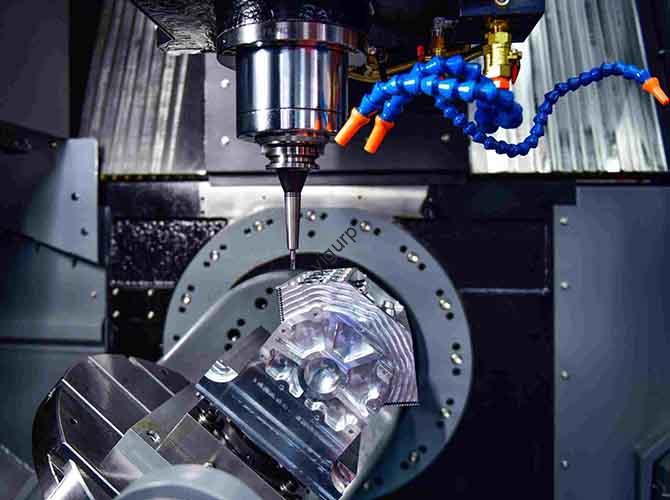
In short: CNC laser cutting design bridges the gap between a digital drawing and a perfectly cut physical part. Mastering it means you can prevent common errors like incomplete cuts or burred edges, saving time and materials. This guide breaks down the entire process, from basic principles to fixing common mistakes, helping you achieve professional results every time.
Introduction: More Than Just Pushing “Start”
In fields like car manufacturing, custom art, and industrial fabrication, CNC laser cutting is the go-to method for fast, precise work. But here’s the reality: many people hit problems like files that won’t load, edges covered in burrs, or cuts that don’t go all the way through.
The root cause? Often, it’s a lack of understanding the full CNC laser cutting design process. It’s not just about owning a machine; it’s about knowing how to prepare your files, choose your materials, and set your parameters. This article walks you through the entire workflow, giving you practical tips to avoid these common traps and consistently produce high-quality parts.
The Fundamentals: How Laser Cutting Really Works
Before you design, you need to know what happens inside the machine. This knowledge is the foundation of good design.
What Is the Core Principle of a Laser Cutter?
A laser cutter works by focusing an intense beam of light onto a tiny spot on your material. This focused energy quickly heats the material, causing it to melt, burn, or vaporize. A high-pressure gas jet then blows the molten material away, creating a clean cut.
The two main laser types you’ll encounter are:
- CO2 Lasers: These are great for non-metals like wood, acrylic, and fabric. They can also cut thin metals, but they are the standard choice for workshops focused on signage and crafts.
- Fiber Lasers: These are the workhorses of modern industry. They are much more efficient at cutting metals like stainless steel, aluminum, and brass. According to a 2024 industry report, fiber lasers cut 10mm stainless steel up to twice as fast as CO2 lasers, with a 30% smaller heat-affected zone.
How Does the CNC System Control Accuracy?
The CNC control system is the brain that translates your design into precise movements. It tells the motors exactly where to move the laser head.
A high-quality system can position the laser with an accuracy of 0.01mm. This directly controls your final part’s cutting accuracy and tolerance. For standard industrial work, you can expect tolerances around ±0.03mm to ±0.1mm. Precision machining can achieve even tighter results.
Real-World Example: An auto parts supplier once faced a crisis when a batch of parts had tolerances of ±0.3mm, leading to a high failure rate. The problem was traced to incorrect settings in the CNC controller. After an expert optimized the motion parameters, the tolerance was brought back to ±0.05mm, and their pass rate jumped from 78% to over 99%.
Matching Speed, Power, and Material
There’s no single “magic setting.” The right cutting speed and power depend entirely on what you’re cutting. Think of it like driving a car—you use different speeds and gears for a smooth highway versus a rough road.
| Material | Thickness (mm) | Recommended Power (W) | Approx. Speed (mm/min) | Key Tip |
|---|---|---|---|---|
| Carbon Steel | 3 | 500-1000 | 1500-2500 | Use oxygen to speed up the cut. |
| Stainless Steel | 5 | 1000-2000 | 800-1200 | Use nitrogen for a clean, non-oxidized edge. |
| Acrylic | 10 | 80-150 (CO2) | 300-500 | Go too slow, and the edges will get rough and cloudy. |
Safety First: Non-Negotiables for Operation
Lasers are incredibly powerful and can be dangerous. Safety operation specifications are your most important guideline.
- Eye Protection: Always wear laser safety glasses designed for your machine’s specific wavelength. Never look directly at the beam.
- Machine Care: Regular equipment maintenance prevents problems and keeps you safe.
- Clean the focusing lenses weekly. A dirty lens absorbs energy and can overheat and crack.
- Lubricate the guide rails monthly to ensure smooth, accurate movement.
- Check the laser’s focus position quarterly, as vibrations can shift it over time.
Software and File Prep: From Idea to Machine-Ready Design
Your design file is the instruction manual for the cutter. If the instructions are bad, the result will be bad. This stage is where most “file import errors” happen.
Choosing the Right Design Software
Your choice of CAD/CAM software is your primary tool. Here’s a simple breakdown:
- For Beginners & 2D Work: AutoCAD is a solid start. It’s excellent for creating precise 2D vector drawings and exporting the standard DXF file format. CorelDRAW is another good option, especially for more artistic designs.
- For Complex & 3D Parts: If you’re designing parts that need to fit together perfectly, SolidWorks lets you create a 3D model and then generate a flat pattern for cutting. Mastercam is an industry favorite for its powerful toolpath optimization.
A key tip: always work with vector graphics. These are defined by mathematical lines, so they stay sharp at any scale. Avoid using pixel-based images (like JPGs or PNGs) for your cutting paths, as they will result in a rough, inaccurate cut.
Why Are File Format and Layers So Important?
The DXF format is the universal language for laser cutters. To avoid errors on your machine:
- Clean Your Layers: Keep only the essential cut lines. A good habit is to put your main cutting lines on a single layer, name it “Cut,” and make it red.
- Check Your Geometry: Make sure all your shapes are fully closed with no gaps or overlapping lines. Your CAD software has a tool to check this.
- Use Consistent Units: Always work in millimeters to avoid scaling disasters.
Using layer management and color coding can also speed up your workflow. For example, you can set your machine to cut all red lines first at high power, then engrave all blue lines at lower power.
How to Nest Parts and Optimize Paths for Speed
Smart design saves money. Cutting path optimization and nesting techniques are how you do it.
- Path Planning: Tell the laser to cut internal features (holes) first, then the outer shape. This keeps the part stable while you cut the small details. Also, plan the most efficient route for the laser head to travel between cuts to minimize wasted motion.
- Nesting: This means arranging your parts on the sheet like a puzzle to use as much material as possible. Most CAM software can do this automatically.
- Rotate long, thin parts to fit along the edge.
- Place small parts in the gaps between larger ones.
Real-World Example: A furniture maker was wasting a lot of expensive plywood. By simply using the automatic nesting feature in their software, they increased their material utilization from 68% to 85%. This small change saved them over $30,000 a month.
Your Final File Export Checklist
Before you send your file to the cutter, do a quick check:
- Preview in the Machine’s Software: Open the file in the software that controls your cutter. Does everything look correct? Are all the lines there? Are the dimensions right?
- Check for Compatibility: Sometimes, newer software versions save files that older machines can’t read. If you have issues, try exporting in a “DXF R12” or other low-compatibility mode.
Material Mastery: Choosing and Cutting the Right Stuff
The material you choose dictates your laser settings and your final product’s quality. Understanding its properties is crucial.
Metals vs. Non-Metals: What’s the Difference?
Metal material cutting requires high power and often specific assist gases.
- Carbon Steel: Cuts well, especially with oxygen. For the cleanest edge, use mild steel with a low carbon content.
- Stainless Steel: To get a shiny, non-oxidized edge, you must use nitrogen as your assist gas.
- Aluminum: It reflects laser light and conducts heat away quickly. This means you need a powerful laser and a slower cutting speed.
Non-metallic material cutting is generally easier but has its own quirks.
- Acrylic: Cuts beautifully with a CO2 laser, leaving a flame-polished edge. Just make sure your workspace is well-ventilated.
- Wood: It must be dry. Cutting damp wood can release steam and cause a rougher, charred edge.
- Fabric & Textiles: Laser cutting is fantastic for fabrics because it melts the edges slightly, preventing fraying.
What Are the Thickness Limits for My Laser?
Your laser’s power directly limits how thick it can cut. This table gives you a rough idea:
| Laser Power (W) | Max Carbon Steel (mm) | Max Stainless Steel (mm) | Max Acrylic (mm) |
|---|---|---|---|
| 500 | 5 | 3 | 20 |
| 1000 | 12 | 8 | 30 |
| 2000 | 20 | 15 | 50 |
Remember, these are estimates. Your actual results depend on your specific machine’s lens and gas pressure.
Controlling the Heat-Affected Zone (HAZ)
The material heat-affected zone is the area around your cut that has been changed by the heat. A large HAZ can mean melted edges, warped parts, or changed material properties.
To keep the HAZ small:
- Use the highest possible cutting speed and the lowest possible power.
- Increase your assist gas pressure to blow away hot material and cool the cut faster.
- For very small or detailed parts, use a pulsed laser mode. This fires the laser in short bursts, giving the material time to cool between pulses.
Optimizing Your Process for Flawless Cuts
Knowing the theory is one thing; dialing in the machine is where the real skill lies. These are the fine adjustments that separate good parts from great ones.
Where Should the Laser’s Focus Be?
Focusing position adjustment is perhaps the single most important factor for cut quality. If the focus is wrong, the beam spreads out, and your cut will suffer.
A simple way to find the perfect focus is the “paper sheet method.” Place a piece of paper on your material, then fire a single, quick pulse at different focus heights. The spot where the burn mark is smallest and most intense is your ideal focus.
As a rule of thumb:
- For thin materials (under 3mm), set the focus right on the surface.
- For thick materials (over 10mm), set the focus slightly below the surface, about 1-2mm deep, to concentrate energy where it’s needed most.
Choosing the Right Assist Gas and Pressure
The gas you use isn’t just for blowing things away; it’s part of the cutting chemistry.
- Oxygen: Think of it as “fuel.” It creates an exothermic reaction that adds heat, allowing for faster cuts on materials like carbon steel. The downside is it oxidizes (slightly rusts) the cut edge.
- Nitrogen: This is “inert gas.” It protects the cut edge from oxidation, leaving it clean and shiny. It’s the choice for stainless steel and any part where appearance matters. It requires higher pressure (0.6-1.2 MPa).
- Compressed Air: This is the “economy” option. It’s fine for non-metals and less critical metal cuts. Just make sure it’s clean and dry.
Planning the Cut Sequence to Prevent Warping
When you cut a part, internal stresses in the material can cause it to move as it’s released. This is a common cause of material deformation.
The solution is smart cutting sequence planning:
- Cut Small Features First: Always pierce and cut small holes and internal details before you cut the outer shape.
- Use “Microjoints” or Tabs: For large parts or when cutting many small pieces, leave tiny, uncut bridges (tabs) that hold the part in the sheet. This prevents pieces from tipping over and hitting the laser head. You can easily snap them off later.
- Cut Symmetrically: When possible, plan your path to cut opposite sides of a part in sequence. This helps balance the release of stress.
Building Your Own Process Parameter Library
Don’t rely on memory. The most productive shops build a process parameter library. This is a simple log (a spreadsheet is perfect) of the settings that work.
Every time you successfully cut a new material, record:
- Material: (e.g., 3mm 6061 Aluminum)
- Laser Power: (e.g., 1500W)
- Cutting Speed: (e.g., 900 mm/min)
- Gas Type & Pressure: (e.g., Nitrogen @ 1.0 MPa)
- Focus Position: (e.g., +0.5 mm above surface)
- Notes: (e.g., “Edge is clean, no dross”)
Next time you need to cut that material, you have a proven recipe ready to go. This saves immense amounts of time on setup and testing.
Real-World Applications and Case Studies
Where does all this knowledge come together? In countless industries.
- Industrial Manufacturing: A factory switched from a punch press to a 2000W fiber laser for making engine mounts. They cut production time by a factor of three, eliminated expensive mold costs, and saw their quality rate jump from 92% to 99.5%.
- Art and Decoration: A design firm needed to create a complex, curving metal screen for a luxury hotel lobby. Laser cutting allowed them to realize their intricate design with perfect accuracy, and the finished installation looked exactly like the digital rendering.
- Architectural Models & Custom Gifts: A small creative company uses a laser cutter to make personalized metal bookmarks. They can go from a customer’s idea to a finished product in under 24 hours, selling thousands of unique items a month without needing any inventory.
- Medical Devices: For surgical tools and implants, cut quality is critical. Laser cutting achieves the necessary precision (tolerances under 0.02mm) with clean, burr-free edges that meet strict medical standards.
Troubleshooting: Fixing Common Cutting Problems
Even with perfect preparation, things can go wrong. Here’s how to fix the most frequent issues.
Why Isn’t My Cut Going All the Way Through?
Incomplete cutting is frustrating but usually easy to fix.
- Check Power: Is your power setting high enough for the material thickness?
- Check Speed: You might be moving too fast. Slow down.
- Check Focus: The beam might be out of focus. Re-calibrate.
- Check Gas Pressure: Low gas pressure won’t blow the molten material out. Check your lines and increase the pressure.
How Do I Get Rid of Annoying Edge Burrs?
Burrs (or dross) are melted material that re-solidifies on the bottom edge.
- Adjust Focus: The focus might be slightly too low. Raise it a little.
- Change Your Gas: If you’re cutting stainless steel with oxygen, you’ll get an oxide burr. Switch to nitrogen for a clean edge.
- Clean the Material: Oil or rust on the surface can cause problems. Make sure your metal is clean.
- Adjust Speed: You might be cutting too slowly, causing excess melting. Try speeding up.
My Parts Are Warping. What Can I Do?
Material deformation is caused by heat and stress.
- Add Tabs: Use microjoints to hold the part in place.
- Change the Cut Order: Make sure you’re cutting small internal features first. Try to cut in a pattern that distributes heat evenly.
- Reduce Heat: Lower your power and increase your speed to put less total heat into the part.
FAQ: Your Top Questions Answered
Q: What’s the real difference between laser cutting and plasma cutting?
A: Think of laser cutting as a scalpel—it’s extremely precise (±0.03mm) and leaves a clean edge, perfect for detailed work. Plasma cutting is more like an axe—it’s fast and cheap for thick plates (over 20mm), but the edge is rough and needs extra cleaning.
Q: I’m a beginner. Which laser machine should I buy?
A: It depends on your material. If you’re mostly cutting metal, get a 1000W fiber laser. It’s the industry standard. If you’re cutting wood, acrylic, or fabric, a much cheaper 80-150W CO2 laser is the right tool for the job.
Q: How can I waste less material?
A: The secret is nesting. Use your software’s automatic nesting feature to pack parts tightly together. Also, save your usable scrap pieces. They are perfect for testing new settings or cutting very small parts.
Q: Is laser cutting expensive to maintain?
A: Fiber lasers are quite cheap to maintain. Your main costs will be replacing protective lenses once or twice a year. CO2 lasers need their glass tubes replaced periodically, which is a bigger expense.
Q: What’s the trick to cutting really thick metal (over 15mm)?
A: You need three things: 1) A high-power machine (2000W+), 2) High-pressure nitrogen (1.0-1.2 MPa) to blast out the cut, and 3) a slow, steady speed. You must also use a good “pulse” setting to create the initial pierce hole without damaging the surrounding area.
Conclusion
Mastering CNC laser cutting design is what transforms a machine operator into a true fabricator. It’s a skill built on understanding the interaction between four key elements: your design files, your materials, your machine’s software, and the physical cutting process itself. By learning the fundamentals we’ve covered—from clean file preparation and smart nesting to precise focus adjustment and systematic troubleshooting—you can consistently produce high-quality parts, save on material costs, and avoid the common frustrations that plague beginners. This knowledge isn’t just about avoiding errors; it’s about unlocking the full potential of this powerful and versatile technology.
Discuss Your Projects with Yigu Rapid Prototyping
Ready to bring your designs to life? Whether you need a single prototype or a large production run, navigating the complexities of CNC laser cutting can be challenging. At Yigu Rapid Prototyping, we combine deep engineering expertise with state-of-the-art fiber and CO2 laser cutting equipment to deliver parts with exceptional precision and speed. Our team can help you optimize your design for manufacturability, select the ideal material, and ensure your project is completed to the highest standards. [Contact Yigu Rapid Prototyping today] to discuss your specific needs and get a free, no-obligation quote. Let’s turn your concept into a reality.