
Introduction
You have a great product idea. You have the design files ready. Now comes the critical question: what material should you use for your prototype?
The material you choose affects everything—how your prototype looks, how strong it is, how much it costs, and how long it takes to make. Choose wrong, and you might waste time and money on a prototype that doesn’t tell you what you need to know.
Laser cutting is one of the most versatile prototyping methods available. It works with dozens of materials, from tough metals to delicate paper. But not every material behaves the same way under the laser. Understanding their properties—how they cut, what thickness they allow, and where they work best—helps you make the right choice for your project.
This guide breaks down the most common materials for laser cut prototypes. You will learn about metals, woods, plastics, paper, and specialty materials. We cover cutting parameters, real-world applications, and practical tips to avoid common mistakes. By the end, you will know exactly how to match your prototype goals with the perfect material.
Metals: Strong and Durable for Functional Prototypes
Metals are the workhorses of laser cutting. When your prototype needs to be strong, withstand heat, or survive real-world testing, metals are often the answer. Industries like automotive, aerospace, and medical devices rely on laser-cut metal prototypes every day.
What Metals Work Best for Laser Cutting?
| Metal Type | Key Properties | Max Thickness* | Best For |
|---|---|---|---|
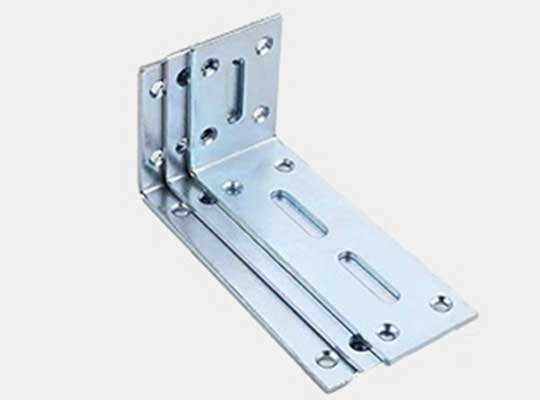
| Mild Steel | Strong, low cost, easy to cut | Up to 25mm | Machine brackets, chassis parts, structural prototypes |
| Stainless Steel | Corrosion-resistant, durable, clean finish | Up to 20mm | Medical device housings, food equipment, outdoor parts |
| Aluminum | Lightweight, conducts heat well | Up to 15mm | Aerospace components, EV battery enclosures, heat sinks |
| Titanium | High strength-to-weight, biocompatible | Up to 10mm | Surgical instruments, aircraft parts, high-end sports equipment |
| Copper & Brass | Conducts electricity, attractive appearance | Up to 8mm | Electrical connectors, decorative prototypes, heat exchangers |
*Thickness achievable with industrial-grade lasers. Your results may vary based on laser power.
How Does Laser Cutting Handle Different Metals?
Mild steel is the easiest metal to laser cut. It absorbs laser energy well, cuts cleanly, and leaves minimal dross (re-solidified material) on the bottom edge. A 1kW laser can cut through 10mm mild steel at about 1.6 meters per minute .
Stainless steel requires more power but produces excellent results. The laser creates an oxidation reaction that helps the cutting process. Edges come out clean and often need no further finishing. For medical prototypes, this means parts are ready for testing right off the machine.
Aluminum is trickier. It reflects laser light and conducts heat away from the cut zone quickly. This means you need a fiber laser (not CO₂) to cut aluminum effectively. Modern fiber lasers handle aluminum up to 15mm thick, but speeds are slower than for steel.
Copper and brass are highly reflective. They can bounce the laser beam back into the cutting head, potentially damaging the machine. Use a fiber laser with a anti-reflection protection feature. Keep the focus tight—around 0.05mm precision—to ensure the energy gets absorbed rather than reflected.
Real-World Example: Aerospace Titanium Prototype
An aerospace startup needed a prototype for a turbine blade cooling component. The part required dozens of tiny cooling holes—just 0.1mm in diameter. Traditional machining struggled with this. Drill bits broke. Holes wandered. About 30% of prototypes failed quality checks.
They switched to a 500W fiber laser cutting system. The laser created consistent 0.1mm holes with no burrs and no tool breakage. Production time dropped from 3 days to 8 hours per prototype. The defect rate fell to just 2% , saving the project $8,000 in rework costs .
Key Tips for Cutting Metal Prototypes
- Use fiber lasers for reflective metals: CO₂ lasers struggle with aluminum, copper, and brass. Fiber lasers handle them safely.
- Adjust focus carefully: For thin metals (under 2mm), focus on the top surface. For thick metals, focus slightly below the surface for better edge quality.
- Use assist gas: Oxygen helps cut mild steel faster by adding heat from oxidation. Nitrogen produces cleaner, oxidation-free edges on stainless steel and aluminum.
- Watch for heat buildup: Small parts cut from thick metal can get hot enough to warp. Use multiple passes or add cooling time between cuts.
Wood: Affordable and Versatile for Form Prototypes
Wood is a favorite for prototyping when cost matters and strength requirements are moderate. It cuts easily, looks good, and allows for intricate details. Furniture designers, architects, and product developers use laser-cut wood prototypes daily.
What Types of Wood Work Best?
Plywood
Plywood’s layered construction gives it stability. It resists warping better than solid wood, making it ideal for larger prototypes like furniture frames or architectural models.
A furniture designer in Sweden needed to prototype a modular bookshelf. They tested three different shelf slot designs in one day using 6mm plywood and a laser cutter. The same work would have taken a week with manual saws and routers.
MDF (Medium-Density Fiberboard)
MDF has a smooth, uniform surface with no grain. It cuts beautifully, leaving clean edges that need little sanding. It’s perfect for prototypes that will be painted or finished.
A toy manufacturer used 3mm MDF to prototype a wooden puzzle. Laser cutting created precise interlocking pieces that fit together with 0.1mm tolerance. This tight fit in the prototype helped them spot assembly issues before committing to production tooling.
Solid Woods (Maple, Oak, Birch)
Solid wood gives prototypes a premium, natural look. It’s stronger than plywood or MDF but can be less stable—humidity changes may cause warping.
Use solid wood for decorative prototypes like custom signage, jewelry boxes, or high-end furniture samples.
Laser Cutting Parameters for Wood Prototypes
| Wood Type | Thickness Range | Laser Power (CO₂) | Cutting Speed | Edge Quality |
|---|---|---|---|---|
| Plywood | 3–12mm | 80–150W | 0.5–1.5 m/min | Smooth, minimal splintering |
| MDF | 2–8mm | 60–120W | 0.8–2.0 m/min | Very smooth, ideal for painting |
| Solid Oak | 5–10mm | 120–200W | 0.3–1.0 m/min | Slight grain visible, no splinters |
Safety Warning for Wood Cutting
Some woods are oily. Teak, cedar, and rosewood contain natural oils that can catch fire under the laser. If you must cut these:
- Use a laser with a built-in exhaust system.
- Keep cutting speed above 1 meter per minute to avoid heat buildup.
- Never leave the machine unattended while cutting wood.
Plastics: Precision and Detail for Functional Testing
Plastics are the go-to materials for prototypes in electronics, medical devices, and consumer goods. Laser cutting plastic creates smooth, burr-free edges—often good enough to use as-is without sanding or polishing.
Top Plastic Materials for Laser Cutting
Acrylic (PMMA / Plexiglass)
Acrylic is the most popular plastic for laser cutting. It cuts beautifully, and the laser creates a flame-polished edge that is smooth and glossy right off the machine. No secondary finishing needed.
A consumer electronics company used 5mm clear acrylic to prototype a smart speaker enclosure. The laser cut precise speaker grille holes—0.5mm diameter—while maintaining the enclosure’s transparency. This let them test both sound quality and appearance with a single prototype.
Lucite
Lucite is a high-end acrylic with superior optical clarity. It costs more than standard acrylic but gives prototypes a luxury look. Perfect for cosmetic packaging, display cases, or any prototype where appearance matters most.
A French beauty brand used 3mm Lucite to prototype a perfume bottle cap. Laser cutting added intricate engravings that would have been impossible with injection molding prototypes. The clarity of the Lucite let them evaluate how light would pass through the final glass bottle.
ABS Plastic
ABS is tough, heat-resistant, and feels like production plastic. It’s ideal for functional prototypes—parts that will be handled, assembled, and tested.
A German electronics firm used 2mm ABS to prototype a laptop hinge cover. Laser cutting ensured the cover fit perfectly with 3D-printed internal components. Assembly time for testing dropped by 40% compared to their previous method.
Plastics to Avoid
Never laser cut PVC (vinyl) . When hit with a laser, PVC releases chlorine gas. This toxic fume harms anyone breathing it and combines with moisture to form hydrochloric acid, which destroys your laser machine.
Other unsafe plastics include:
- PTFE (Teflon): Releases toxic fumes.
- Polycarbonate: Often melts and bubbles rather than cutting cleanly.
- ABS with flame retardants: Can release hazardous compounds.
Stick to laser-safe plastics like acrylic, ABS (standard), and polypropylene. Always check the material data sheet before cutting.
Paper and Cardboard: Fast and Cheap for Early Concepts
When you need to test ideas quickly and cheaply, paper and cardboard are hard to beat. They cut fast, cost almost nothing, and let you iterate through many designs in a single day.
Common Paper-Based Materials
Cardstock (100–300gsm)
Cardstock is thick enough for structural prototypes like folding boxes or product packaging. It holds creases well and cuts cleanly.
A packaging startup needed to test an eco-friendly cereal box design. They used 250gsm cardstock to prototype five different box shapes in one afternoon. Laser cutting created precise fold lines and window cutouts. They could see exactly how each box would open and close before finalizing the design.
Corrugated Cardboard
Corrugated cardboard is lightweight but strong. It’s perfect for larger prototypes like shipping boxes, point-of-purchase displays, or even furniture mockups.
A furniture retailer used 5mm corrugated cardboard to prototype a flat-pack chair assembly guide. They laser-cut the cardboard into actual chair parts, then engraved step-by-step instructions and part labels directly onto each piece. User testing showed that this approach reduced assembly errors by 60% compared to traditional paper instructions.
Specialty Paper (Kraft, Matte, Textured)
For high-end packaging prototypes, specialty papers add a premium feel. Jewelry brands, cosmetic companies, and luxury goods makers use these materials to test customer reactions before committing to expensive packaging tooling.
Cost Comparison
Paper and cardboard prototypes cost 70–90% less than metal or plastic prototypes.
- A cardboard packaging prototype: $5 to $15
- An acrylic equivalent: $50 to $200
For startups or projects with tight budgets, this difference matters. You can test more ideas, fail faster, and learn more before spending real money.
Specialty Materials: Pushing the Boundaries
Laser cutting isn’t limited to common materials. With the right equipment, you can prototype with glass, ceramics, semiconductors, and textiles—opening up possibilities for specialized industries.
Glass and Ceramics
Laser cutting brittle materials requires care, but it works. Use a CO₂ or UV laser with high power and slow speeds to avoid cracking.
A medical device company needed to test a new drug vial design. They used laser cutting to create 2mm precision holes in glass prototype vials. This let them study how liquid drugs would flow through the vial during dispensing—critical information for dosage accuracy.
Parameters for glass: Low speed (0.1–0.3 m/min), high power (300–500W), and multiple passes to avoid thermal shock.
Semiconductors
Laser cutting achieves micro-precision down to 0.01mm on semiconductor materials like silicon wafers. This is essential for testing microchip designs before full production.
A Silicon Valley tech firm used a UV laser to cut a 0.5mm-thick silicon wafer prototype. The laser- cut edges let them test the chip’s thermal conductivity—a key factor for smartphone processors that must manage heat in tight spaces.
Textiles
Laser cutting fabrics has a huge advantage: edges don’t fray. The laser melts and seals synthetic fibers as it cuts, creating a clean edge that needs no hemming.
A fashion startup used laser cutting to prototype polyester activewear designs. Intricate mesh patterns that would have taken an hour to cut and sew by hand took just 5 minutes per prototype on the laser. They tested 10 design variations in a week , accelerating their product development cycle dramatically.
How to Choose the Right Material for Your Prototype
With so many options, how do you decide? Focus on three factors.
Factor 1: Prototype Purpose
- Testing durability (will it survive real use?) → Choose metals like stainless steel or aluminum.
- Testing form and appearance (does it look right?) → Choose wood, acrylic, or cardboard.
- Testing function (does it work?) → Match the prototype material to your intended production material. If the final part will be injection-molded ABS, prototype with ABS.
Factor 2: Precision Requirements
- High precision (tolerances under 0.1mm) → Metals or plastics. Laser cutting can hold these tolerances easily.
- Moderate precision (tolerances ±0.5mm) → Wood or cardboard works fine.
- Very high precision (tolerances under 0.01mm) → Consider semiconductors or thin metals with a UV laser.
Factor 3: Path to Production
Think about what happens after the prototype. If you plan to scale to mass production, choose a material that works with both prototyping and production methods.
- Injection-molded parts: Prototype with the same plastic (ABS, polypropylene) to match shrinkage rates and material behavior.
- Stamped metal parts: Prototype with the same metal (mild steel, aluminum) to test formability.
- Wood furniture: Prototype with plywood even if final production uses solid wood—it’s cheaper and more stable for testing.
Decision Matrix
| If you need… | Choose… | Why |
|---|---|---|
| Strength, heat resistance | Metal (steel, aluminum, titanium) | Metals survive real-world testing. |
| Low cost, fast iterations | Paper, cardboard | Cut 10 designs for the price of one metal part. |
| Clear appearance, smooth edges | Acrylic, Lucite | Laser-polished edges look production-ready. |
| Natural look, moderate strength | Wood (plywood, MDF) | Affordable and easy to cut. |
| Biocompatibility, high strength | Titanium | Medical and aerospace standard. |
| Conductivity, electrical testing | Copper, brass | Test electrical performance accurately. |
Conclusion
Laser cutting’s versatility with materials makes it one of the most valuable prototyping tools available. From the strength of stainless steel to the low cost of cardboard, there is a material suited to almost every prototype need.
The key is matching the material to your specific goals:
- Use metals when your prototype must be strong, heat-resistant, or production-representative.
- Use wood for affordable form studies and furniture prototypes.
- Use plastics when you need smooth finishes, precise details, or functional testing.
- Use paper and cardboard for rapid, low-cost iterations on packaging and simple structures.
- Use specialty materials when your product demands glass, ceramics, or textiles.
Remember that the best prototype material is the one that answers your specific question with the least cost and time. A cardboard mockup can validate a shape just as well as a machined aluminum part—at a fraction of the cost. Save the expensive materials for when you need real performance data.
By understanding what each material offers, you can prototype smarter, faster, and more effectively. And that brings you closer to a successful final product.
Frequently Asked Questions
Can I use the same material for my prototype and my final production part?
Yes, and it’s often the best approach. Using identical materials ensures that your prototype’s strength, flexibility, and appearance will match the final product. For example, if your production part will be injection-molded ABS, prototype with laser-cut ABS sheets. Just be aware that laser-cut ABS may have slightly different properties than molded ABS—but it’s close enough for most functional testing.
What materials should I absolutely avoid in a laser cutter?
Never cut PVC, vinyl, or any material containing chlorine. They release toxic chlorine gas that harms people and destroys the machine. Also avoid highly reflective metals (like gold and silver beyond 8mm thickness) without a fiber laser designed for them, and unknown materials—if you’re not sure what it is, don’t cut it.
How does material thickness affect cutting quality?
Thicker materials require more power and slower speeds. A 2mm stainless steel sheet might cut at 1 m/min with 200W. A 20mm sheet needs 500W and only 0.2 m/min. If you exceed a material’s maximum recommended thickness, you’ll get incomplete cuts, rough edges, or excessive dross. Always check your laser’s specifications before starting.
Can laser cutting handle very small, detailed features?
Yes. Laser cutting excels at fine details. You can reliably cut holes as small as 0.1mm diameter in thin metals and plastics. The limit is usually the material thickness—features should generally be at least as large as the material thickness. A 1mm thick part can have 1mm details easily. A 10mm thick part needs larger features.
Is laser cutting safe for food-contact prototypes?
It depends on the material. Laser-cut stainless steel is safe for food contact after cleaning. Laser-cut wood and cardboard are generally safe for dry food packaging prototypes. For plastics, check that the specific material is food-grade. Avoid laser-cutting materials that might leave residues or create unsafe byproducts on food-contact surfaces.
Discuss Your Projects with Yigu Rapid Prototyping
Choosing the right material for your laser cut prototype is a critical decision—and you don’t have to make it alone. At Yigu Rapid Prototyping, we help product creators navigate material selection every day.
Our team brings deep expertise in laser cutting across metals, plastics, woods, and specialty materials. We understand how different materials behave under the laser and how to adjust parameters for the best results. More importantly, we take the time to understand your prototype goals. Are you testing strength? Checking appearance? Validating assembly? Your answer guides our material recommendations.
We offer:
- Expert consultation on material selection for your specific application.
- High-precision laser cutting with industrial-grade equipment.
- Fast turnaround—often 24-48 hours for simple prototypes.
- Quality assurance with dimensional inspection and test reports.
Whether you’re an engineer needing a functional metal prototype, a designer exploring packaging options, or a startup founder on a tight budget, we have the experience to help you succeed.
Ready to bring your prototype to life? Contact Yigu Rapid Prototyping today for a free consultation and quote. Let’s find the perfect material for your project.