
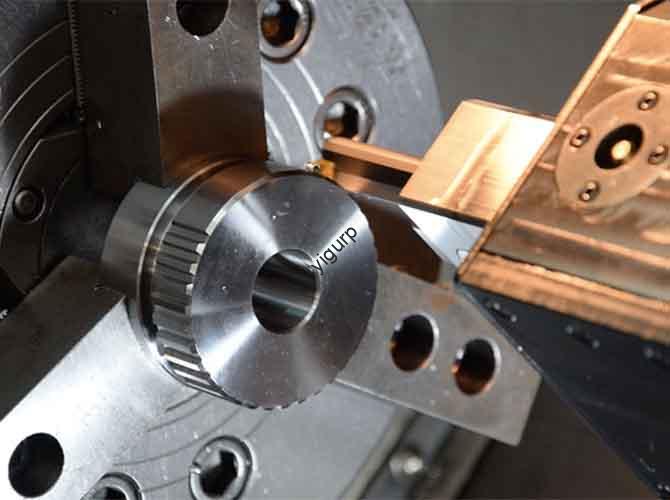
Yigu is for product designers, tech startups, and creators who want to build a high-quality CNC machined e-book reader prototype. Whether you’re making a functional test model or a high-end display prototype, we’ll walk you through every step—from initial design to final testing. We use simple, everyday English, real project cases, and practical tips to help you avoid common mistakes. By the end, you’ll have a clear roadmap to turn your 3D design into a usable, production-ready e-book reader prototype.
Why Prep First Before CNC Machining?
CNC machining is precise, but it can’t fix poor design or rushed prep. Skipping this stage wastes time, materials, and money. We learned this in 2024 when a client rushed into machining an e-book reader shell without parting design. We had to rework 25% of the parts because thin walls (1.2mm) deformed during cutting. Let’s break down the key prep steps with our real-world experience.
How to Analyze Product Demands?
Start with the basics: What size will the e-book be? Who will use it? For example, we made a 6.8-inch e-book reader prototype for a client last year. Their core needs were clear:
- Screen ratio: 16:10 (ideal for reading text)
- Thickness: 7mm (slim enough for one-hand holding)
- Page-turning buttons on both sides (easy to use left/right handed)
- Battery compartment for a 4000mAh battery (long reading time)
- USB Type-C charging port and external storage interface
Key rule: Clarify all functional needs first. Adding features later means re-machining parts and delaying your project.
How to Do 3D Modeling Right?
Use CAD software like SolidWorks, UG NX, or Creo—they’re user-friendly and industry-standard. We follow these simple rules for every e-book reader 3D model:
- Add precise details: chamfers (C0.5-C1), keyholes (3-5mm diameter)
- Include heat dissipation holes (1-2mm diameter) for internal components
- Set a 3°-5° draft slope (avoids mold release issues later)
- Mark assembly structures (screw holes, snap positions) clearly
Common mistake: Forgetting draft slopes. We once had an e-book lower shell that stuck in the CNC machine. Adding a 4° slope fixed the issue in 10 minutes.
How to Split Prototype Parts?
Split your 3D model into machinable components. E-book readers have simple but critical parts—here’s how we split them:
- Upper shell (holds the screen and buttons)
- Lower shell (houses the battery and circuit board)
- Page-turning buttons (left and right sides)
- Screen bracket (secures the display in place)
Pro tip: Avoid thin walls (thickness ≥1.5mm) and sharp edges. These cause deformation during machining. We adjusted a client’s button design from 1.2mm to 1.5mm—no more cracks!
Which Materials Work Best?
Choose materials based on your prototype’s purpose (functional test or high-end display) and mass production plans. We’ve tested 10+ materials—here’s what works:
| Part Type | Recommended Materials | Why It Works |
| Housings (High-End) | Aluminum Alloy | Lightweight, good thermal conductivity, premium feel |
| Housings (Functional) | ABS/PC Plastic | Low cost, easy to machine, good for testing |
| Buttons | POM Engineering Plastic | Wear-resistant, smooth feel for frequent use |
| Screen Brackets | Acrylic | Transparent, sturdy, matches e-book screen |
What’s the Core CNC Machining Step?
CNC machining turns your 3D model into physical parts. The key is precise material prep, clamping, programming, and cutting. We’ll use our 6.8-inch e-book prototype project to show you how it works.
How to Prep Materials?
Material prep prevents machining defects. Follow these steps for common e-book materials:
| Material Type | Prep Steps | Key Notes |
| Aluminum Alloy | Cut into blanks; mill surface to level | Ensure clamping stability |
| ABS/PC Plastic | Cut blanks (2-3mm margin); remove burrs | Avoid surface scratches |
| Acrylic | Laser cut blanks; clean surface | Keep surface scratch-free for transparency |
How to Clamp & Position?
Proper clamping prevents part displacement. Here’s how we clamp e-book reader parts:
- Aluminum alloy blocks: Use precision vises (holds tight without damage)
- Thin plastic sheets (ABS/PC): Use vacuum suction cups (even pressure, no deformation)
- Buttons (irregular shape): Use custom jigs (maintains alignment during cutting)
Key step: Use a probe to calibrate the blank’s center. This ensures symmetry (error ≤±0.05mm) for e-book shells—critical for screen fit.
How to Do CNC Programming?
Programming sets the tool’s path. Use Mastercam or PowerMill—they’re reliable for e-book parts. Here are the key parameters for different materials:
| Material | Tool Selection | RPM | Feed Rate (mm/min) |
| Aluminum Alloy | φ10mm (rough); φ3mm (finish) | 8000-12000 | 300-600 |
| ABS/PC | φ8mm (rough); φ2mm (finish) | 4000-6000 | 200-400 |
| POM | φ5mm HSS | 5000-7000 | 250-350 |
Path planning tip: Machine the outer outline first, then sculpt details (buttons, holes). This keeps the part stable during cutting.
How to Do Roughing & Finishing?
Two steps ensure efficiency and precision:
- Roughing: Remove 80-90% of excess material. Leave a 0.5-1mm margin for finishing. For plastic parts, control cutting force to avoid cracking.
- Finishing: Use small cutting depth (0.1-0.2mm) and high speed. Aim for surface finish Ra0.8-Ra3.2. Clean keyholes to ensure smooth assembly.
Example: For our 6.8-inch e-book shell, we used roughing to shape the outline in 2 hours. Finishing took 1 hour and gave a smooth, scratch-free surface.
What Special Processes Are Needed?
E-book parts need targeted processing for functionality:
- Threaded Holes: Use taps for M2-M3 small holes (screws fit smoothly, no cross-threading).
- Chamfering: Add C0.5-C1 chamfers to edges (prevents scratching users).
- Screen Trough: Reserve 0.1-0.2mm clearance (avoids screen installation interference).
How to Do Post-Machining?
After machining, surface treatment enhances appearance, durability, and user experience. Don’t skip this step—it makes your prototype look professional.
How to Deburr & Polish?
Deburring removes sharp edges; polishing improves surface quality:
- Deburring:
- Use 400-mesh sandpaper for surface marks
- Use a small file for holes and gaps
- Ensure no burrs remain (they scratch hands or components)
- Polishing:
- Aluminum alloy: Vibration grinding for a smooth matte finish
- Plastic: Wool wheel polishing to boost gloss
- Acrylic: Light polishing to keep transparency (no clouding)
What Surface Treatments Work?
Different materials need tailored treatments. Here’s what we use for e-book prototypes:
| Material | Treatment Method | Purpose & Effect |
| Aluminum Alloy | Sandblasting + Anodizing | Matte texture (slip-resistant); 3-5x better wear resistance |
| ABS/PC | Painting + Silk Screen | Gloss/matte finish; clear button symbols (← →) and logos |
| Acrylic | Laser Engraving | Fine textures; no loss of transparency (high-end look) |
How to Assemble & Test?
Scientific assembly and strict testing ensure your e-book prototype works well. We follow this process for every project.
How to Assemble Step-by-Step?
Start with a pre-assembly check, then follow these simple steps:
- Pre-Assembly Check:
- Verify all parts meet dimensions (tolerance ±0.1mm)
- Check for surface defects (no scratches, blemishes)
- Internal Installation:
- Fix circuit board and battery with screws/buckles
- Install screen on the acrylic bracket (gap ≤0.1mm)
- Shell Assembly:
- Connect upper/lower shells with M2-M3 screws or snaps
- Check gap uniformity (difference ≤0.05mm)
- Button Installation:
- Install page-turning and power buttons
- Adjust stroke (0.5-1mm) for comfortable feel
How to Test the Prototype?
Test for appearance and performance to ensure it meets user needs:
Appearance Inspection
- No visible scratches under 400lux light
- Color consistency (ΔE ≤1.5)
- ≤1 tiny blemish per 10cm²
Performance Testing
- Functional Test: Buttons respond quickly (no delay); screen no light leakage; charging stable (1-2A current).
- User Simulation: Comfortable to hold for 1 hour; screen doesn’t shake; buttons have clear tactile feedback.
Example: Our 6.8-inch prototype passed all tests—buttons worked 1000+ times without sticking, and the screen fit perfectly.
What Are Key Precautions?
Avoid common pitfalls with these tips:
- Tolerance Control: Aluminum expands (+0.02mm) when cut; plastic shrinks (-0.03mm) when cooled. Add these to your design.
- Cost Optimization: Simplify curved surfaces (use straight lines where possible) to cut tool change time. High-speed milling boosts efficiency by 20-30%.
- Material Care: Use cutting fluid for aluminum (reduces deformation). Let plastic cool 5-10 minutes after machining (releases stress).
Conclusion
The professional CNC machining e-book reader prototype process follows a clear path: prep and design (analyze demands, model, split parts, select materials), core machining (prep, clamp, program, cut), post-machining (deburr, polish, treat surfaces), assembly, and testing. The key is to focus on precision and user comfort at every step. With the tips and real cases in this article, you can build a functional, production-ready e-book reader prototype that meets your goals and lays the groundwork for mass production.
FAQ
What affects CNC e-book prototype accuracy, and how to control it? Key factors: material properties (aluminum expansion, plastic shrinkage), clamping stability, and programming parameters. Control methods: use cutting fluid for aluminum; use vacuum cups for plastic; adjust RPM/feed rate by material (8000-12000 RPM for aluminum, 4000-6000 RPM for ABS).
Can CNC e-book prototypes be used for mass production? No. Prototypes are for testing and feedback (1-100 units). For mass production (>1000 units), use injection molding for plastic housings (cuts cost 50-70%) and stamping for metal parts (3-5x faster).
How long does an e-book prototype take to make? Standard prototype (ABS housing, simple design): 7-10 days (2-3 days design, 3-4 days machining, 1-2 days surface treatment, 1 day assembly/testing). High-end prototype (aluminum housing): 12-15 days.
Which material is best for e-book buttons? POM engineering plastic. It’s wear-resistant, has a smooth feel, and works well for frequent button presses—critical for e-book readers.
How to avoid acrylic screen bracket scratches? Use laser cutting for blanks, keep surfaces clean during machining, and use soft tools for polishing. This preserves transparency and prevents scratches.
Discuss Your Projects with Yigu Rapid Prototyping
At Yigu Rapid Prototyping, we specialize in CNC machining e-book reader prototypes for businesses and designers. Whether you need help with 3D modeling, material selection, machining, or testing, our team has years of experience turning ideas into functional prototypes. We focus on precision, efficiency, and mass production compatibility to help you shorten development cycles and reduce risks. Contact us today to discuss your e-book reader prototype project—we’ll tailor a solution that fits your needs and budget.