
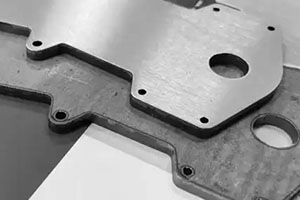
Designing a part in CAD software feels like having infinite freedom. You can sketch complex curves, paper-thin walls, and razor-sharp internal corners with a few clicks. However, the transition from a digital model to a physical part via CNC machining is where many designers face a reality check. In the world of subtractive manufacturing, the laws of physics and tool geometry dictate what is possible.
If you are a CAD designer or a product engineer, small errors in your model can lead to massive headaches. We are talking about broken cutting tools, wasted raw materials, and parts that simply do not fit their assemblies. The good news is that most of these “design blunders” are predictable. By understanding the mechanical limits of Computer Numerical Control (CNC) systems, you can create parts that are cheaper, faster, and more reliable to produce. This guide breaks down the six most common mistakes and provides professional-grade fixes to keep your projects on track.
Is Your Part Too Fragile to Cut?
One of the most frequent issues we see in rapid prototyping is the “thin wall syndrome.” Designers often try to reduce weight or save on material costs by thinning out the walls of their parts. While this works well for 3D printing, it is a nightmare for a CNC milling machine.
The Dangers of Thin Sections
When a high-speed cutting tool hits a thin section of material, it creates vibration (often called “chatter”). Because the wall lacks stiffness, it flexes away from the tool. This leads to poor surface finishes, inaccurate dimensions, or total part failure. In low-stiffness materials like aluminum 6061 or plastics, the wall might simply snap or melt under the heat and pressure of the cut.
Minimum Thickness Guidelines
To avoid these issues, you must respect the material’s structural limits. Below are the industry-standard minimums we recommend at the design stage:
| Material Type | Minimum Thickness | Industry Standard | Failure Risk |
| Aluminum (6061) | 0.8 mm | 0.794 mm | 70% (Cracking) |
| Steel (1018) | 1.0 mm | 0.794 mm | 50% (Warping) |
| Plastic (ABS) | 1.2 mm | 0.794 mm | 80% (Melting) |
Real-World Case Study:
We recently assisted a startup developing an aluminum drone frame. To maximize flight time, the designer drafted 0.6 mm thick vertical brackets. During the first production run, 9 out of 10 brackets failed. The vibration from the end mill caused the aluminum to twist like a piece of foil. After we increased the thickness to 0.9 mm, the success rate hit 98%. Interestingly, the weight increase was less than 5 grams—a tiny price to pay for a part that actually works.
How to Fix Thin Walls
Always follow the H:T ratio (Height to Thickness). A good rule of thumb is to keep the wall height no more than five times its thickness. If your design absolutely requires paper-thin features, CNC machining might not be the right tool. In those cases, consider sheet metal manufacturing or chemical etching, which handle thin profiles without the stress of a physical cutting tool.
Can Your CNC Machine Actually Reach It?
Modern CAD tools allow you to design “impossible” geometries. The most common offender is the curved hole or a bent internal channel. While these look great for routing wires or fluids, they are physically impossible for a standard drill bit or end mill to create.
The Myth of Curved Holes
A CNC tool is a rigid cylinder. It moves in straight lines along the X, Y, and Z axes. It cannot “turn a corner” inside a solid block of metal. If you design a hole that twists through a part, the machine operator will have to tell you it cannot be made. Attempting to force such a path usually results in a snapped drill bit stuck deep inside your expensive stainless steel workpiece.
Solving the Internal Path Problem
A medical device company once sent us a design for a sensor housing that featured a curved internal wire path. They had already lost weeks of time and 20 scrapped prototypes trying to find a shop that could “drill a curve.” Our solution was simple: we redesigned the path into two straight holes that met at a 45-degree angle.
Better Design Alternatives
- Split the part: Design the component in two halves with the curved channel machined into the faces, then bolt or weld them together.
- Use EDM: If a complex internal shape is mandatory, use Electrical Discharge Machining. EDM uses electrical sparks to “erode” material and can handle shapes that traditional tools cannot touch. However, keep in mind that EDM is significantly more expensive and slower than standard milling.
Are Tight Tolerances Killing Your Budget?
In engineering, a tolerance is the allowed limit of variation in a part’s size. While precision is the hallmark of CNC machining, many designers over-specify their requirements. Assigning a ±0.001 mm tolerance to a non-functional surface is the fastest way to double your production costs for no reason.
When Precision Becomes a Burden
Tight tolerances require the machine to run at much slower speeds. They also demand more frequent tool changes, specialized inspection equipment, and a climate-controlled environment. Most basic 3-axis mills have a mechanical limit of about ±0.01 mm. If you ask for something tighter, the shop has to move the job to a high-end 5-axis machine, driving up the price per part.
Machine Accuracy vs. Use Case
| Machine Type | Typical Accuracy | Best Application |
| Basic 3-axis Mill | ±0.01 mm | Brackets, housings, covers |
| Advanced 5-axis Mill | ±0.005 mm | Aerospace and medical parts |
| CNC Lathe | ±0.008 mm | Shafts, bolts, pistons |
How to Apply Tolerances Wisely
Only apply tight tolerances to mating surfaces. If a bolt needs to slide into a hole, that hole needs a specific tolerance. The outer decorative edge of that same part does not. By leaving non-critical dimensions to a “standard” tolerance (typically ±0.1 mm), you allow the machinist to work faster and keep your costs low.
Is Your Part Over-Designed for Beauty?
We all want our products to look professional, but aesthetic features like 3D engraved logos or complex surface fillets can drastically increase machining time. In a machine shop, time is literally money.
Aesthetics vs. Manufacturing Efficiency
Every time the machine has to remove material for a decorative purpose, it adds “cycle time.” A complex 3D logo might require a tiny ball-nose end mill and thousands of extra lines of G-code. This doesn’t just take longer; it also increases the risk of a tool breaking mid-job. Furthermore, removing excess material creates more scrap metal, which is wasteful and environmentally unfriendly.
Case Study: The Phone Case Logo
A consumer electronics firm once insisted on a deep, 3D-engraved logo on an aluminum phone case. This single feature required two extra tool changes and added 15 minutes to every part. By switching to laser engraving and a simple anodizing process for color, they cut production time by 25%. The final product looked just as premium but cost $5 less per unit to produce.
Smart Aesthetic Choices
- Laser Engraving: It is incredibly fast, cheap, and can produce high-detail logos on almost any metal or plastic.
- Anodizing and Polishing: Use post-processing steps to give your part a high-end look rather than trying to machine complex textures into the metal.
- Keep it Functional: If a feature doesn’t help the part perform its job, consider removing it to simplify the CNC toolpath.
Are Your Cavities Swallowing the Tool?
A “cavity” is a hollowed-out pocket in a part. While these are great for reducing weight, many designers make them too deep. This creates a phenomenon known as tool deflection.
Solving the Tool Deflection Problem
Imagine holding a long, thin stick. The further your hand is from the tip, the more the stick bends when you touch something. CNC tools are the same. If a tool has to reach 100 mm deep into a narrow pocket, the pressure of the cut will cause the tool to bend (deflect). This results in tapered walls, poor accuracy, and “chatter” marks on the surface.
The “3x Diameter” Rule
To ensure a stable cut, keep your cavity depth no more than three times the tool diameter. For example, if you are using a 10 mm diameter end mill, your pocket should ideally be no deeper than 30 mm.
Pro Engineer Tip:
If you must go deeper, we recommend using a “stepped” design. Rather than one deep hole, create a wider opening that narrows as it goes deeper. This allows the machinist to use a shorter, stiffer tool for the majority of the material removal, switching to a long tool only for the final, deepest section.
Strategies for Deep Pockets
- High-Pressure Coolant: Use specialized systems to flush out metal chips from the bottom of deep cavities to prevent them from being re-cut.
- Reduced Feed Rates: Slow down the machine as the tool goes deeper to minimize the stress that causes bending.
- Large Corner Radii: Larger corners allow for thicker, more rigid tools to reach the bottom.
Why Are Sharp Corners a CNC Disaster?
This is perhaps the most common mistake made by junior designers. Because CNC milling tools are cylindrical, they cannot cut a perfectly sharp 90-degree internal corner. It is like trying to paint the very corner of a room with a round brush—there will always be a small radius left behind.
The Physics of Round Tools
If you design a sharp internal corner, the machinist has to use an incredibly small tool to get as close to the corner as possible. These tiny tools are fragile, expensive, and must move very slowly. Even then, you will still have a tiny radius. If your part is supposed to fit a perfectly square “mate,” it won’t fit.
Internal Corner Radius Guidelines
| Cavity Depth | Recommended Radius | Required Tool Size |
| 10 mm | 3 mm | 6 mm tool |
| 20 mm | 7 mm | 14 mm tool |
| 30 mm | 10 mm | 20 mm tool |
How to Fix Sharp Corners
- Add a Radius: Always include a corner radius in your CAD model. Make it slightly larger than the radius of the tool being used (e.g., if using a 6 mm tool, specify a 3.5 mm radius). This allows the tool to move smoothly through the corner without stopping.
- Use “Dog-Bone” Undercuts: If you absolutely need a square part (like a PCB) to fit into a pocket, use an undercut. This is a small circular notch at the corner that “clears out” the space, allowing the square part to seat fully.
Expert Insight from Yigu Technology
At Yigu Technology, we believe that the best designs are born from a deep understanding of the factory floor. We have seen thousands of projects delayed by simple oversights like over-tolerancing or deep cavities. Our philosophy is simple: Design for Manufacturability (DFM) is not a constraint; it is a competitive advantage.
When you align your CAD models with the physical realities of CNC machining, you eliminate the “guesswork” for the machinist. This leads to faster turnaround times and significantly lower costs. We encourage all our clients to engage with us early in the design phase. A quick 10-minute review of a drawing can often save thousands of dollars in rework. By choosing the right materials, respecting tool geometry, and prioritizing functional precision over aesthetic complexity, you ensure your project moves seamlessly from concept to reality.
Conclusion
Mastering CNC machining design is about balancing your vision with the practical limits of the machine shop. By avoiding these six common pitfalls—fragile thin walls, impossible curved paths, excessive tolerances, unnecessary beauty, overly deep cavities, and sharp internal corners—you set your project up for success. Remember, a part that is easy to manufacture is a part that is reliable, affordable, and high-quality. Use the guidelines and data points shared in this guide to audit your next CAD model before hitting the “send” button to your manufacturer.
FAQ: CNC Machining Design
What is the thinnest wall I can safely design for aluminum parts?
For aluminum 6061, you should maintain a minimum wall thickness of 0.8 mm. While thinner walls are possible, they carry a high risk of warping or breaking during the machining process due to vibration.
Should I use EDM for all complex features?
No. While EDM (Electrical Discharge Machining) can create “impossible” shapes like curved holes, it is much slower and more expensive than standard milling. Always try to simplify your design for CNC first; use EDM only as a last resort for critical features.
Do I need to add tolerances to every surface of my part?
Absolutely not. You should only specify tight tolerances for mating surfaces where parts must fit together. For all other non-functional surfaces, use a “general tolerance” to keep machining time and costs low.
How do I handle sharp internal corners if my part must be square?
The best solution is a “dog-bone” undercut. This involves machining a small circular relief into the corner, which allows a square-cornered mating part to fit perfectly into the space without being blocked by a radius.
Why is tool deflection such a big problem?
Tool deflection happens when a long tool bends under cutting pressure. This results in walls that are not perfectly vertical (tapered) and can lead to tool breakage. Staying within the 3x diameter rule for depth is the best way to prevent this.
Discuss Your Projects with Yigu Rapid Prototyping
Ready to take your design to the next level? At Yigu Rapid Prototyping, we specialize in turning complex CAD models into precision-engineered realities. Our team of senior product engineers is ready to provide a comprehensive DFM review of your project, helping you identify cost-saving opportunities and manufacturing risks before production begins. Whether you need a single prototype or low-volume production, we bring decades of CNC machining expertise to the table. Let’s build something incredible together. Reach out to us today to start the conversation.