
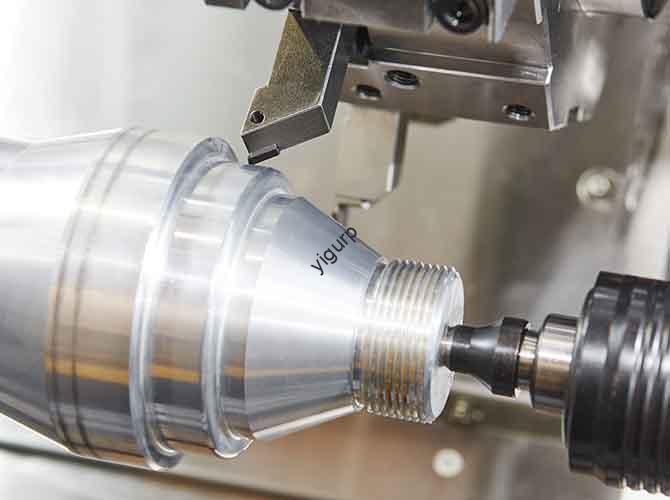
This guide walks you through making a smooth, durable CNC electric curtain prototype. Whether you’re a product designer, home decor brand, or hobbyist, we break down each step in simple, everyday English. We focus on real-world experience, clear data, and practical tips—no advanced engineering skills needed. By the end, you’ll know how to create a prototype that works well, lasts long, and fits real-world use.
What Prep Do You Need First?
Good preparation avoids mistakes and ensures your prototype meets functional and user needs. Follow this linear, easy-to-follow sequence before CNC machining.
Analyze Product Needs
Start by defining what your electric curtain must do. Focus on four core areas: function, structure, appearance, and compatibility. These details guide every other decision.
| Requirement Type | Key Details | Why It Matters |
|---|---|---|
| Core Functions | Smooth opening/closing (5-10cm/s), forward/reverse rotation, limit control | Ensures the curtain works as users expect—no jams or glitches |
| Structural Needs | Track load ≥2kg, drive torque ≥0.5N·m, stable motor mount | Prevents breakage or deformation under real use conditions |
| Appearance | Hidden screws, matte track (reduces light reflection) | Fits home decor and avoids annoying light glare |
| Compatibility & Space | Fits cloth/PVC curtains; space for motor, gears, PCB, DC 12V port | Works with common curtain materials and holds all key components |
Real Case Example: A client once skipped the limit control requirement for their prototype. During testing, the curtain kept moving past the track ends, damaging the gear box. We added limit switch holes and adjusted the PCB programming—delaying the project by 3 days. Always prioritize core functions!
Do 3D Modeling
Use easy-to-learn CAD software (SolidWorks or UG NX) to create your 3D model. Precision is key—small errors here cause big problems later.
Key model details to focus on:
- Overall precision: ±0.05mm tolerance for all components.
- Track design: Straight or curved, with inner teeth (module 0.5-1, ±0.02mm tooth pitch).
- Stiffeners: Add to track (1.5-2mm thick) to prevent bending under load.
- Component fit: Ensure motor, gear box, and PCB fit without interference.
Pro Tip: Test the 3D model for component interference before machining. This saves time and material waste.
Choose the Right Materials
Pick materials based on function, durability, and ease of CNC machining. We recommend these options (balanced for performance and cost):
| Component | Recommended Material | Why It Works |
|---|---|---|
| Track/Gear Box | Aluminum Alloy 6061/6063 (2-3mm thick) | Lightweight, wear-resistant, and strong enough for load-bearing. |
| Motor Mount/Control Box | ABS/PC Alloy (1.5-2mm thick) | Low cost, insulating, and easy to machine for precise cavities. |
| Gears | POM Plastic or Copper/Steel | POM: Low friction, quiet. Copper/Steel: High torque, durable. |
| Curtain Fixing Clips | Nylon | Lightweight, corrosion-resistant, and won’t damage curtain fabric. |
Pretreat Materials
Prepare raw materials to avoid machining errors. Follow these simple steps:
- Cut raw materials into blanks. Leave 0.5-1mm of machining allowance (extra material to trim).
- Aluminum alloy: Use bandsaw cutting. ABS/POM: Use laser cutting (clean, precise).
- Anneal aluminum alloy (300-350°C for 1-2 hours) to reduce internal stress.
- Dry ABS/POM (80-100°C for 2-3 hours) to remove moisture (prevents bubbles).
- Clean all blanks with alcohol (removes oil and dust, so the CNC tool doesn’t slip).
Expert Insight: Skipping material pretreatment is a common mistake. We once had a POM gear prototype with bubbles—caused by un-dried material. Re-machining cost extra time and money.
How to Prep for CNC Machining?
Proper prep before machining ensures speed, precision, and smooth operation. This section covers materials, tools, programming, and fixtures.
Choose Materials & Tools
The right materials and tools directly impact quality. Use this table as a quick guide:
| Category | Specific Options | Application |
|---|---|---|
| Structural Materials | Aluminum 6061 (2-3mm), ABS/PC (1.5-2mm), POM rod (8-12mm) | Tracks, gear boxes, control boxes, gears |
| Transmission Materials | Copper rod (5-8mm), steel sheet (1-1.5mm) | High-torque gears, gear shafts |
| Rough Machining Tools | Φ8-12mm flat-bottom cutter (aluminum/ABS), Φ6-8mm (POM) | Quickly remove excess material from large parts |
| Finishing Tools | Φ2-4mm ball-head cutter, Φ1-2mm root-clearing cutter, Φ3-5mm drill bit | Precise details (track teeth, gear grooves, mounting holes) |
| Special Tools | M3-M5 taps, gear milling cutter (0.5-1 module), thread milling cutter | Threaded holes, gear teeth machining |
Program & Design Fixtures
Good programming and stable fixtures prevent errors. Here’s how to do it simply:
CAM Programming
- Sub-zone machining: First process track outer contour, then inner teeth.
- Layered cutting: Roughing depth 0.5mm (aluminum/ABS) or 0.2mm (POM).
- Finishing depth: 0.1-0.2mm for smooth surfaces and precise details.
- Spiral interpolation: Use for track inner teeth (ensures ±0.02mm tooth accuracy).
This boosts efficiency and ensures parts fit together perfectly (±0.05mm tolerance).
Fixture Design
- Aluminum tracks: Use precision clamps with rubber pads (prevents deformation).
- Long tracks (≥1m): Use multi-point support fixtures (avoids bending).
- Gears/POM parts: Use vacuum adsorption (even pressure, no damage).
- Gear shafts: Use three-jaw chuck (ensures coaxiality ≤0.03mm).
Fixtures keep workpieces stable, so dimensions stay accurate and surfaces stay scratch-free.
How to Do CNC Machining?
Now it’s time to turn your 3D model into physical parts. Focus on main components, key details, and quality checks.
Machine Main Components
Each component needs targeted machining steps. Follow this guide for best results:
| Component | Roughing Steps | Finishing Steps |
|---|---|---|
| Aluminum Track | 1. Mill outer contour (1000-1500mm long, 20-30mm wide). 2. Mill inner cavity (10-15mm deep). 3. Drill Φ4mm mounting holes (200mm spacing). | 1. Machine inner teeth (0.8 module, 2mm depth). 2. Chamfer edges (C0.5mm). 3. Polish cavity walls (Ra1.6). |
| ABS/PC Gear Box | 1. Mill outer shape (80×50×30mm). 2. Mill motor hole (Φ20mm) and gear cavity. 3. Cut 3mm wire slots. | 1. Smooth cavity walls (Ra3.2). 2. Tap M3 threaded holes. 3. Deburr wire slots. |
| POM/Copper Gear | 1. Turn rod into cylindrical blank. 2. Mill gear thickness (5-8mm). 3. Rough mill teeth (0.5-1 module). | 1. Finish mill teeth (±0.02mm accuracy). 2. Polish surface (Ra0.8). 3. Machine 2mm keyway. |
| ABS Control Box | 1. Mill box shape (100×60×40mm). 2. Mill PCB cavity (8-10mm deep). 3. Drill Φ5mm button holes. | 1. Smooth cavity walls (Ra3.2). 2. Chamfer button holes (C0.3mm). 3. Tap M3 holes. |
Machine Key Details
Small details make a big difference in functionality. Focus on these critical areas:
- Track Inner Teeth: Use spiral interpolation for ±0.02mm tooth pitch. Test meshing with a gear blank (no jamming).
- Motor Mount: Add a 3mm positioning stop. Ensure motor shaft and gear coaxiality ≤0.03mm.
- Curtain Fixing Slot: Mill a T-shaped slot (5mm wide, 3mm deep). Chamfer edges to protect fabric.
- Limit Switch Holes: Drill Φ6mm holes at track ends (±0.1mm accuracy) for stop function.
Check Machining Quality
Test parts during machining to avoid rework. Use these simple checks:
- Dimensional Check: Use digital calipers (±0.05mm) for basic sizes. Use a CMM (±0.02mm) for teeth/gear profiles.
- Surface Quality: Use a roughness meter (Ra0.8-Ra3.2 for moving parts, Ra3.2-Ra6.3 for fixed parts). No scratches >0.5mm.
- Fit Test: Assemble gears and track (smooth meshing). Test motor mount (no vibration). Check curtain clips (easy to insert).
Real Case Example: A track prototype we made had rough inner teeth (Ra3.2 instead of Ra1.6). The gear jammed during testing. We re-finished the teeth to Ra1.6, and the curtain moved smoothly. Always check surface quality!
What to Do After Machining?
Post-processing improves performance and durability. Assembly and testing ensure your prototype works as intended.
Surface Treatment
Treat materials based on their type to boost look and function:
| Material | Treatment Method | Effect |
|---|---|---|
| Aluminum (Track/Gear Box) | Anodization (black/silver) + Sandblasting | Corrosion resistance (48h salt spray test); matte finish (no glare/fingerprints). |
| ABS/PC (Control Box) | Matte Painting + Silk Screen | Matches home decor; clear labels (e.g., “Power”, “Limit Switch”). |
| POM/Copper Gears | Food-Grade Oil Coating | Reduces friction (30% longer life); noise ≤50dB. |
| Steel Gear Shafts | Chrome Plating | Wear-resistant; no rust in humid homes. |
Assemble & Test
Follow this sequence for safe, correct assembly. Then test thoroughly to validate performance.
Assembly Process
- Pre-Check: Inspect parts for defects (no scratches, ≤0.05mm deviation). Gather screws, lubricant, and wires.
- Drive Mechanism: Attach gear to motor shaft (use keyway). Mount motor/gear into gear box (M3 screws, 0.8-1N·m torque). Add lubricant to teeth.
- Track Assembly: Connect gear box to track (ensure gear meshes). Install limit switches at track ends (wire to PCB). Fix track to brackets (500mm spacing).
- Control System: Install PCB in control box (M2 screws). Connect motor, switches, and power. Close control box.
- Curtain Installation: Attach clips to fabric/PVC. Insert clips into track T-slot (150mm spacing).
- Final Check: Tighten all screws. Test gear meshing (no gaps). Check curtain alignment (no tilt).
Testing Procedures
Test every aspect to ensure reliability. We use these tests for all our prototypes:
- Functional Tests:
- Open/Close: Run 100 times (5-10cm/s, no stuck).
- Limit Control: Stops at track ends (≤0.5s response).
- Load Test: 2kg weight on curtain (no motor overload).
- Control Test: Remote/APP response ≤1s (no delay).
- Durability Tests:
- Continuous Use: 2 hours (5min on/1min off, no overheating).
- Vibration Test: 10-500Hz (5m/s²) for 1 hour (no loose parts).
- Environmental Test: 0-40°C for 24 hours (no failure).
- Safety Tests:
- Insulation: Control box leakage resistance ≥100MΩ.
- Overload Protection: Motor jam triggers auto-stop (current ≤1.5A).
How to Use the Prototype?
CNC electric curtain prototypes have many uses in product development. Here’s how they add value:
| Application | Uses | CNC Advantage |
|---|---|---|
| Design Verification | Test track smoothness, gear meshing, and limit control. Optimize for lower noise. | ±0.02mm precision; re-machine in 3-4 days for quick iteration. |
| Market Research | Display at home decor shows. Collect feedback on look and function. | Matches final product quality; attracts customer attention. |
| Small-Batch Customization | High-end home curved tracks, hotel projects (≤50 units). | No mold fees; cost-effective for small orders. |
| Educational Training | Demonstrate gear-track meshing and CNC principles. | Clear internal structure; safe for teaching. |
What Precautions to Follow?
These tips keep your prototype safe, precise, and cost-effective:
- Precision Control: Track teeth ±0.02mm, gear coaxiality ≤0.03mm. Reserve ±0.1mm for mounting holes (easier assembly).
- Material Adaptation: Aluminum: Use cutting fluid (avoids overheating). POM: 8000-12000 RPM (prevents melting). ABS: Dry before machining (no bubbles).
- Cost Optimization: CNC is best for ≤100 units. Mass production (>1000 units): Use injection molding/extrusion (cuts cost 50-60%).
- Safety First: Wear safety glasses/gloves. Use fume extractors for painting. Ground equipment when testing PCBs.
Conclusion
Creating a reliable CNC electric curtain prototype is a step-by-step process—from design and preparation to machining, post-processing, assembly, and testing. The key is to prioritize precision, use the right materials and tools, and test thoroughly. You don’t need to be an expert, but attention to small details ensures your prototype works smoothly, lasts long, and fits real-world use. By following this guide, you can turn your electric curtain idea into a working prototype without unnecessary delays or mistakes.
FAQ
What’s the best material for electric curtain tracks? Aluminum alloy 6061/6063 is best. It’s lightweight, wear-resistant, and strong enough to hold 2kg+ curtains. It also machines easily for precise inner teeth.
How long does it take to make a CNC electric curtain prototype? A simple straight-track prototype takes 7-10 days: 2-3 days design, 3-4 days machining, 1 day post-processing, 1 day assembly/testing. A complex curved-track prototype takes 10-14 days.
Can CNC prototypes be used for mass production? No. CNC is for design testing, market research, and small batches (≤100 units). For mass production (>1000 units), use injection molding (ABS parts) and extrusion (aluminum tracks)—cuts cost by 50-60%.
How to reduce electric curtain prototype noise? Use POM plastic gears (low friction) and apply food-grade lubricant. Ensure gear coaxiality ≤0.03mm and track teeth accuracy ±0.02mm for smooth meshing. This keeps noise ≤50dB.
Discuss Your Projects with Yigu Rapid Prototyping
At Yigu Rapid Prototyping, we specialize in high-quality CNC electric curtain prototypes. With 10+ years of experience, we handle everything from design optimization to assembly and testing. Whether you need a simple straight track or a custom curved model, we tailor our process to your needs. Contact us today to discuss your project—we’ll help you shorten development cycles by 25-30% while keeping quality and functionality top priorities.