
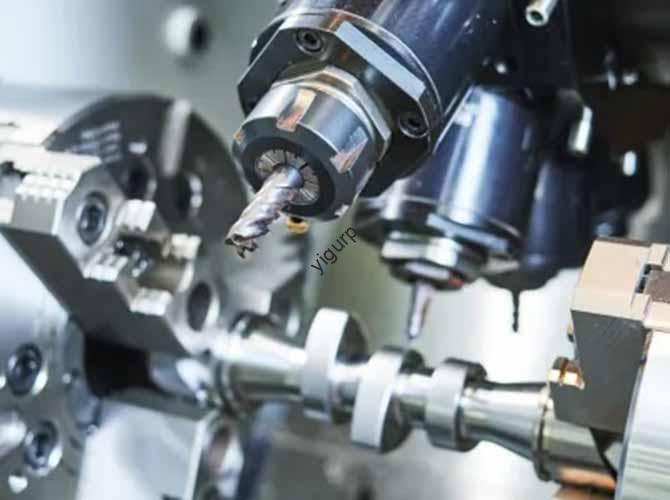
CNC machining is a game of physics and math. Every time a tool touches metal, heat and force are created. If you guess the settings, you invite disaster. Formulas for CNC Machining Calculations provide a roadmap. They ensure your machine runs at its best.
Can Guesswork Ruin Your Tools?
Yes, it can. Many operators rely on “feel” or “sound.” While experience matters, the math is safer. For example, if your cutting speed is too high, the tool will overheat. A tool that should last eight hours might dull in one. Conversely, if your feed rate is too slow, you waste time. Slow production means less profit. Using the right formulas is like following a perfect recipe. You get the same high-quality result every single time.
Who Needs These Formulas?
Everyone in the shop needs them.
- Hobbyists use them to save money on broken bits.
- Shop Managers use them to quote jobs accurately.
- Engineers use them to design parts that are actually “makeable.”
What Is the Cutting Speed Formula?
Cutting speed ($V_c$) is how fast the edge of the tool moves against the part. We usually measure this in meters per minute ($m/min$). It is the most important factor for tool life.
How Do You Calculate $V_c$?
To find the cutting speed, you need the tool diameter ($D$) and the spindle speed ($N$).
The Metric Formula:
$$V_c = \frac{\pi \times D \times N}{1000}$$
The Imperial Formula:
$$V_c = \frac{\pi \times D \times N}{12}$$
Let’s Look at an Example
Imagine you have a 10mm endmill. You are cutting aluminum. Your spindle is spinning at 4,775 RPM.
- Multiply $\pi$ (3.14) by the diameter (10). Result: 31.416.
- Multiply that by the RPM (4,775). Result: 150,000.
- Divide by 1,000.
- Final $V_c$ = 150 m/min.
This is perfect for aluminum. If you were cutting titanium, this speed would be too high. Titanium needs a much lower $V_c$, often between 10 and 30 $m/min$.
| Material Type | Recommended Vc (m/min) | Why? |
| Aluminum | 100 – 200 | Soft and easy to cut fast. |
| Steel | 30 – 80 | Harder; generates more heat. |
| Titanium | 10 – 30 | Very tough; high heat risk. |
How to Find Your Spindle Speed?
The spindle speed ($N$) is how many times the tool rotates in one minute. This is what you actually type into the CNC control panel. It is measured in RPM.
Why Is Spindle Speed Critical?
If the spindle spins too fast for the material, the tool edge melts. This is called “burning the tool.” If it spins too slowly, the tool might “rub” instead of “cut.” Rubbing causes work hardening, making the metal even harder to cut.
The Spindle Speed Formula:
$$N = \frac{1000 \times V_c}{\pi \times D}$$
A Real-World Scenario
You are drilling a hole in stainless steel. You have a 12mm drill bit. The material guide says the $V_c$ should be 50 m/min.
- Multiply 1,000 by the $V_c$ (50). Result: 50,000.
- Multiply $\pi$ (3.14) by the diameter (12). Result: 37.7.
- Divide 50,000 by 37.7.
- Final RPM = 1,326.
If you set the machine to 2,000 RPM, your drill bit will likely turn blue and break. If you set it to 800 RPM, you are losing money on every part.
How Fast Should You Feed?
The feed rate ($V_f$) is how fast the table moves the part into the tool. We measure this in $mm/min$. This number determines your surface finish.
What Is “Feed Per Tooth”?
Before you find the total feed rate, you must know the feed per tooth ($f_z$). This is the thickness of the “chip” each blade on the tool cuts.
The Feed Rate Formula:
$$V_f = N \times z \times f_z$$
- $N$: Spindle speed (RPM).
- $z$: Number of teeth on the tool.
- $f_z$: Feed per tooth (usually 0.05mm to 0.5mm).
Calculation in Action
Using our steel example (1,326 RPM), we have a 4-tooth endmill. We want a chip thickness of 0.5mm.
- Multiply 1,326 (RPM) by 4 (teeth). Result: 5,304.
- Multiply 5,304 by 0.5 ($f_z$).
- Final Feed Rate = 2,652 mm/min.
This balance ensures the tool stays cool and the surface stays smooth. If you feed too fast, the tool breaks. If you feed too slow, you “thin” the chips, which creates friction and heat.
What Is the Milling Feed Formula?
Sometimes, you know how fast the machine is moving, but you want to check the quality. You need to find the milling feed or “chip load” ($F_z$). This helps you see if you are pushing the tool too hard.
The Formula:
$$F_z = \frac{V_f}{N \times z}$$
Why Does This Matter?
If you are milling aluminum at 5,000 mm/min with a 4-tooth tool at 4,775 RPM:
- Multiply 4,775 by 4. Result: 19,100.
- Divide 5,000 by 19,100.
- Result = 0.26 mm/tooth.
For aluminum, a chip of 0.2mm to 0.3mm is ideal. If the math showed 0.05mm, you would know you are moving too slowly. If it showed 0.8mm, you would know the tool is about to snap.
Are You Making These Common Errors?
Even the best pros make mistakes. Formulas for CNC Machining Calculations only work if the input data is correct.
Mixing Different Unit Systems
This is the number one cause of broken tools. An operator might use inches for the tool size but meters for the cutting speed.
- The Fix: Pick one system and stay with it. If your shop uses metric, convert all imperial data before you start.
Using the Wrong Tool Diameter
Tools wear down. A 10mm endmill might actually be 9.8mm after a few days of work.
- The Fix: Use calipers to measure the tool before calculating. A 0.2mm difference changes the RPM by nearly 3%.
Forgetting Material Hardness
Steel comes in many types. Mild steel and Hardened tool steel are not the same.
- The Fix: Always use a “cheat sheet.” Check the specific grade of your metal before picking your $V_c$.
How to Optimize Your Shop Floor?
Knowing the math is step one. Step two is making it easy for your team.
- Post Charts: Put cutting speed charts on every machine.
- Standardize Tools: Use the same brands. This makes the $f_z$ values predictable.
- Use Calculators: While manual math is good for learning, use digital calculators to avoid simple typing errors.
Comparison: Manual vs. Software Calculations
| Method | Speed | Accuracy | Best For… |
| Manual Formula | Slow | High (if checked) | Learning and troubleshooting. |
| CNC Software | Instant | Medium (often generic) | High-volume basic parts. |
| Custom Spreadsheets | Fast | High | Repeated jobs and specific tools. |
Conclusion
Formulas for CNC Machining Calculations are not just school math. They are essential tools for a modern factory. By mastering $V_c$, $N$, $V_f$, and $f_z$, you take control of your machine. You stop reacting to broken tools and start predicting success. Remember: the machine does what you tell it to do. Make sure you tell it the right numbers.
FAQ
Do I need to calculate these values manually every time?
No. Most CAM software (like Fusion 360 or Mastercam) has built-in calculators. However, you should know the manual math to troubleshoot when things go wrong.
What if my tool has an odd size like 7.5mm?
The formula stays the same. Just put 7.5 into the “D” variable. Never round up or down to 7 or 8; your RPM will be wrong.
How do I find the number of teeth ($z$)?
Just look at the bottom of your tool. A “2-flute” endmill has 2 teeth. A “4-flute” has 4 teeth.
Can I use the same formula for plastic?
Yes. You just need the specific $V_c$ for that plastic (like ABS or Delrin). Plastics usually allow for very high speeds but low heat.
What happens if I forget to divide by 1000?
Your result will be 1,000 times too high. You will likely see the error immediately because the number will be impossible for a machine to reach.
Discuss Your Projects with Yigu Rapid Prototyping
Are you ready to optimize your parts for production? At Yigu Rapid Prototyping, we combine deep engineering knowledge with advanced CNC technology. We don’t just cut metal; we engineer efficiency. Our team uses formula-driven presets to ensure every aluminum prototype or steel component meets the highest standards. We help our clients reduce lead times and cut costs by getting the math right the first time.