
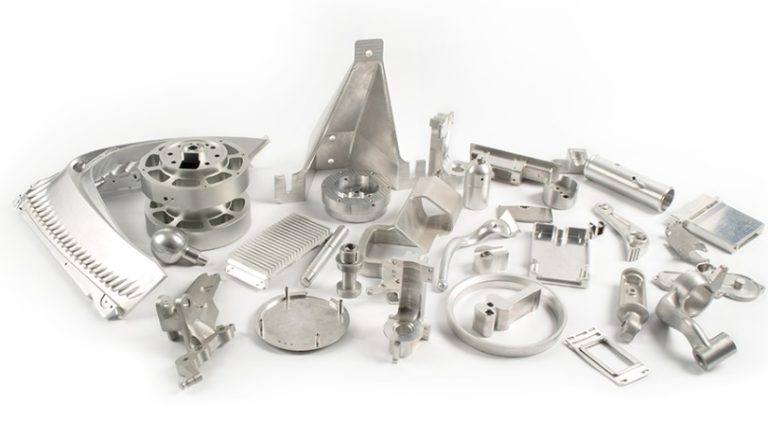
Machining complex CNC parts is a true test of engineering skill. Whether you are building turbine blades for aerospace or micron-scale medical implants, complexity brings risk. You aren’t just cutting metal; you are managing heat, physics, and cost. If you don’t plan well, you will face tool breakage, long delays, or parts that simply don’t fit.
This guide teaches you how to spot complexity before it bites your budget. We will show you how to optimize designs to make them easier to build. You will also learn how to talk to CNC shops so everyone is on the same page. From fixing thin walls to picking the right manufacturing alternative, this article covers the full path from a messy CAD file to a perfect finished part.
What defines a complex CNC part?
Not every detailed part is truly complex. In the world of CNC machining, complexity refers to features that push the machine to its limit. If a part requires many setups or high-risk tool paths, it is complex. Understanding these traits helps you estimate lead times and costs more accurately.
The Complexity Checklist
Use this table to see if your design is headed for the “complex” zone. Each feature listed here changes how a machinist approaches your project.
| Complex Feature | Why it is a Challenge | Real-World Impact |
| Thin Walls | Metal <0.8mm or plastic <1.5mm vibrates. | A 0.6mm bracket warped, wasting 20% of the parts. |
| Deep Holes | A ratio higher than 3:1 causes tool flex. | A 4:1 deep hole had a rough finish and cost $50 extra. |
| Undercuts | Hidden spaces that standard tools can’t reach. | Needs 5-axis machines, which can double the price. |
| Curves | Freeform shapes need advanced programming. | A curved car dashboard needed 3x more code time. |
| Small Features | Details <2.5mm need fragile micro-tools. | Tiny 1.5mm fillets broke three tools in one week. |
| Tight Tolerances | ±0.01mm on every single edge. | High precision everywhere can add 40% to the cost. |
Case Study: One turbine maker designed a part with 0.7mm walls and deep holes. Their initial scrap rate was a massive 35%. Why? The parts warped during cutting. By thickening the walls to just 1mm and making the holes shallower, the scrap rate fell to 5%. This saved them thousands of dollars in material alone.
How to fix wall thickness issues?
Thin walls are the top reason for failed parts. When the cutting tool hits a thin section, the material pushes back. This leads to chatter, which leaves a bad surface finish. In the worst cases, the part snaps entirely.
Follow the minimum thickness rules
For the best results, stick to 0.8mm for metal and 1.5mm for plastic. These numbers are the “sweet spot” where the material stays stiff enough to be cut cleanly. If you go thinner, you will need special fixtures to hold the part in place, which adds to your bill.
Check your cavity ratios
Avoid deep, narrow pockets. If a hole is too deep, the tool will bend. This is called tool deflection. Keep the depth-to-width ratio at 3:1 or less. If your pocket is 10mm wide, don’t make it more than 30mm deep. This ensures the chips can escape and the tool stays straight. You can use software like SolidWorks to flag these problem areas before you send the file to the shop.
Why simplify complex geometries?
A beautiful curve on a screen can be a nightmare for a CNC operator. Intricate freeform shapes often require 5-axis CNC machining. This equipment is expensive to run and even more expensive to program.
Use standard arcs instead
You can often get the same look and feel by using standard radii. Instead of a custom 12.7mm curve, use a standard 10mm or 12mm arc. This allows the shop to use off-the-shelf tools. It speeds up the process and makes the surface finish more consistent.
Move logos to post-processing
Don’t machine your logo or serial numbers into the metal if you can avoid it. This takes a lot of time and uses tiny, fragile tools. Instead, consider laser engraving or silk-screening after the machining is done. A consumer brand saved 20 minutes per part just by moving their brand name to a laser engraver.
Should you use modular design?
Sometimes, the smartest way to make a complex part is to not make it as one piece. Undercuts and internal cavities often trap the cutting tool. If the tool can’t “see” the surface, it can’t cut it.
Split the part into pieces
Think about making the part in two or three sections. You can machine them separately and then join them with screws or welding. This removes the need for expensive 5-axis work. You can often use a simpler 3-axis machine, which is cheaper and more available.
When to use EDM
If you absolutely must have a closed internal cavity, Electrical Discharge Machining (EDM) is your friend. It uses sparks to erode metal rather than a physical blade. It is slower, but it handles shapes that a drill bit simply cannot touch. Using EDM for small, tricky sections while CNC machining the rest is a great hybrid strategy.
Why remove micro-scale features?
Features smaller than 2.5mm are a major bottleneck. Most shops use standard tool sizes for speed. When you ask for a 1mm fillet or a tiny notch, the machinist has to slow down. They must use specialized micro-tools that wear out fast.
Enlarge non-essential details
Ask yourself: Does this tiny notch actually help the part work? If it is just for looks, make it bigger. Changing a 1.5mm notch to 3mm can cut machining time by 15%. If the micro-feature is critical, like a hole in a medical sensor, consider laser cutting. Lasers handle small details much better than a physical drill bit.
Standardize fillet radii for efficiency
Every time a machine changes a tool, it adds seconds to the cycle time. If your part has five different corner sizes, the machine has to stop five times to swap bits. This adds up quickly over a large production run.
The 130% Tool Rule
Design all your internal corners to be 130% of the tool radius. For example, if the shop uses a 4mm tool, make your fillets 5.2mm. This gives the tool room to move without “digging” into the corner. It results in a smoother finish and less tool wear. By standardizing all corners to one size, you could cut your tool change time by 40%.
How to use standard hole sizes?
Creating custom holes is a waste of money. If you design a hole that is 4.2mm wide, the shop might have to buy a custom drill bit. That is a cost they will pass on to you.
Stick to industry standards
Use common sizes like 3mm, 5mm, or 10mm. These match the bits that every CNC shop has in stock. Also, keep your threads short. An M6 thread only needs to be about 9mm long to reach full strength. Making it longer just risks breaking the tap inside your part. Align your holes along the main axes (X, Y, and Z) to prevent the drill from slipping or bending.
Selective tolerances save money?
One of the biggest mistakes engineers make is putting tight tolerances on everything. If the edge of a bracket doesn’t touch anything else, it doesn’t need to be precise to ±0.01mm.
Focus on mating surfaces
Use precision only where it matters.
- Critical: Mating surfaces, bearing seats, and alignment pins.
- Standard: Outer edges, decorative faces, and clearance holes.
Using GD&T (Geometric Dimensioning & Tolerancing) helps you tell the machinist exactly where to be careful and where they can go fast. A part with selective tolerances might take 2 hours to machine. The same part with “tight” tolerances everywhere could take 4 hours. You are essentially paying double for precision you don’t need.
How to collaborate with your shop?
Communication is the “secret sauce” of precision manufacturing. If the shop doesn’t understand your design, they will guess. Guessing leads to scrap.
Provide a complete CAD model
A 3D model is your blueprint. Don’t leave out details.
- Label everything: Mark every thread size and surface finish.
- Use STEP or IGES: These are the gold standard for file formats. Avoid proprietary files that might not open correctly.
- Specify the material: Don’t just say “steel.” Say “304 Stainless Steel” or “4140 Alloy.”
One startup forgot to note the thread length in their file. The shop guessed and made them too long. All 50 parts had to be thrown away, and the project was delayed by two weeks. A simple label could have saved them thousands.
Choosing between CNC and 3D printing
CNC is great, but it isn’t always the best choice for every complex part. Sometimes, additive manufacturing is the better path.
| Process | Best For | Main Advantage |
| CNC Machining | High strength, tight tolerances (±0.01mm). | Best for big batches of metal parts. |
| 3D Printing | Internal structures, lattice shapes. | Can make shapes no drill can reach. |
| EDM | Hardened steels, very sharp inner corners. | No cutting force; doesn’t warp thin parts. |
| Casting | Very high volume (10,000+ parts). | Lowest cost per part for massive runs. |
Aerospace Case: One company tried to machine a turbine blade with tiny internal cooling channels. It was impossible because the drill couldn’t reach inside. They switched to DMLS 3D printing. The printer built the channels layer by layer, and the scrap rate dropped to 0%.
Yigu Technology’s Perspective on Complexity
At Yigu Technology, we don’t just take your order; we join your team. We start every project with a DFM (Design for Manufacturing) review. We flag thin walls, deep holes, and over-specified tolerances before a single chip is cut.
We use advanced 5-axis machines for tricky shapes, but we also look for ways to simplify. For micro-features, we combine CNC with micro-EDM to get the best of both worlds. We believe that a complex part is a chance to solve a problem, not just an expensive challenge. Our goal is to give you parts that meet your specs without unnecessary costs or delays.
Conclusion
Building complex CNC parts requires a balance of smart design and clear communication. By following simple rules—like keeping wall thickness above 0.8mm and using standard hole sizes—you can remove the “headaches” from your production line. Don’t over-specify your tolerances, and don’t be afraid to use modular designs to avoid expensive 5-axis work. When you plan for the machine’s limits, you get faster lead times and higher quality.
FAQ About Complex CNC Parts Machining
Can I machine a part with 0.6mm metal walls using CNC?
It is possible, but very risky. Walls this thin usually warp during the process. We suggest thickening them to 0.8mm. If you must stay at 0.6mm, expect a 20% increase in price because the machinist has to slow down and use special supports.
How much more does a complex part cost compared to a simple one?
Usually, a complex part costs 2 to 5 times more than a simple one. A simple bracket might cost $10, while a complex version with deep holes and curves could cost $50. You can lower this premium by simplifying your geometry and choosing your tolerances wisely.
When should I choose 3D printing over CNC?
Use 3D printing if your part has internal “honeycomb” structures or channels that a tool can’t reach. It is also better for small prototype batches (under 50 parts). Use CNC when you need high strength and very tight precision.
What is the best file format for complex parts?
The STEP (.stp) file is the most reliable format. It preserves the geometry perfectly across different software. IGES is a good backup, but STEP is the industry favorite.
Do tight tolerances always mean a better part?
No. Tight tolerances only make a part “better” if it needs to fit into a precise assembly. For parts that don’t touch anything else, tight tolerances just waste money.
Discuss Your Projects with Yigu Rapid Prototyping
Are you struggling with a difficult design? Let us help you simplify the path to production. At Yigu Technology, our engineers are ready to review your CAD models and find the hidden savings in your complex parts. We provide honest feedback and high-precision manufacturing to help you launch your project on time.
Would you like us to provide a free DFM review of your complex CNC part to see if we can reduce your machining costs?