
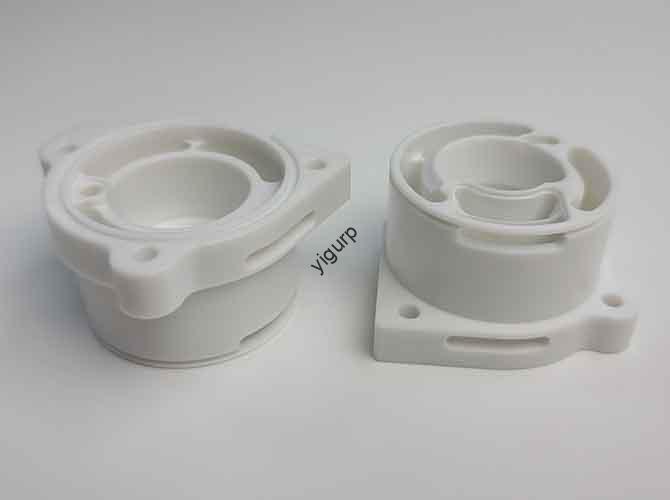
You start a CNC job expecting a perfect part. But instead, you get a ruined piece, a damaged tool, or a scary collision. These CNC machining problems cost time, money, and stress. The good news? Most issues have clear causes and fixes. This guide tackles the most common problems—from overcutting and tool chipping to crashes and rough finishes. We’ll show you not just how to fix them, but how to stop them from happening again.
Workpiece Overcutting: Too Much Material Removed
Overcutting is when the final part is smaller than your design. The tool cuts beyond its intended path. This often makes the part useless.
Why Does Overcutting Happen?
Four main reasons cause this expensive error:
- Weak or Worn Tools: A tool that bends under pressure will cut wider than programmed.
- Uneven Stock Material: If your raw material block isn’t flat, the tool cuts deeper in some areas.
- Wrong Cutting Parameters: Too high a feed rate or spindle speed forces the tool to cut aggressively.
- Poor Tool Path: The programmed path might have sharp corners or no overlap control.
How to Fix and Prevent It
- Use Stronger Tools: For hard metals, switch from High-Speed Steel (HSS) to carbide end mills. They resist bending.
- Face Your Stock First: Always run a facing operation. This creates a uniform surface and consistent cutting depth across the part.
- Adjust Your Parameters: For finishing passes, reduce feed rate by 10-15%. Use the machine’s feed override dial to fine-tune in real-time.
- Optimize Tool Paths: In your CAM software, use rest machining strategies. This ensures the finishing tool only cuts where material remains.
Tool Chipping and Breakage
A broken tool stops production and can ruin your workpiece.
What Causes Tools to Chip or Break?
- Excessive Feed or Speed: Pushing the tool too hard, especially on hard materials.
- Poor Tool Holding: A tool not gripped tightly in the collet will vibrate and snap.
- Insufficient Tool Rigidity: Using a tool that’s too long and skinny for the job.
- Interrupted Cuts: When the tool repeatedly enters and exits the material (like milling slots), it suffers impact shock.
How to Fix and Prevent It
- Follow Parameter Charts: Use recommended cutting speed (SFM) and feed per tooth (FPT) for your material-tool combination.
- Ensure Proper Tool Holding: Use quality collets and torque wrenches. Keep the tool overhang as short as possible.
- Choose the Right Tool: For interrupted cuts, use a rougher end mill. It has a stronger geometry designed for impact.
- Use Trochoidal Milling: This CAM strategy uses circular tool movements. It reduces tool engagement and heat, preventing breakage.
Collisions and Crashes
A machine crash is the worst-case scenario. It can destroy the tool, workpiece, and even damage the machine spindle.
What Leads to a Crash?
Crashes usually stem from programming errors or manual setup mistakes.
- Wrong Safety Heights: The tool doesn’t retract high enough between moves, hitting clamps or the part.
- Incorrect Tool Length/Offset: The machine thinks the tool is shorter than it really is.
- Wrong Coordinate System: Using the wrong workpiece zero point (G54, G55, etc.).
- Manual Jog Errors: Moving the machine in the wrong direction during setup.
How to Fix and Prevent It
- Always Simulate: Run a full CAM simulation before making any G-code. Watch the tool clear all fixtures.
- Probe Your Tools: Use a tool presetter or machine probe to measure tool length and diameter automatically. Never guess.
- Standardize Setup: Create a setup sheet for every job. It should list the correct coordinate systems, tools, and fixture heights.
- Use Single-Block Mode: For the first run, use single-block mode. This executes the program one line at a time, letting you verify each move.
Poor Surface Finish
A rough, scratched, or wavy surface looks bad and can hurt part function.
Why Do Surfaces Come Out Rough?
- Dull Tools: A worn tool rubs instead of cuts, leaving a torn surface.
- Incorrect Speeds/Feeds: Wrong parameters create built-up edge on the tool or cause vibration.
- Tool Deflection: A long tool vibrates (chatters), creating waves on the surface.
- Poor Chip Evacuation: Recut chips act like sandpaper, scratching the finish.
How to Fix and Prevent It
- Implement Tool Life Management: Track tool usage and replace tools before they get dull. For aluminum finishing, a fresh tool is key.
- Optimize Finishing Parameters: Use higher spindle speeds and lower feed rates for finishing. Ensure stepover is less than 50% of the tool diameter.
- Reduce Tool Stick-out: Maximize rigidity. Use the shortest tool and strongest holder possible.
- Flush Chips Away: Use ample coolant or compressed air to blast chips out of the cut zone, especially in deep pockets.
Part Inaccuracy and Wrong Dimensions
The part is the wrong size, even though the program seems correct.
What Causes Dimensional Errors?
- Machine Backlash: Wear in the machine’s ball screws causes lost motion.
- Thermal Expansion: The machine and part heat up and expand during operation, changing sizes.
- Tool Deflection (Again): The tool bends under load, cutting a shallower depth or smaller diameter than commanded.
- Workpiece Movement: The part wasn’t clamped securely and shifted.
How to Fix and Prevent It
- Compensate for Backlash: Modern CNCs have backlash compensation parameters. Have a technician check and calibrate them yearly.
- Control Temperature: Let the machine warm up with a warm-up cycle. For critical parts, use coolant to manage part temperature and machine in a climate-controlled room.
- Apply Tool Deflection Compensation: Some advanced CAM software can calculate and compensate for predicted tool bend.
- Verify Fixturing: Design fixtures for positive location and maximum clamping force over the smallest area needed.
A Proactive Checklist for Prevention
Stop problems before they start. Use this quick checklist for every job:
| Stage | Critical Check |
|---|---|
| Before Programming | Review design for manufacturability. Select appropriate tools and materials. |
| During CAM Programming | Simulate entire toolpath. Verify safety heights and rapid moves. Set realistic feeds/speeds. |
| Machine Setup | Verify tool offsets with a presetter. Confirm workpiece zero position. Secure all clamps and fixtures. |
| First Part Run | Run in single-block/slow feed mode. Check critical dimensions after machining. |
Conclusion
CNC machining problems are rarely random. They are symptoms of specific issues in your process planning, tooling, setup, or maintenance. By understanding the root causes—like tool deflection, poor parameters, or setup errors—you can move from reactive fixing to proactive prevention. Implement systematic checks, invest in tool management, and never skip the simulation. This disciplined approach turns frustrating failures into predictable, high-quality results. Your machine is capable of incredible precision; your process must support it.
FAQ
- My tools keep breaking on the first cut. What’s wrong?
Check your “feed at start” or “ramp” settings. The tool is likely plunging vertically at full feed rate. Program a helical or ramped entry into the material to gradually engage the tool and reduce shock. - I get good finish on one side of the part but chatter on the other. Why?
This is often a clamping or rigidity issue. The part may be vibrating because it’s not supported well. Add additional clamps or supports near the cutting area. Also, try climb milling for the problem side if you’re using conventional milling. - The machine is accurate cold but loses precision after an hour.
This is a classic thermal expansion problem. Implement a 20-30 minute warm-up routine for the machine (running axes and spindle at moderate speeds). For critical work, consider a machine with thermal compensation technology.
Discuss Your Projects with Yigu Rapid Prototyping
Are recurring machining problems slowing down your development? At Yigu, our engineering team specializes in diagnosing and solving these exact issues. We don’t just make parts; we optimize the entire manufacturing process. From Design for Manufacturing (DFM) analysis to creating robust, error-proof CAM programs, we build reliability into every step. Let us help you turn your most challenging designs into flawlessly machined reality. Contact us for a consultation and a free project review.