
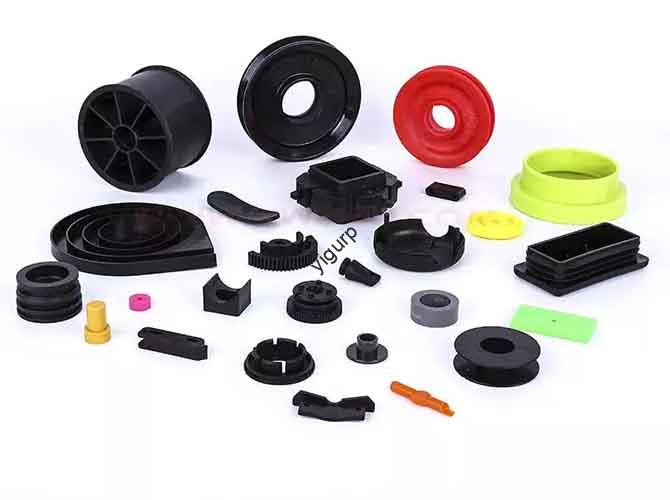
You’ve chosen TPU (Thermoplastic Polyurethane) for its legendary flexibility and toughness. But what happens when your part needs to perform not just in the lab, but in a frozen landscape, a sub-zero industrial environment, or the vacuum of space? The true, often overlooked, superpower of 3D printing TPU isn’t just its bendability—it’s its remarkable low-temperature resistance. This is what separates a simple prototype from a functional, field-ready component. Understanding the exact temperature thresholds, key influencing factors, and optimization strategies for TPU in cold environments is critical for engineers and designers pushing the boundaries in automotive, aerospace, outdoor gear, and robotics. This guide moves beyond generic data sheets to provide a practical, experience-driven framework for selecting, printing, and validating TPU parts that won’t fail when the mercury drops.
What Is the Real-World Low-Temperature Limit for 3D Printed TPU?
While datasheets provide a starting point, the practical cold-performance of a 3D printed TPU part is a interplay between its inherent chemistry and your manufacturing process. The key metric here is the Glass Transition Temperature (Tg)—the point where the polymer chains “freeze” and the material transitions from a flexible, rubbery state to a hard, glassy one.
Is -35°C a Reliable Benchmark for Standard TPU?
For most commercially available 3D printing TPU filaments (e.g., Shore 95A), -35°C to -40°C is a realistic, conservative performance threshold. At this temperature, a well-printed part will retain over 80% of its room-temperature flexibility and impact resistance. This isn’t just a theoretical number.
A Case in Point: Drone Gimbal Dampeners. A client developing mapping drones for Arctic surveys needed vibration dampeners that wouldn’t stiffen and fracture in flight at -30°C. Standard silicone options became brittle. We printed dampeners from a standard 95A TPU, using optimized settings for layer adhesion. After 24 hours in an environmental chamber at -35°C, the parts remained pliable and passed dynamic fatigue testing. The Tg of the material, around -45°C, provided a crucial safety margin, ensuring functionality where other plastics would fail catastrophically.
When Can TPU Survive Below -50°C?
Pushing into extreme cryogenic ranges (below -50°C) requires specialized high-performance or “arctic-grade” TPU formulations. These are engineered with specific polyol and chain extender chemistry to depress the Tg further, sometimes down to -60°C or lower. However, a critical caveat exists: 3D printing introduces anisotropic weaknesses. The interlayer bond is always the failure point in extreme cold, often long before the bulk material fails.
Therefore, for applications below -40°C, you cannot rely on datasheet values alone. You must conduct application-specific validation testing on your printed parts, not just the raw material.
How Does TPU’s Cold Resistance Stack Up Against Other Plastics?
To appreciate TPU’s niche, it’s essential to compare it to other common 3D printing materials. This table highlights why TPU is the de facto choice for flexible, cold-environment parts.
| Material | Typical Low-Temp Threshold (Onset of Brittleness) | Key Limitation in Cold | Real-World Implication |
|---|---|---|---|
| PLA | +5°C to 0°C | Becomes extremely brittle just below room temperature. | Utterly unsuitable for any outdoor or cold environment. A PLA bracket will shatter like glass. |
| ABS | -10°C to -20°C | Loses impact strength and becomes prone to cracking. | May survive in a cold garage but will fail under shock or vibration loading. |
| Nylon (PA6/PA66) | -30°C to -35°C | Retains stiffness but loses much of its toughness and flexibility. | A functional gear might still turn, but a snap-fit or living hinge will likely fracture. |
| PETG | -10°C to -20°C | Similar to ABS; retains stiffness but impact resistance plummets. | Better than PLA for cold storage containers, but not for flexible components. |
| TPU (95A Standard) | -35°C to -40°C | Retains usable flexibility and shock absorption. | The only common 3D printing material capable of functioning as a flexible part in deep freeze conditions. |
| Specialized TPU | -50°C and below | Requires careful printing and validation. | For aerospace, deep-sea, or specialized industrial applications where elastomeric performance is non-negotiable. |
The verdict is clear: For any application requiring both flexibility and sub-zero operation, TPU is in a league of its own. The nearest competitors are specialized, costly elastomers like some TPEs or silicones, which are far more difficult to 3D print with fidelity.
What 3 Factors Determine Your Printed TPU Part’s Cold Performance?
Your control over the following three areas directly dictates whether your part will reach its theoretical low-temperature potential.
1. Material Selection: It Starts with the Right Filament
Not all TPU is created equal. When sourcing filament, go beyond Shore hardness and look for:
- Manufacturer Data on Low-Temp Performance: Reputable brands will provide DSC (Differential Scanning Calorimetry) data showing the Glass Transition (Tg) and Cold Crystallization temperatures.
- Grade Designation: Look for keywords like “arctic,” “low-temp,” “high-flex cold,” or “cryogenic-resistant.” These often use polyether-based polyols, which have inherently better low-temperature flexibility than polyester-based ones.
- Additives: Some filaments include plasticizers or impact modifiers to enhance cold performance, but beware of additives that might migrate or reduce long-term stability.
2. Print Parameters: Engineering Strong Interlayer Bonds
This is where the battle is won or lost. Weak layer adhesion creates micro-cracks that propagate instantly in the cold. Your goal is to achieve excellent layer fusion.
| Print Setting | Optimal Range for Cold Resistance | Rationale & Pro Tip |
|---|---|---|
| Nozzle Temperature | Higher end of manufacturer range (e.g., 230-250°C) | Maximizes polymer flow and molecular entanglement between layers. Conduct a temperature tower to find the point of best layer adhesion without degradation. |
| Bed Temperature | 50-60°C | Ensures superb first-layer adhesion and reduces warping-induced stress. |
| Print Speed | Slow (20-30 mm/s for perimeters) | Allows more time for each layer to thermally fuse with the one below. High speed is the enemy of cold-resistant TPU parts. |
| Layer Height | 0.15mm – 0.2mm (with a 0.4mm nozzle) | Thinner layers increase the number of bonding interfaces and improve fusion. |
| Cooling Fan | OFF or Minimal (<15%) | Prevents rapid quenching of the layer, which locks in stress and creates brittle boundaries. Let it cool slowly. |
| Infill & Walls | Higher wall count (3-4) over high infill. | Strength comes from a robust, continuous shell. Use 100% infill or gyroid for critical, load-bearing cold parts to eliminate internal voids. |
3. Post-Processing: Stress Relief and Annealing
Post-processing isn’t optional for extreme environments; it’s a critical manufacturing step.
- Controlled, Slow Cooling: After printing, leave the part on the (turned-off) heated bed to cool to room temperature over an hour. This reduces internal thermal stress.
- Annealing: For the highest performance, anneal the part in a dry oven. A cycle of 4-6 hours at 70-80°C (below the material’s heat deflection temperature), followed by a very slow oven cool, can relieve internal stresses and increase crystallinity in a controlled way, significantly boosting low-temperature toughness and dimensional stability. Note: Annealing may cause slight shrinkage; factor this into your design.
Conclusion
The low-temperature resistance of 3D printed TPU is a powerful but nuanced capability. While its chemistry grants it a fundamental advantage over other plastics, reaching its full potential is an engineering exercise in process control. The benchmark of -35°C to -40°C is readily achievable with careful material selection and printing. Venturing below -50°C is possible but enters the realm of specialized materials and rigorous validation. By understanding the critical role of layer adhesion, employing slow, hot printing strategies, and utilizing post-processing like annealing, you can transform TPU from a flexible prototyping material into a reliable solution for the world’s coldest challenges. Remember, the data sheet gives you the potential; your printer settings and process deliver the reality.
FAQ: 3D Printing TPU for Low-Temperature Applications
Can I mix TPU with other filaments (like PLA) to improve its cold resistance?
Absolutely not. Blending TPU with a rigid, brittle polymer like PLA will drastically degrade its low-temperature performance. The blend will inherit the poor cold properties of the secondary material, creating weak points and ensuring failure well above TPU’s native threshold. For cold applications, always use 100% TPU filament.
How do I accurately test the low-temperature performance of my TPU part?
Environmental chamber testing is essential. The standard protocol involves:
- Conditioning: Place the part in a chamber at your target temperature (e.g., -40°C) for at least 24 hours to ensure thermal equilibrium.
- Functional Test (In-Situ): If possible, test the part’s function while cold (e.g., cycle a seal, flex a hinge).
- Mechanical Test: Subject the cold part to its expected mechanical loads (bend, impact, compression) immediately upon removal. Look for cracking, crazing, or a permanent loss of elasticity.
Does print orientation affect low-temperature resistance?
Yes, significantly. Parts printed with layer lines oriented in the direction of stress (e.g., a seal bent perpendicular to its layers) will fail much more easily in the cold. Always orient your part so that tensile or flexural loads are applied parallel to the layer lines, forcing the stress to be carried by the intra-layer material strength, not the inter-layer bonds.
Is TPU suitable for repeated thermal cycling (e.g., from room temperature to -30°C daily)?
TPU handles thermal cycling better than most 3D printed plastics, but it’s not immune to fatigue. The key is minimizing internal stress from printing. A well-printed, annealed TPU part can withstand hundreds of cycles. However, for safety-critical applications (like automotive under-hood components), accelerated life-cycle testing under thermal fatigue conditions is non-negotiable to validate the specific part geometry and print.
Discuss Your Cold-Weather Project with Yigu Rapid Prototyping
Pushing the limits of material performance in extreme environments is our specialty. Whether you’re developing drone components for polar research, flexible seals for cryogenic equipment, or ruggedized housings for winter sports electronics, our team brings both material science expertise and hands-on 3D printing mastery to the table. Share your temperature requirements, mechanical loads, and design challenges with us. We can guide you through material selection, optimize your print parameters for maximum low-temperature toughness, and provide reliable, tested prototypes that perform when it matters most. Let’s build something resilient together.