
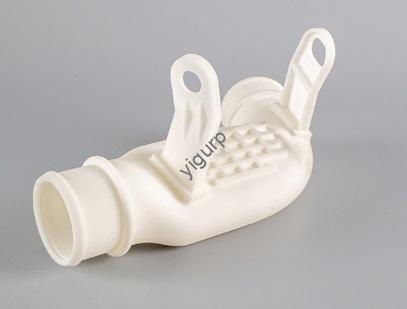
No mundo da impressão 3D, Fotopolimerização de resina (SLA) se destaca por sua precisão incomparável, tornando-o a melhor escolha para peças detalhadas, como joias, modelos dentários, e pequenos componentes mecânicos. Mas para aproveitar ao máximo o SLA, seu design precisa seguir regras específicas: da espessura da parede ao tamanho dos furos, tiny details can make or break your print. This guide breaks down the critical design principles for SLA 3D printing, uses real-world examples to avoid common mistakes, and gives you actionable tips to ensure your parts turn out perfectly every time.
What Is Resin Light Curing (SLA) 3Impressão D?
Before diving into design, let’s quickly cover how SLA works—this will help you understand why the design rules matter.
Fotopolimerização de resina (SLA) uses a photopolymerization process: a tank of liquid resin is exposed to focused UV light, which hardens (cures) the resin into the shape of your part—layer by layer. Once one layer is cured, the build platform lifts slightly, and the next layer is cured on top.
- Vantagem Principal: Ultra-fine detail—SLA can print features as small as 0.5 milímetros (per Zemi Technology’s specs), far finer than many other 3D printing methods like FDM.
- Casos de uso comuns: Detailed prototypes (por exemplo, a toy’s facial features), peças funcionais (por exemplo, engrenagens pequenas), and custom items (por exemplo, jóias personalizadas).
Real-World Example
A dental lab uses SLA to print 20+ custom crown models daily. The precision of SLA lets them replicate the exact shape of a patient’s tooth—down to 0.1 mm details—so the final crown fits perfectly. Without SLA’s accuracy, they’d have to spend hours hand-carving each model.
Critical SLA Design Rule 1: Size & Limites de tolerância
Every SLA printer has limits on how big or small a part can be—and how precise the final dimensions will be. Ignoring these limits leads to failed prints or parts that don’t fit your needs.
Size Restrictions (Per Zemi Technology)
- Tamanho máximo da peça: Varies by resin type (thicker resins may have smaller max sizes, while low-viscosity resins work for larger parts). Always check your printer’s specs—for example, Zemi’s entry-level SLA printer handles parts up to 150x150x200 mm for standard resins.
- Minimum Feature Size: You can print features as small as 0.5 milímetros (por exemplo, a tiny notch on a component). Anything smaller (por exemplo, 0.3 milímetros) will likely blur or fail to cure properly.
- Tolerâncias: Achievable tolerances are ±0.2% (com um 0.2 mm minimum). Por exemplo:
- UM 10 mm part will have a tolerance of ±0.2 mm (10 milímetro x 0.2% = 0.02 milímetros, but the minimum 0.2 mm applies).
- UM 200 mm part will have a tolerance of ±0.4 mm (200 milímetro x 0.2% = 0.4 milímetros).
Common Mistake to Avoid
A hobbyist tried to print a 0.4 mm-wide pin for a model airplane. The pin cured as a blobby mess—too small for SLA’s minimum feature size. Redesigning the pin to 0.5 mm fixed the issue, and it fit perfectly into the model.
Critical SLA Design Rule 2: Wall Thickness
Walls are the backbone of your SLA part—but too thin, and they’ll crack; muito grosso, and you’ll waste resin and time. The key is to balance thickness with support (whether the wall has supports or not).
Wall Thickness Guidelines (Mesa)
| Wall Type | Minimum Thickness | Why This Matters | Example Use Case |
| Unsupported Walls (no supports on either side—e.g., a standalone panel) | ≥0.6 mm | Unsupported walls bend or break easily if too thin. 0.6 mm is the thinnest that stays rigid. | A decorative plastic panel for a phone case. |
| Supported Walls (supports on both sides—e.g., a wall attached to a base) | ≥0.4 mm | Supports add strength, so you can use a thinner wall (saves resin). | The side wall of a small storage box (attached to the box’s base). |
Real-World Example
A startup designed a 0.5 mm unsupported wall for a custom earbud case. During testing, the wall cracked when the case was opened. Redesigning the wall to 0.6 mm made it durable enough to withstand 1,000+ openings without damage.
Critical SLA Design Rule 3: Cantilevers (Overhanging Structures)
Cantilevers are parts that stick out from the main body (por exemplo, a hook on a tool). SLA relies on support structures to hold these overhangs—but if you skip supports, you need to follow strict rules to avoid sagging.
Cantilever Guidelines
- With Supports: No major limits—SLA slicing software (por exemplo, Chitubox, PrusaSlicer) automatically adds thin support structures to hold overhangs. This lets you print long cantilevers (por exemplo, 50 milímetros) without sagging.
- Without Supports:
- Maximum length: ≤1 mm (any longer will sag or break during printing).
- Minimum angle: ≥19° (the angle between the cantilever and the main body). A steeper angle (por exemplo, 30°) is even safer.
Estudo de caso: Fixing a Sagging Cantilever
A mechanical engineer designed a 2 mm unsupported cantilever for a small gear lever. The cantilever sagged 0.3 mm during printing, making the lever useless. They fixed it in two ways:
- Added supports to the cantilever (letting them keep the 2 mm comprimento).
- For a support-free version, shortened the cantilever to 1 mm and increased the angle to 25°—it printed perfectly.
Critical SLA Design Rule 4: Buracos
Holes are tricky in SLA—if they’re too small, resin can get trapped and block them; if they’re too long, you need to adjust the diameter to avoid clogging.
Hole Design Guidelines
- Tamanho mínimo do furo: ≥0.75 mm (for holes up to 12 mm long). This ensures resin flows out of the hole during printing—smaller holes (por exemplo, 0.5 milímetros) get blocked by uncured resin.
- Long Holes (>12 mm): Increase the diameter slightly. Por exemplo:
- UM 15 mm long hole should have a minimum diameter of 0.85 milímetros (em vez de 0.75 milímetros).
- UM 20 mm long hole needs a minimum diameter of 1.0 milímetros.
Pro Tip
Always orient holes vertically in your print (parallel to the build platform). Horizontal holes are more likely to get blocked—resin can pool at the bottom, preventing full curing.
Critical SLA Design Rule 5: Assemblies
SLA can print fully functional assemblies (por exemplo, a hinge with moving parts)—but you need to leave enough clearance between components. Without clearance, parts will stick together and won’t move.
Assembly Clearance Guidelines
- Moving Parts (por exemplo, a hinge pin and socket): Minimum clearance of 0.5 milímetros. This lets parts slide or rotate freely without binding.
- Fixed Connections (por exemplo, two parts glued together): Minimum clearance of 0.2 milímetros. This gives you space for glue or ensures parts fit snugly without cracking.
Exemplo: A Functional SLA Hinge
A designer printed a small hinge for a jewelry box. They left 0.3 mm clearance between the pin and socket—too little. The hinge was stiff and wouldn’t move. Redesigning the clearance to 0.5 mm fixed the issue, and the hinge opened and closed smoothly.
Critical SLA Design Rule 6: Carvings & Reliefs
SLA’s precision makes it perfect for detailed carvings (por exemplo, text on a nameplate) or reliefs (por exemplo, a 3D logo on a case). But these details need to be thick/wide enough to cure properly.
Carving & Relief Guidelines (Mesa)
| Detail Type | Minimum Dimension | Exemplo |
| Relief Details (raised designs—e.g., a 3D logo) | Height ≥0.3 mm; Width ≥0.4 mm | A raised “Company X” logo on a plastic keychain. |
| Carving Details (recessed designs—e.g., engraved text) | Thickness ≥0.4 mm; Width ≥0.5 mm | Engraved serial numbers on a small electronic component. |
Real-World Win
A custom gift shop uses SLA to print personalized nameplates. They engrave names with 0.5 mm width and 0.4 mm depth—details are sharp and easy to read. When they tried 0.3 mm largura, the text was blurry and hard to make out.
Yigu Technology’s Perspective on Resin Light Curing (SLA) Projeto
Na tecnologia Yigu, we believe Fotopolimerização de resina (SLA) design is all about balancing precision and practicality. Its ability to print tiny, detailed parts opens up endless possibilities—from dental models to custom electronics—but success depends on following core rules like wall thickness and clearance. We’ve helped clients fix failed prints by adjusting designs: por exemplo, a medical device maker increased their part’s wall thickness from 0.5 mm para 0.6 milímetros, turning a brittle component into a durable one. As SLA resins and printers advance, we see even more opportunities for complex, functional designs—if designers master these foundational guidelines.
Perguntas frequentes
- Can I print a part with a 0.5 mm unsupported wall in SLA?
No—unsupported walls need a minimum thickness of 0.6 milímetros. UM 0.5 mm unsupported wall will be too fragile and may crack during printing or handling. If you need a thinner wall, add supports to both sides (letting you use 0.4 espessura mm).
- What happens if my SLA print has a hole smaller than 0.75 milímetros?
A hole smaller than 0.75 mm will likely get blocked by uncured resin. The resin can’t flow out of the tiny hole, so it stays inside and hardens—leaving you with a solid section instead of a hole. Always design holes to be at least 0.75 milímetros (or larger for long holes).
- Do I need to add supports for all overhangs in SLA?
No—you can print unsupported overhangs if they’re ≤1 mm long and have an angle of ≥19°. For longer or shallower overhangs, supports are a must. Supports prevent sagging and ensure the overhang cures evenly. Most SLA slicing software will automatically detect where supports are needed—just double-check to avoid missing any.