
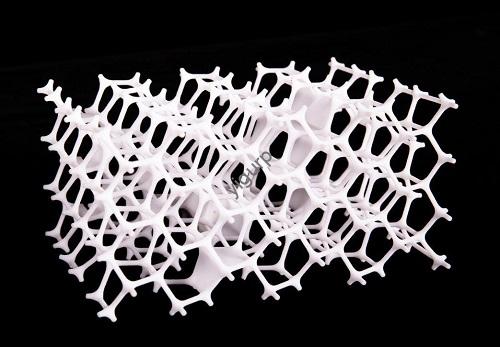
3A impressão D facilita a criação de peças personalizadas, mas com muita frequência, os usuários acabam com componentes frágeis que quebram sob uso ou não atendem às necessidades do projeto. O problema não é apenas a escolha material: mesmo polímeros ou metais de alta qualidade precisam de um design inteligente, configurações de impressão otimizadas, e pós-processamento direcionado para atingir todo o seu potencial. Whether you’re printing a plastic bracket for a robot or a metal component for a drone, this guide shows you how to turn basic 3D printed parts into strong, reliable ones. We’ll break down actionable techniques with real-world examples, so you can avoid common mistakes and get parts that work.
Why 3D Printed Part Strength Matters (And Common Failures)
Before diving into solutions, let’s clarify why strength is non-negotiable—and what happens when it’s missing.
3D printed parts fail most often because oflayer adhesion issues (layers peel apart) ouweak geometric design (sharp corners crack under pressure). Por exemplo:
- A hobbyist printed a PLA handle for a tool with sharp corners and 20% fill density. The handle snapped after 3 usa.
- A small business made SLA resin brackets for a shelf with no ribs— the brackets bent under the weight of books.
These failures aren’t just frustrating—they cost time and money. Fixing them starts with three key steps: optimizing part geometry, tuning print settings, and using post-processing.
Etapa 1: Optimize Part Geometry for Maximum Strength
Your part’s shape is the foundation of its strength. Even the best materials can’t fix a design that ignores basic structural rules. Below are the most impactful geometry tweaks, with examples.
1. Use Fillets & Chamfers (No More Sharp Corners)
Sharp corners act like “stress concentrators”—they’re where cracks start.Fillets (rounded corners) echanfros (angled edges) spread stress evenly across the part.
- Rule of Thumb: For FDM/FFF parts, make fillets at least 1.5x the nozzle diameter (por exemplo, 1.5 mm for a 1 mm nozzle). For SLA/SLS parts, 0.5–1 mm fillets work best.
- Bonus Benefit: Fillets prevent the 3D printer’s nozzle from hitting delicate parts during printing—reducing print failures.
Real Example: A startup printed ABS phone stands with sharp corners. 30% of stands cracked at the base. Adicionando 2 mm fillets eliminated cracks entirely, and customer returns dropped to 0%.
2. Add Ribs & Corner Plates (Structural Support)
Ribs are thin, raised strips that reinforce walls without adding excessive weight.Corner plates (triangular supports at joints) strengthen connections between parts.
- Key Rules for Ribs:
- Rib thickness = ½ the thickness of the wall it’s reinforcing (por exemplo, 1 mm rib for a 2 mm wall).
- Rib spacing = at least 2x the wall thickness (por exemplo, 4 mm spacing for a 2 mm wall).
- Avoid tall, wide ribs—use multiple small ribs instead (tall ribs warp during cooling).
Estudo de caso: A furniture maker printed PLA chair legs with no ribs. The legs bent under 50 kg of weight. Adding three 1 mm thick ribs (spaced 4 mm de distância) let the legs hold 120 kg—more than enough for daily use.
3. Avoid Overhangs (Or Support Them Properly)
Overhangs (parts that extend beyond the layer below) weaken parts because they rely on thin, unsupported material.
- Fix: For overhangs steeper than 45°, add support structures. Para peças FDM, use “tree supports” (they’re easier to remove and leave less residue). For SLA parts, use soluble supports (no manual sanding needed).
Etapa 2: Tune 3D Print Settings for Strength
Even a well-designed part will fail if your print settings are wrong. Focus on these four critical settings to boost strength:
1. Fill Density & Pattern (Inner Structure Matters)
Fill density is the percentage of material inside the part (0% = hollow, 100% = solid). Fill pattern is the internal structure (por exemplo, honeycomb, triangular).
| Fill Density | Melhor para | Recommended Pattern | Strength Notes |
|---|---|---|---|
| 20–30% | Peças decorativas (por exemplo, estatuetas) | Honeycomb | Leve, minimal strength |
| 40–60% | Peças funcionais (por exemplo, colchetes, alças) | Honeycomb or Triangle | Força/peso equilibrado |
| 70–100% | Peças de alto estresse (por exemplo, engrenagens, load-bearing components) | Rectangular or Concentric | Maximum strength (rectangular patterns reach 100% density easily) |
- Pro Tip: Honeycomb patterns have the best strength-to-weight ratio—use them for parts where weight matters (por exemplo, quadros de drones). Rectangular patterns are stronger but heavier—ideal for parts that don’t need to be light.
Exemplo: A robotics team printed PLA gears with 30% honeycomb fill. The gears stripped after 100 rotations. Increasing fill to 70% with a rectangular pattern let the gears run for 1,000+ rotations without damage.
2. Part Orientation (Leverage Layer Bonding)
3D printed parts arestronger in the X-Y plane (parallel to the build plate) than in the Z-axis (vertical). This is because molecular bonding between layers in the X-Y plane is much stronger than adhesion between stacked layers.
- Rule: Orient parts so the main load bears on the X-Y plane. Por exemplo:
- Print a bracket so its mounting holes are in the X-Y plane (not vertical).
- Print a beam horizontally (X-Y axis) instead of vertically (Z-axis)—it will hold 2–3x more weight.
Test Result: A lab tested two identical PETG beams: one printed horizontally (X-Y) and one vertically (Z). The horizontal beam held 80 kg before breaking; the vertical one broke at 30 kg.
3. Shell Thickness (Outer Protection)
Oshell is the outer wall of the part. A thicker shell adds strength and prevents cracking.
- FDM Recommendation: For load-bearing parts, set shell thickness to 3–4x the nozzle diameter (por exemplo, 3 mm shell for a 1 mm nozzle). For non-critical parts, 2x the nozzle diameter is enough.
- SLA/SLS Note: Most resin/ powder-based printers use a minimum 1 mm shell. Increasing to 1.5–2 mm boosts impact resistance by 40%.
4. Altura da camada (Smaller = Stronger)
Layer height is the thickness of each printed layer. Smaller layers mean more layers—and better adhesion between them.
- Best For Strength: Use layer heights of 0.15–0.2 mm for FDM (com um 0.4 mm nozzle). For SLA, 0.05–0.1 mm layers improve surface finish and strength.
- Tradeoff: Smaller layers take longer to print—balance speed and strength based on your needs.
Etapa 3: Post-Processing to Boost Strength & Durabilidade
Post-processing turns “good” 3D printed parts into “great” ones. These four techniques add strength, improve surface finish, and even mimic metal properties.
1. Recozimento (Relieve Internal Stress)
Recozimento heats the part to just below its melting point, then lets it cool slowly. This relieves internal stress (caused by uneven cooling during printing) and makes the part stiffer.
- Suitable Materials: PLA, BICHO DE ESTIMAÇÃO, PA 12 (nylon), ABS. Avoid annealing flexible materials like TPU (they lose elasticity).
- How to Do It: For PLA, heat to 60–70°C for 30 minutos, then cool to room temperature over 2 horas. For PA 12, heat to 120–130°C for 1 hora.
Resultado: An engineer annealed PLA gears. The gears’ tensile strength increased by 25%, and they no longer warped in warm environments.
2. Galvanoplastia (Add Metal-Like Strength)
Galvanoplastia dips the part in a metal salt solution (por exemplo, níquel, cobre) and uses electricity to coat it with a thin metal layer.
- Benefícios: Adds strength, melhora a condutividade, and gives the part a metallic look. It’s cheaper than metal 3D printing (por exemplo, DMLS) for non-critical metal parts.
- Key Note: The part’s core is still plastic—don’t use plated parts in high-heat environments (over the plastic’s softening point).
- Prep Step: The part needs a conductive primer (usually graphite) before plating.
Exemplo: A tech company plated SLA resin USB connectors with copper. The plated connectors had the same conductivity as metal connectors but cost 60% less to make.
3. Resin Coating (Add Durability)
Epóxi oupolyester resin coats the part, filling gaps and adding a hard, camada protetora.
- Epóxi: Best for parts needing maximum durability (por exemplo, cabos de ferramentas). It’s waterproof and resistant to chemicals. Avoid it for parts needing sharp edges (epoxy smooths details).
- Polyester Resin: Thinner than epoxy—ideal for complex parts with fine details. It hardens in 5 minutes and dries fully in 24 horas.
Use Case: A marine hobbyist printed ABS boat propellers. The propellers cracked in saltwater. Coating them with epoxy made them waterproof and impact-resistant—they lasted 6 months without damage.
4. Carbon Fiber Reinforcement (Extreme Strength)
Adicionandofibra de carbono (or fiberglass) to 3D printed parts creates a composite material with exceptional strength-to-weight ratio.
- Two Methods:
- Short Fiber Reinforcement: Mix chopped carbon fiber into thermoplastics (por exemplo, CF-PLA, CF-nylon) antes de imprimir. These materials are 30–50% stronger than regular plastics.
- Continuous Fiber Reinforcement: Use a dual-nozzle printer to lay continuous carbon fiber strands during printing. This is best for high-stress parts (por exemplo, drone arms, quadros de bicicleta).
Estudo de caso: A bike company printed CF-nylon handlebars with continuous fiber reinforcement. The handlebars held 300 kg of force—same as aluminum handlebars—but weighed 40% menos.
Yigu Technology’s Perspective on 3D Printed Parts
Na tecnologia Yigu, we believe3D printed parts reach their full potential when design, configurações, and post-processing work together. Too many clients focus only on material choice, missing easy fixes like adding ribs or annealing. We’ve helped a medical device maker boost PA 12 part strength by 35% with simple fillet additions, and a drone company cut weight by 20% using carbon fiber reinforcement. Whether you’re printing plastic prototypes or functional metal parts, small tweaks make a big difference. We work with clients to tailor solutions—from geometry checks to post-processing—to ensure parts meet their exact strength and performance needs.
Perguntas frequentes
- Can I make PLA parts strong enough for load-bearing use?
Sim! With the right tweaks: add 2–3 mm fillets, use 60–70% rectangular fill, set a 3 mm shell (por um 0.4 mm nozzle), and anneal the part. A properly optimized PLA part can hold 50–100 kg—enough for most consumer applications (por exemplo, chair legs, prateleiras). - Is electroplating better than metal 3D printing for 3D printed parts?
It depends on your needs. Electroplating is cheaper (30–50% less cost) and faster for parts that don’t need full metal cores (por exemplo, peças decorativas, low-stress connectors). Metal 3D printing (DMLS) is better for high-stress metal parts (por exemplo, componentes do motor) where the entire part needs to be metal. - How much does fill density affect strength?
A lot—going from 20% para 70% fill density can double or triple a part’s strength. Por exemplo, a PLA bracket with 20% fill holds 10 kg; the same bracket with 70% fill holds 35 kg. But don’t overdo it—100% fill adds weight and print time without a big strength boost (70–80% is often enough for high-stress parts).