
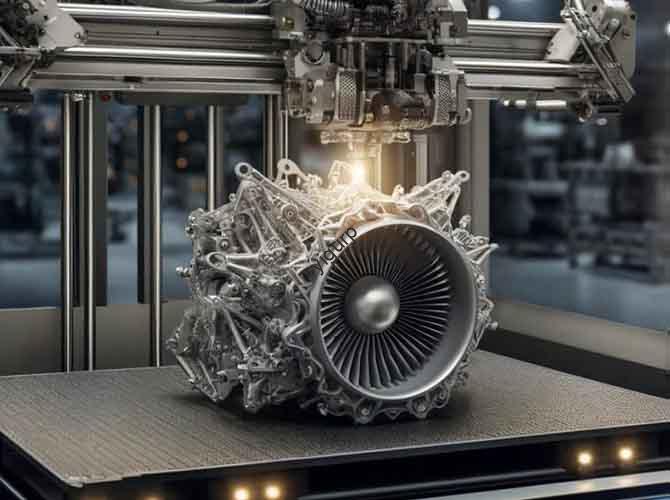
Prototype design is the bridge between a product’s conceptual idea and its physical realization—it transforms 2D drawings or 3D models into touchable, oggetti testabili per verificarne l'aspetto, struttura, e funzionalità. Per i team di prodotto, padroneggiare la progettazione del prototipo è fondamentale per ridurre i rischi di sviluppo, ottimizzando l'esperienza dell'utente, e accelerando il time-to-market. This article breaks down prototype design’s core purposes, tipi, step-by-step processes, e considerazioni chiave, using practical examples and comparisons to help you implement it effectively.
1. Core Purposes of Prototype Design: Why It Matters
Prototype design is not just “making a model”—it solves specific problems in product development. Below are its five non-negotiable goals:
| Scopo | Key Value | Real-World Application Example |
| Verify Design Feasibility | Check if the design is physically achievable (per esempio., part fit, material suitability). | A phone case designer uses a prototype to confirm that the camera cutout aligns perfectly with the phone’s lens. |
| Reduce Development Risks | Identify flaws (per esempio., structural weaknesses) before mass production to avoid costly rework. | An automotive team tests a plastic prototype of a car interior handle—discovering it breaks under 5kg of force, so they adjust the material to ABS. |
| Optimize User Experience | Simulate real usage scenarios to test comfort, usabilità, and interaction logic. | A smartwatch designer has users test a prototype: feedback shows the side button is hard to press, so they enlarge the button by 2mm. |
| Shorten Development Cycles | Enable fast iterations (per esempio., modifying a 3D-printed part in 24 ore) to speed up product launch. | A startup reduces its lamp development cycle from 3 mesi a 1 month by using plastic prototypes for rapid design tweaks. |
| Save Costs | Cut post-production modification expenses (per esempio., fixing mold errors) by validating designs early. | A toy company avoids a $20,000 mold rework cost by discovering a part mismatch in a 3D-printed prototype. |
Key Question: Can I skip prototype design for simple products?
No—even small products (per esempio., a plastic cup) benefit from prototyping. A prototype might reveal that the cup’s handle is too thin to hold comfortably, a flaw that would go unnoticed in 2D designs.
2. Types of Prototype Design: Choose Based on Your Goals
Not all prototypes are the same—select the type that matches your testing priorities. Each type has distinct purposes, esempi, and requirements:
| Prototype Type | Primary Purpose | Common Examples | Requisiti chiave |
| Appearance Prototype | Validate shape, colore, materiale, and surface texture (no functional components). | Custodie per telefoni, car body panels, home appliance front panels. | High-precision appearance restoration (per esempio., color matching to Pantone standards, texture consistency). |
| Structural Prototype | Test internal structure, part assembly, e precisione dimensionale. | Mechanical parts (ingranaggi, parentesi), electronic device housings. | Accurate dimensions (error ±0.1mm), clear assembly logic (per esempio., snap fits, screw holes). |
| Functional Prototype | Verify core functions (per esempio., pulsanti, circuits, parti in movimento). | Smart home devices (per esempio., a voice-controlled lamp), strumenti medici, giocattoli. | Operable functional modules (per esempio., LED lights that turn on/off), support for repeated debugging. |
Comparison Tip: If you’re in the early design stage, start with an appearance prototype (per esempio., a foam board model of a speaker) to test aesthetics. Once the look is finalized, move to a structural prototype (per esempio., a 3D-printed speaker housing) to check part fit. Finalmente, build a functional prototype (per esempio., adding a circuit board to the speaker) to test sound quality.
3. Step-by-Step Process of Prototype Design: From Idea to Test
Follow this linear, actionable process to ensure your prototype is effective and efficient:
3.1 Fare un passo 1: Demand Analysis (Gettare le fondamenta)
Before designing, clarify what you need to test and collect key information:
- Define Objectives: Answer: “What do I want to verify?" (per esempio., “Test if the laptop hinge opens 180°” or “Check if the water bottle lid is leakproof”).
- Collect Information: Gather product design drawings (File CAD), 3D models, requisiti materiali (per esempio., “must be heat-resistant”), and function descriptions (per esempio., “button must withstand 10,000 presses”).
3.2 Fare un passo 2: Design Planning (Choose Methods & Materiali)
Select the right production process, materiale, and surface treatment based on your prototype type:
| Planning Category | Opzioni & Recommendations |
| Production Process | – Lavorazione CNC: Best for high-precision, strutture complesse (per esempio., staffe metalliche).- 3D Stampa: Ideal for fast iterations (FDM for PLA/ABS; SLA for resin prototypes).- Handmade: Suitable for low-cost, forme semplici (per esempio., sludge models for early concept tests). |
| Selezione dei materiali | – PLA/ABS: For most plastic prototypes (facile da elaborare, basso costo).- Metallo (Alluminio/Acciaio): For high-strength parts (per esempio., car suspension components).- Silicone: For soft-touch parts (per esempio., phone button covers).- Transparent Acrylic: For light-transmitting parts (per esempio., paralumi). |
| Trattamento superficiale | – Spruzzatura: Simulate matte/glossy textures or brand colors.- Galvanotecnica: Add metallic luster (per esempio., a chrome-finished prototype handle).- Silk Screen Printing: Apply logos or text (per esempio., a “Power On” label on a device). |
3.3 Fare un passo 3: 3Modellazione D (Digital Precision)
Use CAD software (per esempio., SolidWorks, Fusione 360) to build an accurate digital model with these rules:
- Size Consistency: Ensure the model matches the final product’s actual dimensions (per esempio., a 10cm-tall toy prototype should have the same scale as the mass-produced version).
- Assembly Clearances: Reserve 0.1–0.2mm gaps between parts (per esempio., a lid and container) to avoid tight fits.
- Strutture di supporto: Add temporary supports (per esempio., for 3D printing overhanging parts like a lamp’s curved arm) to prevent deformation.
3.4 Fare un passo 4: Prototype Fabrication (Bring to Life)
Turn the 3D model into a physical object using your chosen process:
- Lavorazione CNC: Import the model into CAM software to generate G-code, then use a CNC machine to cut the material (per esempio., aluminum for a drone frame).
- 3D Stampa: Slice the model with software like Cura (layer height 0.1–0.2mm for detail), then print with PLA/ABS/resin.
- Handmade: Carve or splice materials like clay, legna, or foam board (per esempio., a handmade prototype of a furniture handle for early concept checks).
3.5 Fare un passo 5: Post-elaborazione & Assemblea (Refine & Combina)
Polish the prototype and assemble parts to prepare for testing:
- Levigatura & Lucidatura: Use 100–1500 mesh sandpaper to remove 3D print layer lines or CNC tool marks; apply polishing wax for a smooth finish.
- Color Coating: Spray paint or apply film to match the final product’s color (per esempio., a red prototype for a brand’s signature color).
- Assembly Testing: Put parts together (per esempio., attaching a circuit board to a device housing) to check fit and ensure no parts are missing.
3.6 Fare un passo 6: Test & Ottimizzazione (Validate & Improve)
Test the prototype rigorously and iterate based on results:
| Test Type | What to Check | Actionable Fixes for Common Issues |
| Appearance Test | Forma, colore, surface texture (per esempio., “Does the prototype match the design drawing?"). | If the color is off: Adjust the spray paint formula; if texture is uneven: Sand the surface again. |
| Structural Test | Assembly logic, forza, durabilità (per esempio., “Can the hinge withstand 500 openings?"). | If parts don’t fit: Increase assembly clearance by 0.1mm; if the part breaks: Switch to a stronger material (per esempio., ABS instead of PLA). |
| Functional Test | Button responsiveness, circuit performance, parti in movimento (per esempio., “Does the LED light turn on?"). | If the button fails: Reposition the switch; if the circuit doesn’t work: Replace faulty components. |
4. Key Considerations for Prototype Design: Avoid Common Pitfalls
To ensure your prototype delivers value, focus on these four critical areas:
4.1 Controllo di precisione
- Dimensional Error: Keep errors within ±0.1mm for most products (per esempio., electronic device parts); for high-precision items (per esempio., strumenti medici), aim for ±0.05mm.
- Equipment Choice: Use high-precision tools like SLA 3D printers (for resin prototypes) or CNC machines (per parti metalliche) to maintain accuracy.
4.2 Costo & Time Balance
- Process Selection: Use 3D printing for complex parts (faster than CNC) and handmade methods for simple shapes (cheaper than 3D printing).
- Efficienza dei materiali: Optimize 3D print paths to reduce material waste (per esempio., use 20–30% infill for non-load-bearing parts instead of 100%).
4.3 Functional Simulation
- Component Compatibility: Test electronic components (per esempio., LED lights, sensori) before integrating them into the prototype to avoid compatibility issues.
- Repeatable Testing: Ensure functional modules can be tested multiple times (per esempio., a button that can be pressed 100+ times without breaking) to simulate real usage.
4.4 Common Problem Solutions
| Common Issue | Cause | Correzioni |
| Prototype Warping | Excessive 3D printing temperature, uneven cooling, material shrinkage. | Increase the print bed’s adsorption force (use a magnetic plate); lower the nozzle temperature by 5–10°C. |
| Surface Delamination | Too-large layer height, insufficient nozzle temperature, low-quality material. | Reduce layer height to 0.1mm; increase nozzle temperature by 10–15°C; switch to high-quality filaments. |
| Functional Failure | Poor component compatibility, flawed mechanical design. | Test components individually before assembly; add support structures (per esempio., costolette) to weak mechanical parts. |
5. Yigu Technology’s Perspective on Prototype Design
Alla tecnologia Yigu, we see prototype design as a “risk-mitigation tool” rather than just a production step. Many clients initially rush to mass production without proper prototyping, only to face costly mold reworks or user complaints. Our approach is to align prototypes with client goals: for startups, we recommend low-cost PLA 3D prints for early iterations; per clienti industriali, we use CNC-machined metal prototypes for high-strength tests. Per esempio, a medical device client once avoided a $50,000 mistake by discovering a structural flaw in a silicone prototype—we adjusted the design to add reinforcement ribs, ensuring the final product met safety standards. Prototype design isn’t about perfection; it’s about learning fast and building better products.
6. Domande frequenti: Common Questions About Prototype Design
Q1: How long does prototype design usually take?
A1: It depends on complexity. A simple PLA 3D-printed prototype (per esempio., a phone stand) takes 1–2 days (modellazione + stampa + basic post-processing). A complex functional prototype (per esempio., a smartwatch) takes 1–2 weeks (including multiple iterations for testing).
Q2: Do I need professional software to create a 3D model for prototyping?
A2: For beginners, user-friendly tools like Tinkercad (gratuito) work for simple models. Per progetti complessi (per esempio., parti meccaniche), use professional software like SolidWorks or Fusion 360—many platforms offer free trials for startups or students.
Q3: Can I use the same prototype for appearance, strutturale, and functional tests?
A3: Rarely—appearance prototypes often lack internal structures, while functional prototypes may have rough surfaces (to prioritize testing over aesthetics). For best results, use separate prototypes for each test type: an appearance prototype for visual checks, a structural prototype for fit tests, and a functional prototype for performance checks.