
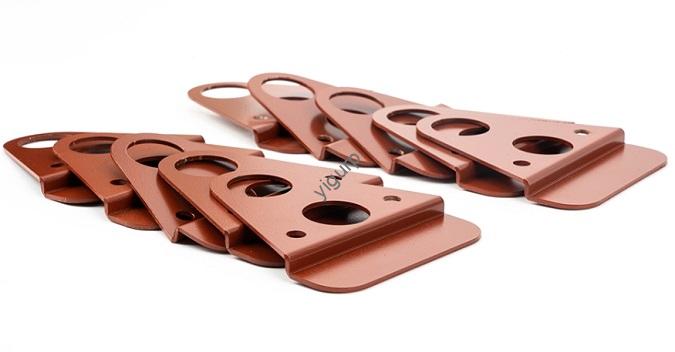
Dopo la stampa 3D di un modello, che si tratti di un terreno sandbox, un telaio per droni, o una parte decorativa: noterai spesso le linee dei livelli, bordi grezzi, o piccole imperfezioni sulla superficie. Questi difetti possono compromettere l’aspetto e la funzionalità del modello. Ecco dove 3D printing and polishing entra: polishing is a critical post-processing step that smooths surfaces, improves texture, and makes your 3D prints look professional. But with so many polishing methods available, it’s hard to know which one to choose for your project. This guide breaks down all the key ways to polish 3D prints, including when to use each method, what materials they work best with, and real-world examples to help you get perfect results.
1. Understanding 3D Printing and Polishing: Why It Matters
Before diving into the methods, let’s clarify why polishing is so important for 3D prints. Most 3D printing technologies—like FDM (Modellazione della deposizione fusa), the most common for home users—build models layer by layer. This layer-by-layer process leaves visible linee di strato (like tiny ridges) on the surface. Lucidatura:
- Removes these lines to create a smooth, finitura senza soluzione di continuità.
- Fixes small defects (like stringing or blobs from printing).
- Improves the model’s durability (some methods strengthen the surface).
- Makes painting or coloring easier (smooth surfaces hold paint better).
Per esempio, a 3D printed sandbox model of a building might have rough walls from FDM printing. Polishing those walls would make the model look more realistic to clients or students, helping you communicate your design better.
2. Key Ways of 3D Printing Polishing: Metodi, Materiali, and Use Cases
Not all polishing methods work for every 3D printing material or model type. Below is a detailed breakdown of the most effective methods, with tables to help you compare them and real-world examples of how they’re used.
Method 1: Sandpaper Sanding – The Most Common, Versatile Option
Sandpaper sanding is the go-to method for most 3D print polishing. It uses sandpaper of different grit sizes (a measure of how rough the sandpaper is) to gradually smooth the surface—starting with coarse grit to remove large layer lines, then moving to fine grit for a smooth finish.
Come funziona: Passo dopo passo
- Start with coarse sandpaper (120–240 grana) to sand down obvious layer lines or rough edges. Use light, even pressure—too much force can warp or damage small parts.
- Move to medium sandpaper (320–400 grana) to smooth the scratches left by the coarse grit.
- Finish with fine sandpaper (600–1000 grit) for a silky-smooth surface. For extra shine, use ultra-fine grit (1500–2000 grana).
Sandpaper Grit Size Guide for 3D Prints
| Grit Size Range | Tipo | Scopo | Ideale per |
| 120–240 | Coarse | Remove large layer lines, bordi grezzi | FDM prints with thick layers (0.3mm+) |
| 320–400 | Medio | Smooth scratches from coarse sandpaper | Most FDM/Resin prints |
| 600–1000 | Bene | Crea un liscio, finitura opaca | Models needing painting or basic shine |
| 1500–2000 | Ultra-Fine | Achieve a near-glossy finish | Parti decorative (per esempio., 3D printed jewelry) |
Esempio del mondo reale: Polishing a PLA Drone Frame
A hobbyist 3D printed a drone frame using PLA (the most common beginner material). The frame had visible layer lines on the arms, which could catch on wires during assembly. They used sandpaper sanding:
- Primo, 240-grit sandpaper to remove the thickest layer lines.
- Poi, 400-grit to smooth the scratches.
- Finalmente, 800-grit for a smooth surface.
Il risultato? A frame that was easy to assemble and looked more professional than the unpolished version. The entire process took 45 minutes and cost less than $5 (for a pack of sandpaper).
Method 2: Pearlescent Treatment – For Small, Complex Models
Pearlescent treatment (also called abrasive polishing) uses a pearlescent powder or abrasive agent (mixed with a liquid like water or alcohol) to polish small, parti dettagliate. Unlike sandpaper, it can reach tiny crevices or complex shapes (like the details on a 3D printed figurine) that sandpaper can’t.
Come funziona:
- Mix a small amount of pearlescent powder with water to make a paste.
- Apply the paste to the model’s surface using a soft cloth or a small brush (for tight spots).
- Rub gently in circular motions for 5–10 minutes. The abrasive particles in the powder smooth the surface without scratching delicate details.
- Wipe off the excess paste with a clean, damp cloth.
Ideale per:
- Small models (per esempio., 3D printed jewelry, figurine faces).
- Resin prints (which have fine details but can still have small imperfections).
- Parts with complex shapes (per esempio., the gears on a small mechanical model).
Esempio: Polishing a Resin Sandbox Model Tree
An architect 3D printed small tree models for a sandbox city layout using SLA resin. The trees had tiny branches that were too delicate for sandpaper. They used pearlescent treatment:
- Mixed pearlescent powder with isopropyl alcohol (IPA) to make a thin paste.
- Applied the paste to the branches with a soft paintbrush.
- Rubbed gently for 3 minuti, then wiped clean with an IPA wipe.
The branches became smooth without breaking, and the trees looked more realistic in the sandbox model.
Method 3: Steam Smoothing – Ideal for ABS and Heat-Resistant Materials
Steam smoothing uses the heat of steam to melt the surface of plastic 3D prints slightly, which fills in layer lines and creates a smooth finish. It works best with materials that are heat-resistant and melt at higher temperatures—like ABS (Acrilonitrile Butadiene Stirene). It does NOT work with PLA (which melts at lower temperatures and can warp or deform with steam).
Come funziona:
- Fill a kettle with water and bring it to a boil (to create steam).
- Hold the 3D print 10–15cm away from the kettle’s spout (too close will melt the model; too far won’t work).
- Move the model slowly in front of the steam, making sure all surfaces get even exposure.
- Let the model cool completely (this takes 10–15 minutes). The melted surface will harden into a smooth finish.
Material Compatibility for Steam Smoothing
| Materiale | Works with Steam Smoothing? | Reason |
| ABS | SÌ | Resistente al calore; melts slightly with steam |
| PETG | Limitato | May warp if steam is too hot |
| PLA | NO | Basso punto di fusione; deforms easily |
| Resina (SLA) | NO | Steam can damage or soften resin |
Esempio: Smoothing an ABS Tool Handle
A manufacturer 3D printed tool handles using ABS for durability. The handles had visible layer lines that made them uncomfortable to grip. They used steam smoothing:
- Held each handle 12cm from a steam kettle for 20 secondi, rotating it slowly.
- Let the handles cool for 15 minuti.
The layer lines disappeared, and the handles had a smooth, grippy surface that was more comfortable to use. Steam smoothing was faster than sandpaper (soltanto 2 minutes per handle) and didn’t require extra materials.
Method 4: Polishing Solutions – Perfect for PLA
Polishing solutions (also called chemical smoothing) are liquids that dissolve the top layer of a 3D print slightly, which fills in layer lines and creates a smooth finish. The most common type is PLA polishing fluid—designed specifically for PLA prints (the most popular beginner material).
Come funziona:
- Put on gloves (polishing solutions are chemicals and can irritate skin).
- Apply a small amount of the polishing solution to a soft cloth.
- Rub the cloth gently over the print’s surface in circular motions. You’ll see the layer lines fade as the solution dissolves the top layer.
- Let the model dry for 10–20 minutes. The surface will harden into a smooth, slightly glossy finish.
Important Notes:
- Only use PLA polishing fluid on PLA prints—other materials (come l'ABS) may not react well and could melt.
- Work in a well-ventilated area (some solutions have strong fumes).
- Avoid using too much solution—this can make the model lose fine details.
Esempio: Polishing a PLA Sandbox Model Building
A teacher 3D printed a PLA building for a geography class sandbox model. The building’s walls had layer lines that made it look unprofessional. They used PLA polishing fluid:
- Applied a drop of fluid to a microfiber cloth.
- Rubbed the walls gently for 2 minuti.
- Let the building dry for 15 minuti.
The walls became smooth and slightly glossy, making the building stand out in the sandbox model. The students could clearly see the window details (which weren’t hidden by layer lines anymore).
Method 5: Mechanical Grinding – For Large, Flat Surfaces
Mechanical grinding uses power tools (like a handheld grinder, Dremel, or orbital sander) with grinding heads or sanding pads to remove material quickly. It’s best for large, flat 3D prints (per esempio., the base of a sandbox model) where sanding by hand would take too long.
Come funziona:
- Attach a sanding pad (120–240 grit for initial grinding) to the power tool.
- Hold the tool at a 45-degree angle to the print’s surface (this prevents digging into the material).
- Move the tool slowly and evenly over the surface, focusing on areas with thick layer lines.
- Switch to a finer sanding pad (320–400 grana) per una finitura liscia.
Ideale per:
- Large models (per esempio., a 1m wide sandbox model base).
- Flat surfaces (per esempio., the top of a 3D printed tabletop).
- Models with thick layer lines (per esempio., prints made with 0.3mm layer height).
Esempio: Grinding a Large Sandbox Model Base
An urban planner 3D printed a 80cm wide base for a city sandbox model using FDM. The base had uneven surfaces and thick layer lines from fast printing. They used an orbital sander with a 240-grit pad:
- Sanded the base for 10 minuti, moving the sander in circular motions.
- Switched to a 400-grit pad for another 5 minuti.
The base became flat and smooth, making it easy to attach 3D printed buildings and roads. Mechanical grinding saved them 2 hours compared to sanding by hand.
3. Post-Polishing Steps: Primer, Colorazione, and Encapsulation
After polishing your 3D print, you can take extra steps to improve its appearance and durability:
Fare un passo 1: Apply Primer
Primer is a paint-like substance that covers small scratches and helps paint stick better to the print’s surface. Choose a primer that matches your material (per esempio., PLA primer for PLA prints). Apply 1–2 thin coats with a spray can, and let each coat dry for 30 minuti.
Fare un passo 2: Color the Model
Once the primer is dry, you can color the model using acrylic paint, spray paint, or markers. Per esempio, a polished sandbox model building can be painted with gray acrylic paint to look like stone, or a drone frame can be spray-painted black for a sleek look.
Fare un passo 3: Encapsulate (Opzionale)
Encapsulation uses a clear coating (like epoxy resin or clear spray) to protect the model’s surface and add shine. It’s great for decorative models (per esempio., 3D printed jewelry) or models used outdoors (per esempio., a sandbox model kept in a garden). Apply 1–2 coats of the clear coating, and let it dry for 24 ore.
Yigu Technology’s View on 3D Printing and Polishing
Alla tecnologia Yigu, crediamo choosing the right polishing method is just as important as choosing the right 3D printing material. Our entry-level 3D printers (like the YG-100) are designed to work with all common polishing methods—they produce prints with consistent layer heights that are easy to sand, vapore, or treat with polishing solutions. We often recommend sandpaper sanding for beginners (affordable and low-risk) and polishing solutions for PLA prints (fast and effective). For clients making large sandbox models or industrial parts, we suggest mechanical grinding to save time. Polishing turns good 3D prints into great ones, and we’re committed to providing tools and resources that make this step simple for everyone—from hobbyists to professionals.
Domande frequenti:
Q1: Can I use the same polishing method for all 3D printing materials?
No—each material has different properties. Per esempio, steam smoothing only works with ABS (not PLA), and PLA polishing fluid only works with PLA. Always check the material compatibility of a polishing method before using it. A quick rule: use sandpaper for most materials, polishing solutions for PLA, steam for ABS, and pearlescent treatment for small resin parts.
Q2: How long does it take to polish a 3D print?
It depends on the method and model size. A small PLA part (per esempio., a 5cm figurine) takes 15–30 minutes with sandpaper or polishing fluid. A large ABS part (per esempio., a 30cm drone frame) takes 1–2 hours with steam smoothing or mechanical grinding. A very large model (per esempio., an 80cm sandbox base) takes 2–3 hours with an orbital sander.
Q3: Do I need to polish every 3D print?
No—only if you want a smooth finish. If your print is a functional part (per esempio., a gear that doesn’t need to look pretty) or a prototype (per esempio., a test version of a sandbox model), you can skip polishing. But if the print is for display (per esempio., a client-ready model), a gift, or a part that needs to be comfortable to grip (per esempio., a tool handle), polishing is worth the time.]]>