
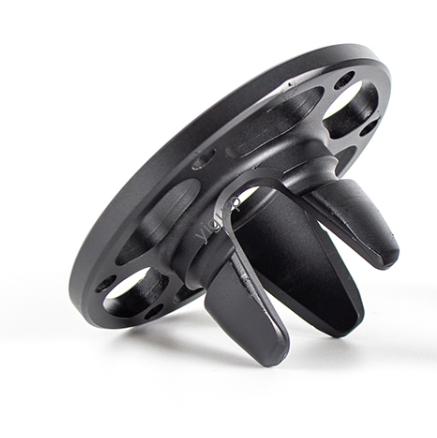
Stereolitografia (SLA) 3La stampa D non ha rivali per la creazione di parti con dettagli ultrafini, superfici lisce, e tolleranze strette, rendendolo la scelta migliore per i prototipi, modelli dentali, maestri dello stampo, e piccoli componenti meccanici. Ma il processo a base di resina della SLA è meno tollerante rispetto alle tecnologie a letto di polvere come MJF o SLS. Scelte progettuali inadeguate portano a problemi comuni: pareti fragili, trapped uncured resin, parti deformate, or unreadable text. La soluzione? Following proven SLA 3D printing design principles tailored to this UV-curing technology. Questa guida non funziona 8 critical design strategies, shares real-world case studies, provides a detailed specification table, and helps you avoid costly mistakes—so you get parts that are accurate, durevole, and ready for use.
Primo: What Is SLA 3D Printing? (Key Basics for Design)
To design effectively for SLA, you need to understand how it works—its unique process shapes what makes a “good” design.
SLA uses fotopolimerizzazione: a UV laser (or LED array) selectively cures liquid resin layer by layer to build parts. Here’s a simplified breakdown:
- A vat holds liquid photoresist resin (sensitive to UV light).
- The laser traces the first layer of the part onto the resin surface, curing it into a solid.
- The build platform lifts slightly, and fresh resin flows over the cured layer.
- The laser repeats the process until the part is complete.
- La parte viene rimossa, rinsed to remove uncured resin, and post-cured (extra UV exposure) per forza.
Key SLA Traits for Design:
- Creates parts with smooth surfaces (no visible layer lines) e tolleranze strette (±0.15mm for industrial-grade).
- Requires support structures for overhangs (unlike MJF/SLS)—supports leave marks if not placed carefully.
- Resin parts are prone to UV degradation (ingiallimento, fragilità) over time—design and post-processing must account for this.
8 Critical SLA 3D Printing Design Strategies (With Rules & Casi)
Each design tip addresses a common SLA pain point—from fragile walls to trapped resin. Follow these rules to maximize part quality.
1. Follow Minimum Feature Size Limits (Avoid Unprintable Details)
SLA excels at fine details, but features that are too small will fail: needle-like structures break, narrow notches blur, and tiny holes close due to resin buildup.
Key Rules for Minimum Feature Size:
| Feature Type | Minimum Size | Perché funziona |
| Needle/Slender Structures | 1diametro mm | Prevents brittleness during post-processing (per esempio., rinsing). |
| Notches/Grooves | 0.5larghezza mm | Ensures clear formation—narrower notches fill with resin and disappear. |
| Any Printable Feature | 0.2mm | Below this size, resin curing becomes inconsistent (parts have gaps or blurs). |
Caso di studio: A jewelry designer tried to print 0.8mm diameter resin earrings. 60% of the earrings broke during rinsing. Increasing the diameter to 1mm fixed the issue—all earrings survived post-processing and looked sharp.
2. Design Optimal Wall Thickness (Avoid Warping & Fragilità)
Wall thickness is the most critical SLA design factor. Too thin, and walls crack; troppo spesso, and they warp due to uneven cooling. Uneven thickness (per esempio., 0.4mm next to 3mm) causes internal stress and cracking.
Key Rules for Wall Thickness:
| Scenario | Minimum Thickness | Maximum Thickness | Perché funziona |
| Unsupported Walls (per esempio., standalone panels) | 0.6mm | 3mm | Thicker walls trap heat; thinner walls break easily. |
| Supported Walls (per esempio., walls with support structures) | 0.4mm | 3mm | Supports add stability, but thin walls still need durability. |
| Any Part (All Resins) | — | 5mm | Thicker than 5mm causes severe warping and internal cracking. |
Pro Tips:
- Keep thickness uniform: Use gradual transitions (slope 1:5) for thickness changes (per esempio., 0.6mm to 1mm over 2mm length).
- Strengthen unsupported walls: Add rounded transitions (fillets) at the base to distribute stress.
Esempio: A medical device company printed 0.5mm unsupported walls for a surgical guide. 40% of the guides cracked during post-curing. Increasing walls to 0.6mm and adding fillets reduced failure rates to 0%—saving $2,500 in reprints.
3. Add Clearance for Mating Parts (Prevent Sticking & Ensure Fit)
SLA parts shrink slightly during curing (1–2% for most resins) and need clearance to avoid sticking to other parts. Too little clearance, and parts fuse; troppo, and assemblies are loose.
Key Rules for Clearance:
| Assembly Type | Minimum Clearance | Use Case Example |
| Moving Parts (per esempio., cerniere, componenti scorrevoli) | 0.5mm | A hinge that needs to rotate smoothly without binding. |
| Snap Fits/Tight Assemblies | 0.1mm | A lid that snaps onto a container and stays secure. |
| Post-Assembled Parts (per esempio., two pieces glued together) | 0.2mm | Extra space for adhesive without forcing parts. |
Tip: Print a test pair first! Resin type affects shrinkage—flexible resins shrink more than rigid ones.
Caso di studio: An electronics brand designed a snap-fit enclosure with 0.05mm clearance. The top and bottom fused together during printing. Increasing clearance to 0.1mm let the parts separate easily—100% of enclosures assembled correctly.
4. Design Hollow Parts for Resin Removal (Avoid Trapped Resin)
Hollowing parts saves resin and reduces print time—but fully enclosed cavities trap uncured resin. This causes internal pressure, screpolature, or “suction” (parts pull away from the build platform during printing).
Key Rules for Hollow Parts:
| Design Element | Specifica | Perché funziona |
| Hollow Wall Thickness | Minimum 2mm | Thinner walls break; thicker walls defeat the purpose of hollowing. |
| Resin Drain Holes | Minimum 3.5mm diameter | Smaller holes clog with resin—3.5mm lets uncured resin flow out easily. |
| Number of Drain Holes | At least 1 per hollow area | Multiple holes (on opposite sides) improve resin evacuation. |
Esempio: A toy company printed hollow resin figurines with one 2mm drain hole. Resin trapped inside caused 30% of the figurines to crack. Redesigning with two 3.5mm holes let them remove 99% of resin—no more cracks.
5. Round Inner & Outer Corners (Reduce Stress Concentrations)
Sharp corners act as stress magnets—they crack easily during post-processing or use. Rounding corners distributes stress evenly across the part.
Key Rules for Corner Radii:
| Corner Type | Minimum Radius | Perché funziona |
| Inner Corners (per esempio., inside a box) | ½ the wall thickness | Prevents cracking where walls meet—e.g., 0.6mm wall = 0.3mm inner radius. |
| Outer Corners (per esempio., edges of a panel) | 1.5× the wall thickness | Strengthens exposed edges—e.g., 0.6mm wall = 0.9mm outer radius. |
| Any Sharp Edge | 0.5mm | Even small radii reduce stress and improve part durability. |
Caso di studio: A prototype shop printed resin brackets with sharp outer corners (0mm radius). 25% of the brackets broke at the corners during testing. Adding 0.9mm outer radii (for 0.6mm walls) made the brackets 3x stronger—all passed testing.
6. Design Legible Text & Logos (Avoid Blurring)
SLA is perfect for adding text or logos directly to parts, but fine details blur due to over-curing or resin bleeding. To keep text readable, size matters.
Key Rules for Text/Logos:
| Text Type | Minimum Size | Perché funziona |
| Embossed Text (Raised) | 0.5mm height, 0.4larghezza mm | Shorter/narrower text blurs during curing. |
| Engraved Text (Recessed) | 0.5profondità mm, 0.5larghezza mm | Shallower/narrower text fills with resin and becomes unreadable. |
| Font Size | 1mm character height (2mm recommended) | Smaller fonts (per esempio., 0.8mm) are hard to read even if printed clearly. |
Esempio: A brand printed 0.8mm tall embossed logos on resin keychains. 40% of the logos were unreadable due to resin bleeding. Increasing logo height to 2mm fixed the issue—all keychains had clear, professional logos.
7. Minimize & Optimize Support Structures (Reduce Marks)
SLA needs supports for overhangs (unlike MJF/SLS), but supports leave marks on parts. Poorly placed supports cause breakage; unnecessary supports waste resin and time.
Key Rules for Supports:
| Support Element | Specifica | Perché funziona |
| Unsupported Overhangs | Max 2mm length, min 30° angle | Longer/steeper overhangs break without supports. |
| Support Placement | Under overhangs, ponti, and fragile features | Avoid placing supports on visible surfaces (per esempio., the front of a prototype). |
| Support Contact Points | Piccolo (0.5–1mm diameter) | Smaller contact points leave smaller marks—easier to sand smooth. |
Pro Tip: Use “tree supports” (instead of raft supports) for most parts—they use less resin and are easier to remove.
Caso di studio: A dental lab printed resin crown models with supports on the biting surface. The marks ruined the models’ accuracy. Moving supports to the base (hidden when in use) fixed the issue—all models met dental standards.
8. Optimize Part Orientation (Improve Quality & Reduce Supports)
Part orientation affects print success, qualità della superficie, and support marks. The right orientation reduces supports, riduce al minimo la deformazione, and protects delicate features.
Key Rules for Orientation:
| Obiettivo | Orientation Strategy | Perché funziona |
| Reduce Supports | Place large flat surfaces on the build platform | Avoids overhangs that need supports. |
| Protect Delicate Features | Face fine details (per esempio., testo, loghi) upward | Prevents damage during support removal. |
| Avoid “Cup Effect” | Tilt hollow/concave surfaces 30–45° | Prevents air or resin from getting trapped (causes cracking or part failure). |
| Improve Adhesion | Tilt parts 30–45° if they have small base areas | Reduces the risk of parts detaching from the build platform. |
Esempio: A designer printed a hollow resin bowl with the concave side facing down. The “cup effect” trapped resin, causing the bowl to crack during printing. Tilt the bowl 45° (concave side up) fixed the issue—all bowls printed perfectly.
SLA 3D Printing Specification Reference Table
Use this table to quickly reference critical design limits (based on Xometry’s data and industrial SLA printer specs):
| Specifica | Standard-Grade SLA | Industrial-Grade SLA |
| Tolleranze generali | ±0.5% (±0,2 mm) | ±0.5% (±0,15 mm) |
| Spessore dello strato | 20–100 µm | 10–50 μm |
| Maximum Build Volume | 145 × 145 × 185 mm | 736 × 635 × 533 mm |
| Minimum Feature Thickness | 0.20 mm | 0.15 mm |
| Minimum Wall Thickness (Supported) | 0.4 mm | 0.3 mm |
| Minimum Wall Thickness (Unsupported) | 0.6 mm | 0.5 mm |
| Minimum Support Contact Point | 0.5 mm | 0.3 mm |
| Maximum Unsupported Overhang | 2 lunghezza mm, 30° angle | 3 lunghezza mm, 25° angle |
Real-World SLA Design Success: Dental Crown Model
Serve una clinica odontoiatrica 50 resin crown models for patient treatment plans. Here’s how they applied the design tips above:
- Wall Thickness: 0.8mm (uniform) to avoid brittleness.
- Supporta: Tree supports placed on the model base (hidden from view).
- Orientation: Crown biting surface facing up (protected from support marks).
- Text: 2mm tall engraved patient IDs on the base (clear and readable).
- Corners: 0.4mm inner radii (for 0.8mm walls) per evitare rotture.
Risultato: Tutto 50 models passed quality checks—smooth surfaces, clear text, and accurate fit to patient scans. La clinica salvata $1,800 contro. outsourcing to a traditional dental lab.
Yigu Technology’s Perspective on SLA 3D Printing Design
Alla tecnologia Yigu, we tailor SLA designs to each client’s needs—whether it’s a dental model or a mold master. Per pezzi di alta precisione, we prioritize uniform wall thickness (0.6–0.8mm for unsupported areas) and small support contact points to minimize marks. We also warn clients about UV degradation: recommending UV-resistant resins and clear-coat post-processing for parts exposed to sunlight. Our team provides pre-print design reviews, flagging risks like trapped resin or steep overhangs. For us, SLA design isn’t just about following rules—it’s about creating parts that meet your industry’s high standards for accuracy and durability.
FAQ About SLA 3D Printing Design
1. Can I print SLA parts without supports?
Only if your part has no overhangs steeper than 30° or longer than 2mm. Even small overhangs (per esempio., 3mm at 45°) will sag or break without supports. Use tree supports for minimal marks—they’re easier to remove than raft supports and use less resin.
2. How do I fix trapped resin in hollow SLA parts?
Primo, ensure drain holes are at least 3.5mm and placed on opposite sides of the hollow area. If resin is still trapped, use a syringe with a thin needle to flush isopropyl alcohol (IPA) through the holes—this dissolves uncured resin. Post-cure the part afterward to strengthen it.
3. Will SLA parts yellow over time?
Yes—most SLA resins yellow when exposed to UV light (luce solare, fluorescent bulbs). To slow this, use UV-resistant resins (per esempio., Formlabs Clear Resin) and apply a clear UV-protective coat (per esempio., Krylon UV-Resistant Clear Spray) after post-curing. Indoor parts (per esempio., modelli dentali) yellow slower than outdoor parts.