
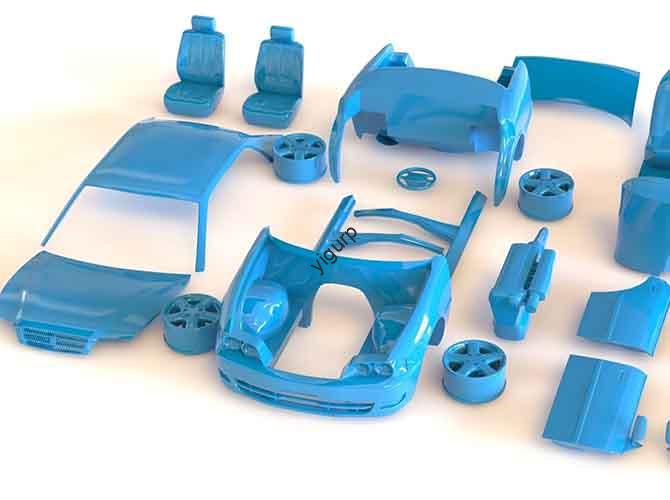
Hai mai passato ore a stampare un modello in 3D, solo per scoprire che è accidentato, Debole, o non si attaccherà alla piattaforma? Le probabilità sono, the issue lies in your 3D printing parameters. Queste impostazioni, come lo spessore dello strato, tempo di esposizione, e la distanza di sollevamento: sono i “controlli nascosti” che creano o distruggono la tua stampa. Whether you’re a beginner struggling with first-layer adhesion or a pro chasing smoother surfaces, this guide will help you master each parameter and fix common printing problems.
1. What Are 3D Printing Parameters, e perché sono importanti?
3D printing parameters are the adjustable settings that control how a 3D printer builds a model layer by layer. Think of them as the “recipe” for your print: just like too much sugar ruins a cake, the wrong parameter values can ruin a model.
The key truth? These parameters don’t work alone—they’re interconnected. Per esempio:
- Making spessore dello strato thinner (for better detail) will increase print time (since you need more layers).
- Increasing tempo di esposizione (to cure resin fully) might cause over-curing (making edges blurry) unless you adjust the light-out delay.
Get the balance right, and you’ll get strong, liscio, accurate prints. Get it wrong, and you’ll waste time, filamento, or resin.
2. IL 6 Core 3D Printing Parameters: What They Do & How to Adjust Them
Below is a breakdown of the most critical parameters—with clear explanations, ideal ranges, and real-world examples. We’ll focus on resin 3D printing (since parameters like exposure time are unique to it) and note key tips for filament printers too.
| Parametro | Definizione | Key Impact | Ideal Range (Resin Printers) | Example Scenario |
| Spessore dello strato | The height of each printed layer (Z-axis) | – Thinner = smoother surface + more detail- Thicker = faster print + stronger layer bonds | 0.02mm – 0.1mm | Printing a tiny figurine? Use 0.02mm for fine facial details. Printing a sturdy tool? Use 0.1mm to save time. |
| Number of Bottom Layers | Layers that stick directly to the printer platform | More layers = better adhesion (impedisce la deformazione)Fewer layers = faster start but higher risk of detachment | 3 – 10 layers | Printing a large model (per esempio., a 20cm vase)? Use 8–10 bottom layers to keep it anchored. Printing a small keychain? 3–5 layers are enough. |
| Exposure Time | How long the light source (per esempio., UV light) hits resin per layer | Longer = fully cured resin (stronger parts)Shorter = faster print but weak/uncured layers | 2s – 8s (normal layers)20s – 60s (bottom layers) | Using thick resin (per esempio., 4000cP viscosity)? Extend exposure to 6–8s. Using thin resin (per esempio., 2000cP)? 2–4s works. |
| Light-Out Delay | Waiting time after a layer prints before the light turns off | Prevents over-curing (blurry edges) by letting resin settle | 0.5s – 2s | Printing a model with sharp edges (per esempio., un ingranaggio)? Use 1–2s delay to keep edges crisp. |
| Lifting Distance | How high the platform rises after each layer | More distance = easier layer separation (avoids tearing)Less distance = faster print but higher tear risk | 5mm – 15 mm | Using a flexible resin? 5–8mm is enough (resin bends easily). Using rigid resin? 10–15mm helps separate layers cleanly. |
| Return Speed | How fast the platform/movement system moves when not printing | Faster = shorter print timeSlower = more stable (reduces vibrations) | 50mm/min – 200mm/min | Printing a delicate model (per esempio., a thin plant stem)? Slow to 50–100mm/min to avoid shaking. Printing a solid block? 150–200mm/min saves time. |
3. How to Troubleshoot Common Issues with Parameter Adjustments
The best way to learn parameters is by fixing problems. Let’s walk through 3 common print failures and how to solve them with parameter tweaks—using a causal chain (problem → root cause → solution).
3.1 Problema: Print Won’t Stick to the Platform
- Why it happens: Not enough bottom layers or bottom-layer exposure time. The first layers don’t cure strongly enough to attach to the platform.
- Soluzione:
- Increase the number of bottom layers (per esempio., da 3 A 6).
- Extend bottom-layer exposure time (per esempio., from 20s to 40s).
- Esempio: A user tried printing a resin cup but it peeled off mid-print. After upping bottom layers to 8 and exposure to 50s, the cup stuck perfectly.
3.2 Problema: Print Has Bumpy, Uneven Surfaces
- Why it happens: Layer thickness is too thick, or exposure time is inconsistent. Thick layers create visible “passi” on curved surfaces.
- Soluzione:
- Ridurre spessore dello strato (per esempio., from 0.1mm to 0.05mm).
- Ensure tempo di esposizione is the same for all normal layers (avoid random adjustments mid-print).
- Esempio: A hobbyist printed a resin mask with bumpy cheeks. Switching to 0.03mm layers made the surface smooth enough for painting.
3.3 Problema: Resin Oozes or Creates Stringy Layers
- Why it happens: Light-out delay is too short. Resin doesn’t settle before the next layer prints, causing excess resin to spread.
- Soluzione: Increase light-out delay (per esempio., from 0.5s to 1.5s).
- Esempio: A designer’s resin jewelry had stringy connections between parts. Adding 1s of light-out delay stopped the oozing.
4. La prospettiva della tecnologia Yigu
Alla tecnologia Yigu, we’ve helped 1000+ users optimize 3D printing parameters—from hobbyists to industrial teams. Our key advice? Start with “default” parameters for your printer/resin, then tweak one at a time. Don’t change 3 parameters at once—you’ll never know which fixed the problem. For resin printers, diamo la priorità bottom-layer exposure time (it’s the #1 cause of adhesion issues) E spessore dello strato (balances detail and speed). We also see a trend: new printers will soon have AI that auto-adjusts parameters—but until then, mastering these basics is the best way to get perfect prints.
5. Domande frequenti: Common Questions About 3D Printing Parameters
Q1: Do I need different parameters for different resins (per esempio., PLA vs. ABS in filament printers)?
SÌ! Per esempio, ABS filament needs higher print temperatures (so adjust bed temperature—a key filament parameter) than PLA. For resin, rigid resin needs longer exposure than flexible resin. Always check the manufacturer’s recommended parameters for your material.
Q2: How do I know if my layer thickness is too thin?
If your print takes 2x longer than expected but has no visible detail improvement, it’s too thin. For most models, 0.05mm is a sweet spot—balances smoothness and speed. If you’re printing a model with tiny details (per esempio., a 5mm figurine), 0.02mm is worth the extra time.
Q3: Can I use the same parameters for all my models?
No—size and complexity matter. A large, solid model needs more bottom layers (per l'adesione) than a small, hollow one. A model with sharp edges needs more light-out delay than a model with soft curves. Always adjust parameters based on the model’s needs, not just a “taglia unica per tutti” set.