
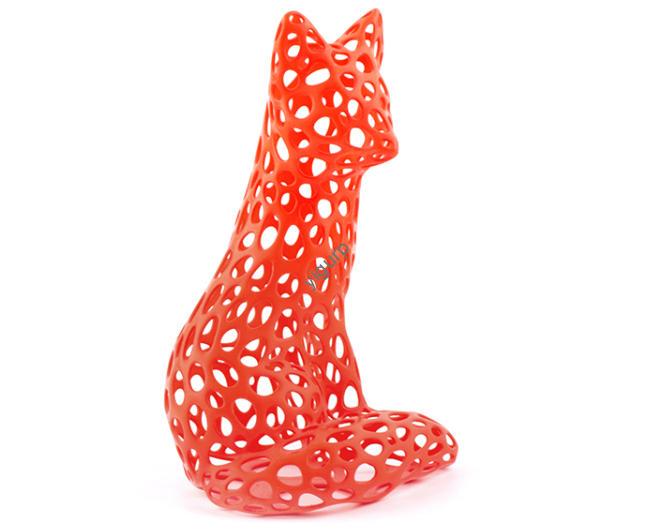
Se ti sei mai chiesto come prendono vita i modelli 3D colorati, dalle action figure personalizzate alle repliche mediche dettagliate, you’re in the right place.3D color printing (chiamata anche stampa 3D a colori) non si tratta solo di aggiungere colore a un oggetto 3D; è un preciso, processo in più fasi che combina la progettazione, selezione tecnologica, e post-produzione per creare immagini vibranti, modelli funzionali. In questa guida, we’ll break down the entire journey of 3D color printing, from digital design to the final tested product, with real examples and data to help you understand every detail.
1. Fare un passo 1: Design a 3D Model with Color & Texture Details
The first step in 3D color printing is turning your idea into a digital 3D model—and this is where color and texture are built in, not just added later.
To create a model, ne avrai bisognoprofessional 3D modeling software that supports color and texture mapping. Le opzioni più popolari includono:
- Miscelatore (gratuito, open-source): Great for artists creating colorful sculptures or props. Per esempio, a designer might use Blender to add gradient colors to a 3D character model, setting skin tones, clothing hues, and even small details like eye color.
- Autodesk Fusion 360 (paid, per uso industriale): Used by engineers to design functional parts with color-coded sections (per esempio., a machine part where red indicates high-heat areas and blue indicates cool zones).
- ZBrush (paid, for high-detail work): Ideal for creating textured models like fossil replicas, where color is used to highlight different rock layers.
During design, you’ll assigncolor values (often using RGB or CMYK color spaces) Etexture information (such as matte, lucido, or rough surfaces) to specific parts of the model. This ensures the printer knows exactly where and how to apply color later. Ad esempio, a jewelry designer might use ZBrush to add a gold-colored, glossy texture to a 3D ring model and a matte black texture to its engravings.
2. Fare un passo 2: Choose the Right 3D Color Printing Technology
Not all 3D color printing technologies work the same way—your choice depends on your needs (per esempio., costo, velocità, color accuracy, or material type). Below is a detailed breakdown of the most common technologies, with real-world examples and key data:
| Tecnologia | Come funziona | Ideale per | Color Accuracy | Velocità | Fascia di costo (Printer) | Esempio del mondo reale |
|---|---|---|---|---|---|---|
| FDM (Modellazione della deposizione fusa) | Uses 1–4 printheads to extrude colored plastic filaments (per esempio., PLA, ABS) strato dopo strato. Colors can be mixed for gradients. | Prototipi a basso costo, giocattoli, home decor | Medio (±5% color match) | Lento (5–10 cm³/h) | $300–$5,000 | A hobbyist printing a multi-color chess set with black and white filaments. |
| FDM + 2D Inkjet | Prints layers of plastic first, then sprays colored ink (like a 2D printer) on each layer to add details. | Models with fine color details (per esempio., miniature) | Alto (±2% color match) | $1,500–$8,000 | A game developer printing a 3D character with printed facial features. | |
| LOM + 2D Inkjet | Cuts layers of colored paper (o plastica) con un laser, sprays ink for extra color depth, then glues layers together. | Grande, low-cost models (per esempio., modelli architettonici) | Medium-Low (±8% color match) | Veloce (15–25 cm³/h) | $2,000–$12,000 | An architect creating a 1:50 scale model of a building with colored walls. |
| 3DP (3D Stampa / Getto del legante) | Uses white gypsum powder as the base; a printhead sprays colored glue to bond the powder and add color. | Art replicas, oggetti decorativi | Alto (±3% color match) | Medio (8–12 cm³/h) | $5,000–$30,000 | A museum reproducing a colorful ancient vase using scanned data. |
| Full-Color Industrial Printers | Technologies like 3D Systems’ ColorJet, Stratasys’ PolyJet, or Mimaki’s Inkjet mix CMYK inks or materials during printing for precise color. | Medical models, prototipi di fascia alta | Molto alto (±1% color match) | Veloce (12–20 cm³/h) | $20,000–$200,000 | A hospital printing a full-color 3D model of a patient’s heart for surgery planning. |
3. Fare un passo 3: Prepare the Printing File for Accuracy
Once your model is designed and your technology is chosen, you need to convert the model into a file the printer can read—and tweak it to avoid color or size mistakes.
Key File Preparation Steps:
- Export to the right format: Most 3D color printers use File STL (for geometry) accoppiato con VRML or OBJ files (for color/texture data). Per esempio, Stratasys PolyJet printers often require OBJ files to preserve color information.
- Adjust size and scale: Use software like Cura or Simplify3D to resize the model. Ad esempio, if you’re printing a 10cm tall toy, you’ll set the scale to 100% to avoid a too-small or too-large final product.
- Check color accuracy: Use tools like Adobe Substance Painter to preview colors and ensure they match your design. A common mistake here is using RGB colors (for screens) instead of CMYK (for printing)—this can lead to faded colors, so always convert to the printer’s preferred color space.
- Add support structures (se necessario): For models with overhangs (per esempio., a 3D bird with outstretched wings), add temporary support structures (usually in a neutral color like white) to prevent the model from collapsing during printing.
4. Fare un passo 4: The 3D Color Printing Process (Layer-by-Layer)
Now it’s time to print! The exact process varies by technology, but the core idea is the same: the printer builds the modelstrato dopo strato and applies color at the same time (not after). Here are two common examples to illustrate how it works:
Esempio 1: 3D Systems ColorJet (Full-Color Binder Jetting)
- The printer spreads a thin layer (0.1–0.2mm thick) of white gypsum powder across the build platform.
- A printhead sprays colored glue (matching the design’s RGB values) onto the powder—this glue bonds the powder together and adds color.
- The build platform lowers by one layer height, and the process repeats until the model is complete.
- Dopo la stampa, the model is left to dry for 24 hours to set the glue.
Esempio 2: Stratasys PolyJet (Inkjet Photopolymer)
- The printer has multiple printheads that spray tiny droplets of liquid photopolymers (plastic resins) in CMYK colors.
- As the droplets are sprayed, a UV light cures (indurisce) them instantly—so each layer sets within seconds.
- Layers are stacked (0.01–0,1 mm di spessore) to form the model, with colors mixing in real time to create gradients or solid hues.
- No drying time is needed—you can remove the model from the printer immediately after printing.
5. Fare un passo 5: Post-Processing to Improve Quality
Most 3D color printed models need a little extra work after printing to look their best and be durable. The steps depend on the technology:
- FDM models: Sand the surface with 200–400 grit sandpaper to smooth layer lines, then apply a clear coat (like acrylic spray) to protect the color from fading.
- 3DP gypsum models: Seal the surface with a special wax or resin to prevent the model from absorbing moisture (which can ruin the color).
- PolyJet models: Peel off support structures (they’re made of a soft, easily removable material), then wipe the model with isopropyl alcohol to remove any leftover resin.
Esempio: A company printing 3D color prototypes of a new phone case might sand the FDM-printed case, spray it with a glossy clear coat, and then test if the color resists scratches (using a standard scratch test tool).
6. Fare un passo 6: Ispezione & Testing to Meet Requirements
The final step is making sure your model is perfect—both in looks and function.
What to Check During Inspection:
- Color accuracy: Use a colorimeter (a tool that measures color) to compare the model to your original design. Per esempio, if you designed a red model with a Pantone color code of PMS 485, the colorimeter should confirm the printed model matches that code within ±1%.
- Size and shape: Use calipers to measure key dimensions (per esempio., a 5cm wide model should be 5cm ±0.1cm).
- Funzionalità: If the model is functional (per esempio., a 3D printed gear), test if it works as intended. Per esempio, a gear printed for a toy car should spin smoothly without getting stuck.
Caso di studio: A medical device company printing 3D color models of bones for surgeons will test if the model’s color (which indicates bone density) matches the patient’s actual scan data—and if the model is strong enough to be handled during surgery planning.
Yigu Technology’s Perspective on 3D Color Printing
Alla tecnologia Yigu, we believe 3D color printing is transforming how industries create and innovate—from healthcare to education. The key to success with this technology is matching the right process to your goal: for low-cost hobby projects, FDM is ideal; for high-precision medical models, full-color industrial printers like PolyJet deliver unmatched accuracy. We’ve supported clients in using 3D color printing to cut prototype time by 30% and reduce costs by 25%—and as technology advances, we expect even more accessible, veloce, and color-accurate solutions to emerge.
FAQ About 3D Color Printing
- Q: How long does it take to 3D color print a model?
UN: It depends on size and technology. A small FDM model (per esempio., a 5cm toy) richiede 2-4 ore, while a large LOM architectural model (per esempio., 50alto cm) può richiedere 12-24 ore. Full-color industrial printers are faster—they can print a medium-sized medical model in 1–3 hours. - Q: Can 3D color printed models fade over time?
UN: SÌ, if exposed to direct sunlight or moisture. To prevent fading, use UV-resistant materials (like PETG for FDM) or seal the model with a UV-protective clear coat. 3DP gypsum models should also be sealed to avoid moisture damage. - Q: Is 3D color printing more expensive than regular 3D printing?
UN: SÌ, but the cost is dropping. A regular FDM printer costs $200–$2,000, while a 3D color FDM printer costs $300–$5,000. Industrial full-color printers are more expensive ($20,000+), but for small projects, you can use 3D printing services (per esempio., Shapeways) for as little as $50 per color model.