
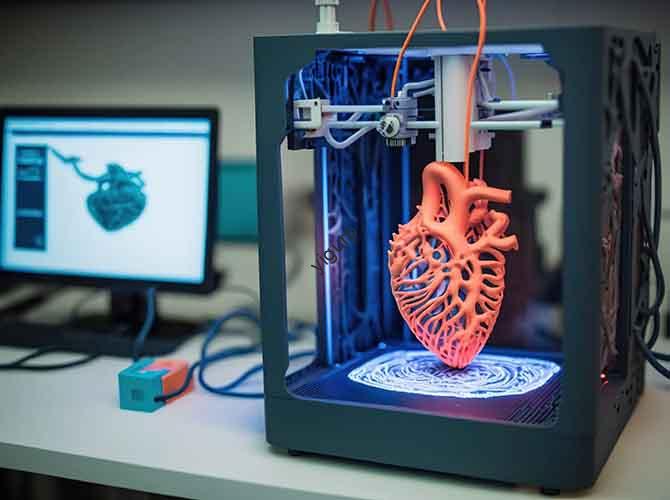
TV prototype production is a critical link in the R&D des produits électroniques de consommation, combler le fossé entre les concepts de conception et la production de masse. Contrairement aux prototypes classiques, Les prototypes de téléviseurs doivent valider non seulement l'apparence et la structure, mais également la compatibilité des composants internes (par ex., cartes mères, écrans) et expérience utilisateur (par ex., rotation du support, convivialité de l'interface). This article breaks down the full production process, technologies clés, and material selections using comparisons, practical examples, and data, helping you create reliable TV prototypes for design verification and market testing.
1. Pre-Production: Clarify Core Requirements
Before starting fabrication, define the prototype’s validation goals to avoid misalignment with R&D needs. TV prototypes typically focus on four key requirements:
| Requirement Category | Key Validation Goals | Real-World Application Example |
| Appearance Verification | Confirm design elements like screen ratio (par ex., 16:9, 21:9), bezel width (par ex., 5mm ultra-narrow), material texture (par ex., metallic frame, matte back cover), et logo position. | A smart TV brand tests a prototype to ensure the 21:9 ultra-wide screen and 3mm bezel match the initial design—critical for marketing “slim design” claims. |
| Structural Validation | Test the stability of the base/stand, layout of heat dissipation holes, and assembly space for internal components (par ex., cartes mères, power supplies). | An OLED TV prototype’s base is tested to support 15kg (the TV’s weight) without tipping over; heat dissipation holes are checked for proper alignment with the motherboard. |
| Functional Validation | Simulate real usage to test button feel, interface compatibility (par ex., HDMI, USB), et screen-body fit (par ex., no gaps between the screen and frame). | A prototype’s HDMI 2.1 port is tested with a gaming console to confirm stable 4K/120Hz signal transmission—avoiding post-launch user complaints about interface issues. |
| Process Validation | Verify the feasibility of surface treatments (par ex., pulvérisation, galvanoplastie) and material selections (par ex., aluminum alloy for frames, plastic for back covers). | A manufacturer tests electroplating on a prototype’s metal frame to ensure uniform metallic luster—preventing batch inconsistencies in mass production. |
2. Design Stage: 3Modélisation D & Part Splitting
Use professional CAD software to create a precise digital model, focusing on TV-specific structural details and processability.
2.1 3D Modeling Key Rules
| Design Focus | Exigences & Conseils | Reason for Attention |
| Précision dimensionnelle | Strictly follow design drawings for critical dimensions: screen size (par ex., 55-pouce, 65-pouce), position de l'interface (par ex., HDMI ports 20mm from the bottom edge), et bezel width (error ≤0.1mm). | A 55-inch TV prototype with a 0.2mm wider bezel may look “bulky” compared to the design—ruining the “ultra-slim” aesthetic. |
| Thin-Wall Treatment | TV frames and back covers are often thin (1-3mm). For 3D printing/CNC machining, add structures de soutien (for SLA printing) or optimize cutting paths (for CNC) to avoid deformation. | A 2mm-thick plastic back cover prototype, if printed without supports, may warp by 1.5mm—making it impossible to assemble with the frame. |
| Curved Screen Simulation | For curved TV prototypes, accurately model the screen curvature (par ex., R5000mm) and use transparent materials (par ex., acrylique, clear resin) to simulate glass screens. | A curved OLED TV prototype uses a transparent resin screen with R4500mm curvature to test how light reflects off the curved surface—critical for reducing user eye strain. |
2.2 Part Splitting Strategy
Split the TV into modular components for easier production and assembly:
- Main Components: Cadre d'écran, back cover, base/stand, interface panel, and internal brackets.
- Splitting Principles:
- Separate parts with different materials (par ex., metal frame vs. plastic back cover) to simplify material selection.
- Reserve 0.1–0.2mm assembly gaps between parts (par ex., frame and back cover) to avoid tight fits during assembly.
- Split large parts (par ex., a 65-inch back cover) into smaller sections if using 3D printing (max print size limit: ~300mm for most FDM printers).
3. Prototype Fabrication: Choose the Right Technology
Select fabrication methods based on your prototype’s purpose, taille du lot, and material needs. TV prototypes commonly use three core technologies:
| Fabrication Method | Applicable Scenarios | Technologies clés & Matériels | Avantages | Inconvénients |
| 3D Impression | Appearance verification, small-size components (par ex., télécommandes, button panels), preliminary structural testing. | – SLA/DLP: Haute précision (±0,05 mm) pour surfaces lisses (par ex., screen frames); matériels: photosensitive resin (white/transparent).- SLS: For complex structures (par ex., articulated brackets); matériel: nylon (difficile, no supports needed). | Rapide (12–24 hours per part), low cost for single prototypes, idéal pour les formes complexes. | Limited to plastic/resin; not suitable for large metal parts (par ex., socles). |
| Usinage CNC | Metal material verification, high-precision structural parts (par ex., aluminum alloy frames, heat dissipation holes), screw hole testing. | – Five-axis CNC: For curved or irregular parts (par ex., curved TV frames); matériels: alliage d'aluminium, acier inoxydable, cuivre. | Ultra-haute précision (±0,05 mm), real metal texture, durable for repeated assembly tests. | Lent (3–5 days per part), high cost for small batches. |
| Replica Molding | Small-batch reproduction (par ex., 10–50 units for exhibitions, marketing samples), complex shape replication. | Use 3D-printed/CNC-machined parts as master molds; produce copies via silicone molds with materials like polyurethane or epoxy resin. | Low cost per unit, fast batch production, consistent quality across copies. | Requires a master mold (adds initial cost); not suitable for high-precision metal parts. |
Selection Guide Table: Match Method to Your Needs
| Scénario | Recommended Method | Material Example | Délai de mise en œuvre |
| Low-cost appearance test (1–2 units) | 3D Impression (ANS) | White photosensitive resin | 1–2 jours |
| Metal frame verification (5 unités) | Usinage CNC | Alliage d'aluminium 6061 | 3–4 jours |
| Exhibition samples (20 unités) | Replica Molding | Polyuréthane | 2–3 jours |
4. Assemblée & Tests fonctionnels
Assemble components into a complete prototype and validate its performance against pre-defined requirements.
4.1 Processus d'assemblage
- Component Preparation: Clean parts to remove burrs or dust (par ex., sand the CNC-machined frame with 800-mesh sandpaper).
- Step-by-Step Assembly:
- Attach the screen to the frame (use double-sided tape or screws for stability).
- Install internal brackets to fix the motherboard and power supply.
- Assemble the base/stand (ensure it locks securely with the TV body).
- Assembly Simulation: Follow the mass production assembly sequence to identify potential issues (par ex., “Is the motherboard easy to install without interfering with the power supply?»).
4.2 Key Functional Tests
| Type d'essai | Comment effectuer | Pass/Fail Criteria |
| Appearance Test | Check gap uniformity (between screen and frame: ≤0,1 mm), material texture consistency, and logo alignment. | No visible gaps, texture uniforme, logo centered within ±0.5mm. |
| Structural Test | Test base load-bearing (apply 1.5x the TV’s weight for 24 heures), rotation du support (par ex., 180° swivel for wall-mounted TVs), and heat dissipation hole ventilation (use a wind tunnel to measure airflow). | Base doesn’t deform; bracket rotates smoothly without jamming; airflow meets 5L/min (minimum for heat dissipation). |
| Interface Test | Plug in HDMI, USB, and power cables to verify fit (no loose connections) et fonction (par ex., USB port charges a phone, HDMI transmits video). | All interfaces fit securely; functions work without glitches. |
| Simulation d'écran | Use an acrylic board (for appearance prototypes) or LED screen (for functional prototypes) to test screen-body fit and light leakage (check for light seepage around the frame). | No light leakage; screen fits flush with the frame. |
5. Post-traitement & Optimisation
Refine the prototype’s appearance and functionality to meet design standards and fix common defects.
5.1 Surface Treatment Options
| Méthode de traitement | But | Exemple d'application |
| Spray Painting | Achieve color effects (par ex., matte black, gradient color) or simulate materials (par ex., imitation metal). | A prototype’s back cover is sprayed with matte black paint to reduce fingerprint visibility—improving user experience. |
| Silk Screen Printing | Add screen parameters (par ex., “4K UHD”), logos, or key identifiers (par ex., “Power Button”). | HDMI port labels are silk-screened on the interface panel to guide users—avoiding confusion with USB ports. |
| Galvanoplastie | Create a metallic finish (par ex., chrome, nickel) for metal frames or plastic parts. | A prototype’s aluminum alloy frame is electroplated with nickel to enhance corrosion resistance and metallic luster. |
5.2 Common Defect Fixes
| Defect | Causes | Solutions |
| Frame Deformation | Thin-wall structure (1–2mm) + improper CNC cutting paths; 3D printing without supports. | Optimize CNC cutting speed (reduce to 30mm/s); add SLA supports for thin parts; use stronger materials (par ex., aluminum alloy instead of plastic). |
| Interface Looseness | Incorrect hole diameter (par ex., USB port hole is 0.2mm too large); poor assembly alignment. | Adjust 3D model to reduce hole diameter by 0.1mm; use guide pins during assembly to ensure alignment. |
| Light Leakage | Gaps between the screen and frame; uneven screen installation. | Add foam gaskets between the screen and frame; use screws to secure the screen evenly (4–6 screws for a 55-inch TV). |
6. Key Notes for TV Prototype Production
To avoid costly rework and ensure prototype reliability, follow these critical guidelines:
- Précision dimensionnelle: Use calipers and coordinate measuring machines (MMT) to verify key dimensions (par ex., screen size, position de l'interface) with an error ≤0.1mm.
- Assembly Simulation: Plan internal component layouts (par ex., motherboard, battery 仓) in advance to avoid interference during mass production (par ex., “Does the power supply block the heat dissipation fan?»).
- Surface Treatment Consistency: For multi-batch prototypes (par ex., 10 exhibition samples), use the same paint batch and electroplating parameters to ensure uniform color and texture.
- Confidentiality: Signer un accord de non-divulgation (NDA) with the prototype manufacturer to protect unlaunched design details—critical for preventing design theft.
7. Yigu Technology’s Perspective on TV Prototype Production
Chez Yigu Technologie, we’ve found that TV prototype success depends on balancing “design fidelity” and “process feasibility.” Many clients initially prioritize ultra-thin bezels (par ex., 2mm) but overlook that 3D-printed prototypes may warp—we recommend starting with a 3mm bezel for the first prototype, then optimizing to 2mm after structural validation. For material selection, we often advise combining aluminum alloy (for frames, via CNC) and SLA resin (for back covers, via 3D printing)—this balances durability and cost. Par exemple, a client designing a 65-inch QLED TV saved 30% on prototype costs by using this hybrid approach, while still validating both appearance and structure. TV prototypes are not just “models”—they’re tools to de-risk mass production, so attention to detail (par ex., 0.1mm gap control) n'est pas négociable.
8. FAQ: Common Questions About TV Prototype Production
T1: Can I use 3D printing for the entire TV prototype (including the frame and base)?
A1: It depends on the prototype’s purpose. For appearance tests, 3D-printed resin can simulate the frame and base. But for structural tests (par ex., load-bearing), pièces métalliques (par ex., aluminum alloy base via CNC) are needed—3D-printed plastic lacks the strength to support the TV’s weight (10–20kg) sans casser.
T2: How long does it take to produce a TV prototype?
A2: Lead time varies by method and complexity. A simple appearance prototype (55-pouce, 3D-printed SLA) takes 1–2 days. A functional prototype with CNC-machined metal parts and assembly takes 3–5 days. Small-batch replica prototypes (20 unités) take 2–3 days after the master mold is ready.
T3: Why does my TV prototype have gaps between the screen and frame?
A3: Gaps are usually caused by two issues: (1) Incorrect 3D model dimensions (par ex., frame is 0.2mm smaller than the screen); (2) Uneven assembly (par ex., screws are tighter on one side). Correctifs: Adjust the 3D model to increase frame size by 0.1mm; use a torque wrench to tighten screws evenly (5–8 N·m for plastic frames).