
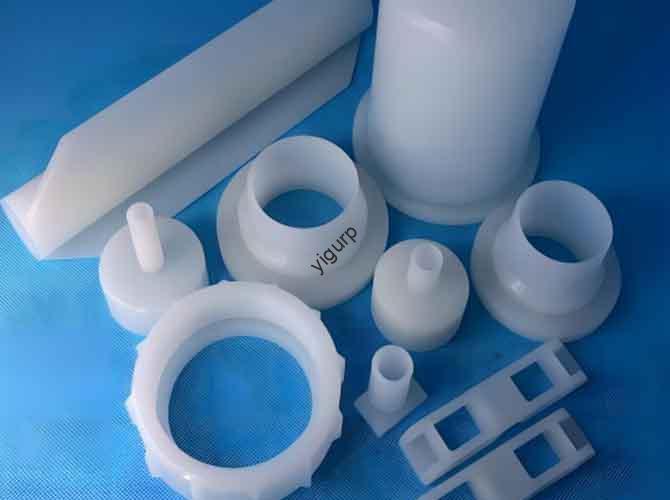
Le CNC machining robot vacuum cleaner prototype process is a systematic workflow that transforms design concepts into physical prototypes, valider l'authenticité de l'apparence, stabilité structurelle, compatibilité des capteurs, et logique fonctionnelle de base (par ex., rotation des roues, dépoussiérage). Cet article détaille le processus étape par étape, de la conception préliminaire au débogage final, à l'aide de tableaux basés sur les données., directives pratiques, and troubleshooting tips to help you navigate key challenges and ensure prototype success.
1. Préparation préliminaire: Lay the Foundation for Machining
Preliminary preparation defines the direction of the entire prototype development. It focuses on two core tasks: 3Modélisation D & structural design et sélection des matériaux, both tailored to the unique needs of robot vacuum cleaners (par ex., compact size, sensor integration, léger).
1.1 3Modélisation D & Structural Design
Use professional 3D modeling software to create a detailed prototype model, ensuring structural rationality and processability for CNC machining.
- Software Selection: Prioritize tools like SolidWorks, UG NX, ou ProE—they support parametric design, allowing easy adjustment of key dimensions (par ex., body diameter, wheel size) and compatibility with CAM software for machining.
- Core Design Focus:
- Appearance Simulation: Replicate the real robot vacuum’s shape, including the circular/rectangular main body (taille: typically 320×320×80mm for household models), top cover (flat or curved), driving wheels (2–4 units), universal wheel, et supports de capteur (for collision, cliff, and dust sensors).
- Functional Part Simplification: Optimize internal structures for CNC machining—for example, simplify the battery compartment (reserve wiring holes), dust box slot (ensure easy extraction), et main brush holder (avoid complex undercuts).
- Detachable Design: Design component connections for hassle-free assembly:
- Dust box: Use snap-fit connections with the main body (reserve M2 screw holes for secondary fixing).
- Sensor brackets: Adopt bolted joints (ensure alignment with sensor detection angles).
- Key Dimension Control: Ensure critical parameters meet practical use standards:
- Main body diameter/side length: 300–350mm (tolerance ±0.1mm, for space navigation).
- Wheel diameter: 60–80mm (tolérance ±0,05 mm, for stable movement).
- Sensor bracket height: 15–20mm (tolerance ±0.03mm, for accurate detection).
Why is this important? A missing detail—like unreserved mounting holes for cliff sensors—can force rework, increasing costs by 25–30% and delaying timelines by 2–3 days.
1.2 Sélection des matériaux: Match Properties to Components
Different parts of the robot vacuum cleaner require materials with specific characteristics (par ex., strength for wheels, transparency for sensor covers). The table below compares the most suitable options, along with their uses and processing requirements:
| Component | Matériel | Propriétés clés | Processing Requirements | Fourchette de coût (par kg) |
| Main Body & Top Cover | Plastique ABS | Facile à usiner, faible coût, bonne résistance aux chocs | Spray matte PU paint (simulates real robot texture); Ra1.6–Ra3.2 after sanding | \(3–)6 |
| Load-Bearing Parts (Wheel Frames, Sensor Brackets) | Alliage d'aluminium (6061) | Haute résistance, résistance à l'usure, léger | Anodized (black/silver) pour la résistance à la corrosion; flatness error ≤0.02mm | \(6–)10 |
| Sensor Protective Covers & Dust Box | Transparent Acrylic | Transmission lumineuse élevée (≥90%), good processability | Edge chamfer (R1–R2mm); apply anti-scratch film post-polishing | \(8–)12 |
| Control Panel Base | ABS + PC Blend | Résistance à la chaleur (up to 80°C), résistance aux chocs | Silk-screen icons (power button, mode switch); no sharp edges | \(4–)7 |
| Roues (Driving & Universal) | PVC (Molded) | Résistance à l'usure, absorption des chocs | Cut to length (no CNC machining); attach to aluminum alloy frames with bearings | \(2–)4 |
Exemple: Le wheel frames use aluminum alloy for its high strength—ensuring stable support for the robot’s weight (1.5–3kg) during movement. Le sensor protective covers choose acrylic for transparency, allowing unobstructed detection of obstacles and cliffs.
2. Processus d'usinage CNC: From Setup to Component Production
The CNC machining phase is the core of prototype creation. It follows a linear workflow: machine & tool preparation → programming & simulation → clamping & machining → inspection & correction.
2.1 Machine & Préparation des outils
Proper setup ensures machining accuracy and efficiency, especially for mixed plastic and metal processing.
- Machine Requirements:
- Use a high-precision three-axis or multi-axis CNC machine (positioning accuracy ±0.01mm) to handle both small parts (par ex., supports de capteur) et gros composants (par ex., main bodies).
- Equip with a dual-coolant system: emulsion for metal parts (prevents tool sticking) and compressed air for plastics (avoids material melting).
- Sélection d'outils:
| Machining Task | Tool Type | Caractéristiques | Application |
| Roughing | Carbide Milling Cutter | Φ6–Φ10mm, 2–3 teeth | Remove 80–90% of blank allowance (par ex., main body outer contour) |
| Finition | High-Speed Steel (HSS) Milling Cutter | Φ2–Φ4mm, 4–6 teeth | Improve surface quality (par ex., wheel frame flatness) |
| Drilling/Tapping | Cobalt Steel Drill Bit/Tap | Drill: Φ2–Φ6mm; Tap: M2–M4 | Process mounting holes (par ex., sensor bracket screw holes) |
| Curved Surface Machining | Ball Nose Cutter | Φ2–Φ6mm | Shape structures like main body edges, sensor cover curves |
2.2 Programmation & Simulation
Precise programming avoids machining errors and ensures components match design specs.
- Model Import: Import the 3D model into CAM software (par ex., Mastercam, PowerMill) and split it into independent parts (main body, wheel frames, supports de capteur) for separate programming—this reduces toolpath complexity.
- Toolpath Planning:
- Main Body: Utiliser “contour milling” for the outer contour and “pocket milling” for internal cavities (par ex., battery compartment, dust box slot).
- Wheel Frames: Adopt “surface milling” to ensure flatness (≤0.02mm) et “drilling → chamfering” for bearing mounting holes.
- Sensor Brackets: Utiliser “slot milling” for sensor grooves (tolerance ±0.03mm) et “point drilling” for positioning marks.
- Simulation Verification: Simulate toolpaths in software to check for:
- Interference: Ensure tools don’t collide with the machine table or workpiece (par ex., avoid sensor bracket groove tool collision).
- Overcutting: Prevent excessive material removal (par ex., keep main body wall thickness within 1.2–1.5mm ±0.05mm).
2.3 Clamping & Usinage
Proper clamping and parameter setting prevent deformation and ensure precision—critical for robot vacuum parts that need sensor alignment and wheel stability.
- Clamping Methods:
| Component Type | Clamping Method | Key Precautions |
| Petites pièces (Sensor Brackets, Wheel Frames) | Precision Flat Pliers/Vacuum Suction Cup | Align with machine coordinate system; use soft rubber pads to avoid surface scratches |
| Grandes pièces (Main Body, Top Cover) | Bolt Platen/Special Clamp | Distribute clamping force evenly (≤40N) to prevent thin-wall deformation (par ex., main body side panels) |
- Paramètres d'usinage:
| Matériel | Machining Stage | Vitesse (tr/min) | Vitesse d'alimentation (mm/tooth) | Cutting Depth (mm) | Coolant |
| Alliage d'aluminium (Wheel Frames) | Roughing | 1200–1800 | 0.15–0,3 | 2–5 | Emulsion |
| Alliage d'aluminium (Wheel Frames) | Finition | 2000–2500 | 0.08–0.15 | 0.1–0,3 | Emulsion |
| Plastique ABS (Main Body) | Roughing | 800–1200 | 0.2–0.5 | 3–6 | Compressed Air |
| Plastique ABS (Main Body) | Finition | 1500–2000 | 0.1–0.2 | 0.1–0.2 | Compressed Air |
| Acrylique (Sensor Covers) | Finition | ≤500 | 0.05–0.1 | 0.1 | Compressed Air |
Critical Tip: For acrylic sensor covers, keep cutting speed ≤500rpm—high speeds generate excessive heat, causing cracks or clouding (ruining sensor detection accuracy).
2.4 Inspection & Correction
Strict inspection ensures components meet design standards—essential for robot vacuum functionality (par ex., sensor alignment, rotation des roues).
- Contrôle dimensionnel:
- Use calipers/micrometers to measure key dimensions: wheel frame flatness (≤0.02mm), sensor bracket groove depth (15–20mm ±0.03mm).
- Use a Coordinate Measuring Machine (MMT) to check complex surfaces: main body circularity (error ≤0.02mm), sensor bracket hole position (±0,03 mm).
- Surface Inspection:
- Visually check for scratches, bavures, or uneven paint (pour pièces ABS).
- Polish defective areas: Use 800–2000 mesh sandpaper for ABS burrs; use acrylic polish for clouded sensor covers.
- Correction Measures:
- Dimensional deviation: Adjust tool compensation values (par ex., reduce feed rate by 0.05mm/tooth if the wheel frame is too thin).
- Poor surface roughness: Add a polishing step (par ex., utiliser 2000 mesh sandpaper for acrylic sensor covers).
3. Post-traitement & Assemblée: Enhance Functionality & Esthétique
Post-processing removes flaws and prepares components for assembly, while careful assembly ensures the prototype works as intended (par ex., mouvement fluide, accurate sensor detection).
3.1 Post-traitement
- Ébavurage & Cleaning:
- Metal Parts (Wheel Frames, Sensor Brackets): Use files and grinders to remove edge burrs; clean emulsion residue with alcohol (prevents corrosion).
- Plastic Parts (Main Body, Top Cover): Lightly grind burrs with a blade or 1200 mesh sandpaper; use an anti-static brush to remove chips (avoids dust adsorption on sensors).
- Traitement de surface:
- Main Body & Top Cover: Spray matte PU paint (cure at 60°C for 2 heures) to simulate the texture of a real robot vacuum—this also improves scratch resistance.
- Control Panel: Silk-screen high-temperature ink icons (power button, cleaning mode switch) and laser-engrave label text (par ex., “Battery Level”).
- Acrylic Sensor Covers: Polish with acrylic-specific polish to restore transparency; apply anti-scratch film (reduces surface damage by 40%).
- Revêtements fonctionnels:
- Aluminum alloy wheel frames: Anodize (black or silver) to improve corrosion resistance (critical for parts exposed to dust and floor moisture).
3.2 Assemblée & Debugging
Follow a sequential assembly order to avoid rework—start with core moving parts, then add sensors and outer components.
- Core Component Installation:
- Mount driving wheels et universal wheel to the main body via bearings (test rotation: 360° smooth movement with no jamming; wheel alignment deviation ≤0.5mm).
- Assemble the dust box into its slot (test extraction: easy to remove and reinstall; no gaps >0.1mm to prevent dust leakage).
- Sensor & Functional Part Installation:
- Fix supports de capteur to the main body (align with detection angles: collision sensors at 45° to the front, cliff sensors at the bottom edge).
- Install the main brush holder (snap or bolt on; test brush rotation: no friction with the holder).
- Functional Debugging:
| Test Item | Tools/Methods | Pass Criteria |
|———–|—————|—————|
| Wheel Movement | Manual Pushing | Moves straight; no wobbling (deviation ≤2mm over 1m) |
| Sensor Alignment | Inspection visuelle + Simulation | Sensors face correct directions; no obstruction |
| Dust Box Fit | Manual Extraction + Air Pressure Test | Easy to remove; no air leakage (pressure drop ≤0.01MPa in 5 minutes) |
| Main Brush Rotation | Manual Spinning | Smooth movement; no friction or abnormal noise |
4. Key Precautions: Avoid Common Issues
Proactive measures prevent defects and rework—saving time and costs in the prototype process.
- Material Deformation Control:
- Plastique ABS: Reduce continuous cutting time to 10–15 minutes per part; use segmented processing to avoid heat accumulation (which causes warping of the main body).
- Alliage d'aluminium: Maintain sufficient emulsion flow (5–10L/min) to prevent overheating-induced stress deformation (par ex., wheel frame flatness errors).
- Surveillance de l'usure des outils:
- Replace roughing tools every 10 hours and finishing tools every 50 hours—dull tools increase dimensional error by 0.05mm or more (ruining sensor bracket alignment).
- Use a tool preset to check edge length and radius deviations before machining (par ex., ensure ball nose cutter radius is 3mm ±0.01mm for main body curves).
- Accuracy Compensation:
- Pour pièces à paroi mince (par ex., main body side panels, 1.2mm d'épaisseur): Reserve 0.1–0.2mm machining allowance to offset clamping force deformation.
- Correct material size deviations via trial cutting: If the acrylic sensor cover blank is 0.1mm thicker than designed, adjust cutting depth to 0.2mm (instead of 0.1mm) pour finir.
Yigu Technology’s Perspective
Chez Yigu Technologie, we see the CNC machining robot vacuum cleaner prototype process as a “functionality validator”—it turns design ideas into tangible products while identifying navigation and detection flaws early. Our team prioritizes two pillars: precision and sensor compatibility. For critical parts like wheel frames, we use aluminum alloy with CNC finishing (flatness ≤0.02mm) to ensure stable movement. For sensor brackets, we optimize groove positioning with five-axis machining (tolerance ±0.03mm) for accurate detection. We also integrate 3D scanning post-machining to verify dimensional accuracy (±0,03 mm), cutting rework rates by 25%. By focusing on these details, we help clients reduce time-to-market by 1–2 weeks. Whether you need an appearance or functional prototype, we tailor solutions to meet your brand’s performance goals.
FAQ
- Q: How long does the entire CNC machining robot vacuum cleaner prototype process take?
UN: Typically 10–14 working days. This includes 1–2 days for preparation (modélisation, sélection des matériaux), 3–4 days for CNC machining, 1–2 days for post-processing (peinture, polissage), 2–3 days for assembly, and 1–2 days for debugging/inspection.
- Q: Can I replace acrylic with ABS plastic for sensor protective covers?
UN: Non. ABS plastic is opaque—blocking sensor signals (par ex., infrared for collision detection) and rendering the robot unable to navigate. Haute transparence de l'acrylique (≥90%) ensures unobstructed sensor performance. If cost is a concern, we recommend thin acrylic (1.0mm) instead of ABS.
- Q: What causes wheel wobbling, and how to fix it?
UN: Common causes are uneven wheel frame flatness (>0.02mm) or misaligned bearing holes. Correctifs: Re-machine the wheel frame with a surface milling tool to restore flatness (≤0.02mm); re-drill bearing holes with a precision drill (position tolerance ±0.03mm). This resolves 90% of wheel wobble issues in 1–2 hours.