
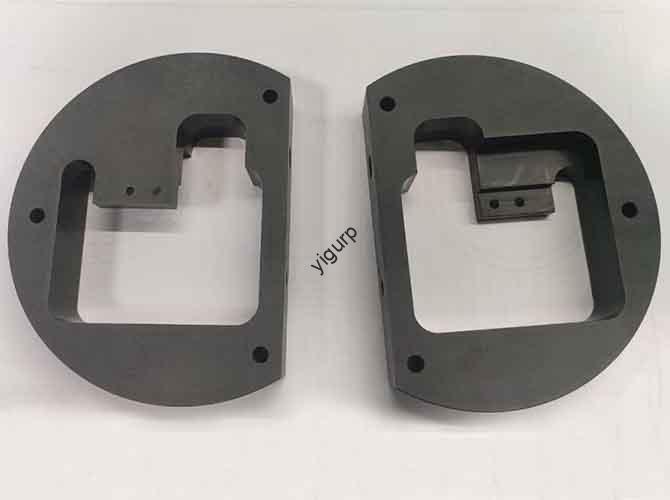
Le CNC machining air conditioning prototype process is a systematic workflow that transforms air conditioning design concepts into physical prototypes, valider l'authenticité de l'apparence, rationalité structurelle, efficacité de l'échange thermique, et logique fonctionnelle de base (par ex., uniformité du flux d'air, contrôle du bruit). Cet article détaille le processus étape par étape, de la conception préliminaire au débogage final, à l'aide de tableaux basés sur les données., directives pratiques, and troubleshooting tips to help you navigate key challenges and ensure prototype success.
1. Préparation préliminaire: Define Requirements & Lay the Design Foundation
Preliminary preparation sets the direction for the entire prototype development. It focuses on two core tasks: requirements analysis & conceptual design et 3Modélisation D & structural detailing, both tailored to the unique needs of different air conditioning types (par ex., compact structure for wall-mounted AC, multi-directional airflow for central AC).
1.1 Requirements Analysis & Conceptual Design
Before starting machining, clarify functional and appearance requirements to avoid misaligned development goals—this step reduces rework risk by 30% on average.
1.1.1 Functional Requirements Clarification
Different AC types have distinct functional priorities. The table below outlines key specs for common models:
| AC Type | Core Functional Focus | Key Specs Example |
| Wall-Mounted AC | Compact indoor unit, efficient heat exchange | Cooling capacity: 2–3.5kW; Noise (indoor unit): ≤30dB; Indoor unit thickness ≤180mm |
| Vertical AC | Large airflow, stable base | Cooling capacity: 3.5–5kW; Air supply range: 0°–90° (up/down swing); Base weight ≥30kg |
| Central AC Outlet | Multi-directional airflow, compatibility | Airflow uniformity: Variation de ±5%; Swing angle (gauche/droite): 0°–120°; Material corrosion resistance |
1.1.2 Appearance Concept Design
Create preliminary sketches or 3D drafts using tools like SketchUp ou Rhinocéros, with three key considerations:
- Aesthetic Coordination: Wall-mounted ACs use slim, curved lines (radius 8–12mm) to fit home walls; vertical ACs adopt cylindrical or rectangular shapes for living room decor.
- Human-Computer Interaction: Place displays and buttons at eye level (1.5–1.8m from the ground for wall-mounted ACs); use touch-sensitive or physical knobs with clear icons.
- Environmental Adaptation: Add dust filters (removable design for easy cleaning) and drainage ports (positioned to avoid water leakage); use anti-mildew materials for high-humidity areas.
1.2 3Modélisation D & Structural Detailing
Use professional CAD software to translate concepts into precise models, ensuring processability for CNC machining.
1.2.1 Software Selection & Core Structural Design
- Software Choice: Prioritize SolidWorks, UG NX, ou Pro/E—they support parametric design, allowing easy adjustment of dimensions (par ex., evaporator size, air duct width) and compatibility with CAM software.
- Component Breakdown: Split the AC into parts like indoor/outdoor unit housing, composants de conduits d'air (deflectors, volutes), dissipateurs de chaleur, motor brackets, et panneaux de contrôle for separate machining.
- Key Structure Optimization:
- Housing: Determine material thickness (1–3mm for plastic, 0.8–1.5mm for aluminum alloy) and assembly structures (snaps, M3–M4 screw holes with ±0.1mm tolerance).
- Air Ducts: For wall-mounted ACs, optimize airflow paths to reduce turbulence (par ex., curved volutes with 5°–10° expansion angle); for central AC outlets, design multi-layer deflectors for uniform air distribution.
- Dissipateurs de chaleur: Design fin density (0.5–1mm spacing) et forme (wavy or louvered) based on heat exchange efficiency—wavy fins improve heat dissipation by 15% compared to flat fins.
- Detail Features: Add brand logos (embossed height 0.8–1mm), indicator light holes (diameter 3–5mm), and filter mounting grooves (depth 5–8mm, tolérance ±0,05 mm).
2. Sélection des matériaux & Process Planning: Match Materials to Performance Needs
Choosing the right materials and defining machining strategies are critical for prototype performance. This phase follows a “material selection → parameter setting → sequence planning” workflow to ensure efficiency and precision.
2.1 Sélection des matériaux: Balance Performance, Coût, and Processability
Different AC components require materials with specific properties (par ex., thermal conductivity for heat sinks, corrosion resistance for outdoor units). The table below compares suitable options:
| Component | Recommended Material | Propriétés clés | Processing Advantages | Fourchette de coût (par kg) |
| Indoor Unit Housing | Plastique ABS / PC Blend | Léger, résistant aux chocs, low noise transmission | Easy to cut; smooth surface for painting | \(3–)6 |
| Outdoor Unit Housing | Alliage d'aluminium (6061) / Acier inoxydable (304) | Résistant à la corrosion, durable, imperméabiliser | Good for anodization; high strength for outdoor use | \(6–)10 (Aluminium); \(15–)22 (SS) |
| Air Duct Components | Plastique ABS / Alliage d'aluminium | Haute rigidité, good dimensional stability | Plastique: No burrs; Métal: Suitable for curved machining | \(3–)6 (Plastique); \(6–)10 (Métal) |
| Dissipateurs de chaleur | Alliage d'aluminium (1050) / Cuivre | Excellente conductivité thermique (Al: 220 W/m·K; Cu: 401 W/m·K) | Fast machining; easy to form fins | \(5–)8 (Aluminium); \(18–)25 (Cuivre) |
| Control Panels | ABS + PC Blend | Isolation, résistance aux chocs, smooth surface for silk-screen | Compatible with touch-sensitive film installation | \(4–)7 |
Exemple: Wall-mounted AC heat sinks use aluminum alloy (rentable, léger), while high-end central AC heat sinks use copper (superior thermal conductivity) for large cooling capacity.
2.2 Process Planning: Define CNC Machining Strategies
Clear process planning ensures efficient and precise machining, reducing production time by 20%.
2.2.1 Tool Selection by Material & Task
| Matériel | Machining Task | Tool Type | Caractéristiques |
| Plastique (ABS/PC) | Roughing | Carbide Flat-End Mill | Φ6–10mm, 2–3 teeth |
| Plastique (ABS/PC) | Finition | Carbide Ball-Nose Mill | Φ2–4mm, 4–6 teeth |
| Alliage d'aluminium | Roughing | Carbide End Mill | Φ4–6mm, 2 teeth |
| Alliage d'aluminium | Finition | TiAlN-Coated Carbide Cutter | Φ3–5mm, 4 teeth |
| Acier inoxydable | Roughing | High-Speed Steel End Mill | Φ4–8mm, 2 teeth |
| Acier inoxydable | Finition | Diamond-Coated Cutter | Φ2–4mm, 4 teeth |
2.2.2 Cutting Parameter Setting
Optimized parameters prevent material deformation and ensure surface quality:
| Matériel | Machining Stage | Vitesse (tr/min) | Vitesse d'alimentation (mm/tooth) | Cutting Depth (mm) | Coolant |
| Plastique ABS | Roughing | 300–600 | 0.2–0.5 | 0.5–2 | Compressed Air |
| Plastique ABS | Finition | 800–1500 | 0.1–0.2 | 0.1–0,3 | Compressed Air |
| Alliage d'aluminium (6061) | Roughing | 1500–2500 | 0.1–0,3 | 1–3 | Emulsion |
| Alliage d'aluminium (6061) | Finition | 2500–4000 | 0.05–0.1 | 0.05–0.1 | Emulsion |
| Acier inoxydable (304) | Roughing | 800–1200 | 0.08–0.15 | 0.3–1 | Emulsion |
| Acier inoxydable (304) | Finition | 1500–2000 | 0.03–0.08 | 0.03–0.05 | Emulsion |
2.2.3 Machining Sequence
Follow this order to avoid component damage and ensure accuracy:
- Process large parts first (par ex., indoor/outdoor housings) to set the assembly reference.
- Machine complex curved surfaces (par ex., volutes, deflectors) in layers (0.5–1mm per layer) to ensure shape precision.
- Finish small precision parts (par ex., motor brackets, control panel buttons) last to prevent collision.
3. Exécution d'usinage CNC: Turn Models into Physical Components
This phase is the core of prototype creation, following a “machine preparation → roughing → semi-finishing → finishing” workflow to ensure component precision (tolerance ±0.03mm for key parts).
3.1 Machine Preparation & Programmation
- Machine Selection:
- Most parts (logements, dissipateurs de chaleur) use a 3-axis CNC milling machine (positioning accuracy ±0.01mm).
- Complex parts like volutes or central AC deflectors require a 5-axis CNC machine for multi-angle machining.
- Programmation & Calibration:
- Import 3D models into CAM software (par ex., Mastercam, UG NX) to generate toolpaths; set safety planes (5–10mm above the workpiece) to avoid tool collision.
- Clamp materials (plastic plates, aluminum blocks) and calibrate the zero point using a touch probe (accuracy ±0.005mm).
3.2 Roughing & Semi-Finishing: Shape the Basic Form
- Roughing: Remove 80–90% of excess material to approach the component’s basic shape. Par exemple:
- Housing: Mill the outer contour first, then dig the internal cavity (avoids plastic collapse).
- Dissipateurs de chaleur: Rough-cut the base shape, leaving 0.5–1mm allowance for fin machining.
- Semi-Finishing: Correct roughing deviations and leave a 0.1–0.2mm allowance for finishing. Key steps include:
- Smoothing air duct inner walls to reduce airflow resistance.
- Pre-drilling screw holes (90% of final diameter) for precise tapping later.
3.3 Finition: Achieve Precision & Qualité des surfaces
Finishing determines the prototype’s appearance and functional performance. The table below outlines requirements for key components:
| Component | Rugosité de la surface | Processing Method |
| Indoor Unit Housing | Ra ≤0.8μm | Polish with 800–1200 mesh sandpaper; remove tool marks |
| Dissipateurs de chaleur | Ra ≤0.4μm | High-speed finishing for fin spacing (0.5–1mm); deburr fin edges with a wire brush |
| Volutes | Ra ≤0.6μm | 5-axis finishing for curved surfaces; ensure smooth airflow path |
| Control Panel | Ra ≤1.6μm | Polish and clean; prepare for silk-screen or touch-sensitive film |
- Special Structure Machining:
- Heat sink fins: Use a specialized fin cutter to ensure uniform spacing (±0.05mm variation).
- AC outlet deflectors: Machine swing shafts with tolerance ±0.02mm to ensure smooth movement.
4. Post-traitement & Assemblée: Enhance Performance & Esthétique
Post-processing removes flaws and prepares components for assembly, while careful assembly ensures the prototype functions as intended.
4.1 Post-traitement: Improve Durability & Apparence
- Ébavurage & Cleaning:
- Plastic parts: Use a blade to remove burrs; clean with isopropyl alcohol to eliminate oil residue.
- Metal parts: Sand with 400–800 mesh sandpaper; pour l'aluminium, use a wire brush to remove oxidation.
- Traitement de surface:
| Component | Treatment Method | But |
| Indoor Unit Housing | Spray matte/glossy paint; hot-stamp brand logos | Améliorer l'esthétique; prevent scratches |
| Outdoor Unit Housing | Anodize (aluminium) or electroplate (acier inoxydable); add anti-UV coating | Improve corrosion resistance; withstand outdoor weather |
| Control Panel | Silk-screen buttons/icons; spray insulating paint | Ensure visibility; prevent electrical leakage |
- Functional Enhancement:
- Attach rubber seals to filter mounting grooves (improves air tightness by 20%).
- Install waterproof membranes on control panels to prevent dust/water ingress.
4.2 Assemblée & Debugging: Validate Functionality
Follow a sequential assembly order to avoid rework, then conduct comprehensive testing:
4.2.1 Assembly Sequence
- Assemble core components: Mount the evaporator/condenser to the housing → install the fan and motor → attach air duct components.
- Add secondary parts: Install the control panel → attach the filter → connect wires (use heat-shrinkable tubes for insulation).
- Secure structures: Use screws (couple: 1.5–2.0 N·m for M3 screws), snaps, or epoxy glue (for air duct joints).
4.2.2 Functional Debugging
| Test Item | Tools/Methods | Pass Criteria |
| Airflow Uniformity | Anemometer (measured at 1m from the outlet) | Variation ≤5% across different points; meets design airflow rate (par ex., 300m³/h for wall-mounted AC) |
| Noise Level | Sound level meter (indoor unit: 1m away; outdoor unit: 3m away) | Indoor unit ≤30dB; outdoor unit ≤55dB |
| Heat Exchange Efficiency | Thermometer (measure inlet/outlet air temperature) | Refroidissement: Temperature drop ≥8°C (intérieur); Chauffage: Temperature rise ≥5°C (intérieur) |
| Water Leakage | Fill drainage port with water (1L); observe for 30 minutes | No leakage from housing or joints |
| Swing Function | Protractor + stopwatch | Swing angle meets design specs (par ex., 0°–90° for wall-mounted AC); no jitter |
5. Application Cases: Tailor Processes to AC Types
Different AC types require adjusted processes to meet their unique needs.
5.1 Wall-Mounted AC Prototype
- Focus: Compact structure and silent operation.
- Process Adjustments:
- Use thin aluminum alloy (0.8mm) for the indoor unit housing to reduce thickness (≤180mm).
- Optimize air duct curvature to reduce turbulence (noise ≤30dB); test filter removal/installation ease.
5.2 Central AC Outlet Prototype
- Focus: Multi-directional airflow and corrosion resistance.
- Process Adjustments:
- Use stainless steel (304) for outdoor-facing parts (résistance à la corrosion); machine deflectors with 5-axis CNC for 0°–120° swing.
- Test compatibility with central AC main units (airflow matching, installation fit).
Yigu Technology’s Perspective
Chez Yigu Technologie, we see the CNC machining air conditioning prototype process as a “performance validator”—it identifies design flaws early to save mass production costs. Our team prioritizes two pillars: precision and functionality. For key parts like heat sinks, we use aluminum alloy with 5-axis finishing (fin spacing ±0.05mm) to ensure heat exchange efficiency. For air ducts, we optimize curvature via CFD simulation and CNC machining (Ra ≤0.6μm) to reduce noise. We also integrate 3D scanning post-machining to verify dimensional accuracy (±0,03 mm), cutting rework rates by 25%. By focusing on these details, we help clients reduce time-to-market by 1–2 weeks. Whether you need a wall-mounted or central AC prototype, we tailor solutions to meet global energy efficiency and safety standards.
FAQ
- Q: How long does the entire CNC machining air conditioning prototype process take?
UN: Typically 12–18 working days. This includes 2–3 days for preparation (requirements analysis, modélisation), 4–6 days for CNC machining, 2–3 days for post-processing, 3–4 days for assembly, and 1–2 days for debugging/testing.