
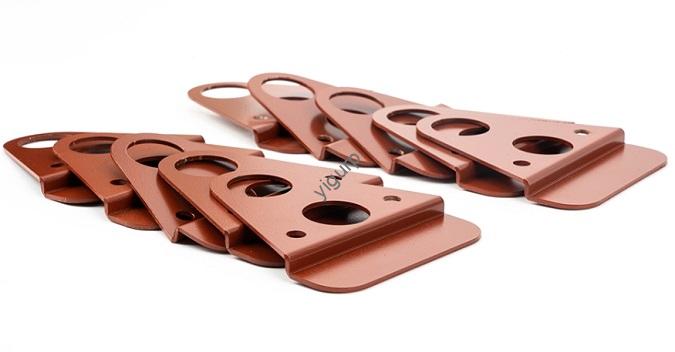
Pour les ingénieurs produits, créateurs, et les professionnels des achats, knowing how the prototype model is processed is make-or-break for successful product development. Un prototype bien exécuté transforme des idées vagues en objets testables, vous aider à détecter les défauts plus tôt, économiser des coûts, et accélérer la mise sur le marché. This guide breaks down every step of the prototype processing journey—from design to testing—with real-world examples and data to help you make informed decisions.
1. The Pre-Processing Stage: Conception & Planification
Before picking up a tool or firing up a 3D printer, the first (et le plus critique) step in how the prototype model is processed is design and planning. This stage turns your product concept into a clear, actionable blueprint.
Key Steps in Design & Planification
- Define requirements: Start by answering: What will the prototype test? (Fonctionnalité? Apparence? Durabilité?) Par exemple, a consumer electronics company building a new smartwatch first created a “looks-like” prototype to test the screen size and button layout—no internal electronics needed.
- Create digital models: Use 3D modeling software (par ex., SolidWorks, AutoCAD) to build detailed designs. This helps you visualize the product and check for issues like part collisions. A furniture startup once avoided a $10,000 mistake by spotting a misaligned drawer slide in their 3D model before prototyping.
- Plan for manufacturing: Consider factors like sélection des matériaux (Will it need to be lightweight? Résistant à la chaleur?), mold opening conditions (par ex., draft angles for easy removal from molds), et shrinkage rates (plastics like ABS shrink 2–4% after printing).
Critical Questions to Avoid Mistakes
- Does the design account for the prototype’s purpose? (A “works-like” prototype needs functional parts; a “looks-like” one prioritizes aesthetics.)
- Are the materials compatible with your chosen manufacturing method? (par ex., Some 3D printers can’t use high-temperature plastics.)
2. Core Processing Methods: How to Make the Prototype
Once the design is locked in, the next step in how the prototype model is processed is choosing a manufacturing method. Each technique has pros, inconvénients, and ideal use cases—here’s a detailed comparison to help you decide.
| Processing Method | Comment ça marche | Idéal pour | Fourchette de coût | Délai de mise en œuvre | Précision (Tolérance) | Real-World Example |
| Usinage CNC | Uses high-speed tools to cut solid materials (plastique, métal, bois) along preset paths. | Prototypes needing high strength and precision (par ex., supports métalliques). | \(200–)2,000+ | 3–7 jours | ±0.005–0.02 mm | A car parts supplier used CNC to make aluminum engine prototypes—they withstood 500+ pressure tests without breaking. |
| 3D Impression | Stacks material (plastic resin, filament) layer by layer from a digital model. | Conceptions complexes (par ex., parties courbes) or small-batch prototypes. | \(50–)500 | 12–48 heures | ±0.1–0.5 mm | A medical device startup 3D-printed a prototype of a glucose monitor case in 18 hours—they tested 5 designs in a week, cutting lead time by 80%. |
| Silicone Replica | Makes a silicone mold from an original model, then fills it with liquid plastic to copy the prototype. | Production en petits lots (10–50 unités) or flexible parts (par ex., rubber grips). | \(100–)800 | 2–5 jours | ±0.2–1.0 mm | A toy company used silicone replicas to make 30 prototypes of a new doll’s face—each cost \(15, contre. \)50 for CNC. |
Pro Tip for Procurement Teams
When comparing costs, factor in post-processing needs (par ex., CNC parts often need sanding; 3D-printed parts may need resin cleaning). UN \(50 3D print could become \)100 with post-processing—so choose the method that minimizes extra work.
3. Post-traitement: Polissage & Assembling the Prototype
Even the best-made prototype needs post-processing to meet quality standards. This step in how the prototype model is processed ensures the final product looks and works as intended.
Common Post-Processing Tasks
- Ponçage: Lisse les surfaces rugueuses (critical for “looks-like” prototypes). Par exemple, a smartphone case prototype needed 3 rounds of sanding to remove 3D printing layer lines.
- Peinture/Revêtement: Adds color or protective layers. A outdoor gear brand coated their CNC-machined plastic prototype with UV-resistant paint to test durability in sunlight.
- Assemblée: Puts together parts (par ex., adding electronic components to a “works-like” prototype). A robotics startup spent 2 days assembling a prototype arm—they discovered a motor didn’t fit, so they adjusted the 3D model before mass production.
Why Post-Processing Matters
Skipping steps here can ruin testing results. A furniture company once skipped sanding a chair prototype—the rough edges made testers complain about comfort, even though the structure was sound.
4. Essai & Optimisation: The Final Step in Prototype Processing
The last (and most important) part of how the prototype model is processed is testing. Prototypes exist to find problems—so don’t skip this stage!
How to Test Effectively
- Define test goals: For a “works-like” prototype, fonctionnalité de test (par ex., “Does this button press 1,000 times without breaking?»). For a “looks-like” one, test user feedback (par ex., “Is the handle easy to grip?»).
- Use real-world conditions: A water bottle prototype was tested by filling it with hot/cold water and dropping it from 3 feet—mimicking how customers would use it.
- Iterate until perfect: Most prototypes need 2–3 rounds of tweaks. A laptop charger startup tested their first prototype and found it overheated—they adjusted the 3D model to add vents, and the second version passed all safety tests.
Data-Driven Optimization Example
A fitness tracker company tested 3 prototype bands:
- Band A (plastique): Broke after 500 stretches.
- Band B (caoutchouc): Lasted 1,000 stretches but felt stiff.
- Band C (silicone): Lasted 1,500 stretches and was comfortable.
They chose Band C—saving $50,000 in future warranty claims.
Yigu Technology’s Perspective on Prototype Processing
Chez Yigu Technologie, we know how the prototype model is processed directly impacts product success. We help clients—from startups to Fortune 500 firms—choose the right method: Par exemple, a home appliance brand switched from CNC to 3D printing for their mixer prototypes, cutting lead time by 60% et le coût par 40%. We also prioritize ISO 9001-certified processes to ensure consistency—every prototype meets the same high standards. Moving forward, we’re integrating AI into design checks to spot manufacturing issues early, making prototype processing even more efficient.
FAQ
- Q: How do I choose between 3D printing and CNC machining for my prototype?
UN: Use 3D printing for complex designs or fast iterations (par ex., essai 5 shapes in a week). Choose CNC for high-strength, pièces de précision (par ex., metal components) or when material durability is critical.
- Q: How long does prototype processing usually take?
UN: It depends on the method: 3D printing takes 12–48 hours, silicone replicas 2–5 days, and CNC machining 3–7 days. Post-traitement (ponçage, assemblée) can add 1–3 extra days.
- Q: Can I skip post-processing if my prototype is just for testing functionality?
UN: It’s not recommended—rough edges or unassembled parts can skew test results. Par exemple, a loose screw in a “works-like” prototype might make you think the design is faulty, when it’s just a post-processing issue.