
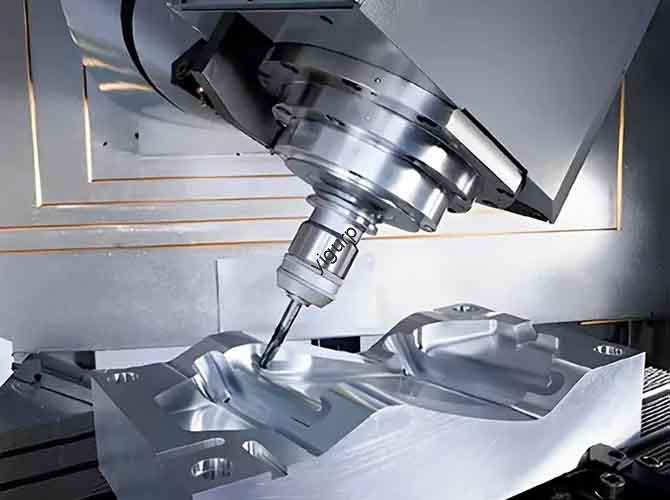
Jouets électriques, avec des fonctions comme le mouvement, son, et la lumière, s'appuyer fortement sur des prototypes de haute précision pour valider la conception et la fonctionnalité. Usinage CNC stands out as a key method for creating these prototypes, garantir que les structures complexes et l’intégration électronique fonctionnent de manière transparente. Cet article détaille le processus complet d'usinage CNC pour les prototypes de jouets électriques, addressing common pain points for engineers and manufacturers.
1. Pre-Machining: Conception & Sélection des matériaux
A well-planned design and suitable materials are the foundation of a successful electric toy prototype. This stage focuses on aligning functionality with machining feasibility.
1.1 Demand Analysis & 3Modélisation D
Before 3D modeling, clarify core requirements to avoid rework. Then use professional software to create detailed models.
Demand Analysis Breakdown
| Requirement Type | Key Details | Impact on CNC Machining |
| Function Definition | Confirm functions (par ex., gear-driven movement, LED lights, sound modules); select core components (moteurs, batteries, controllers) | Determines space reserved for components (par ex., motor slots, battery compartments) in machining |
| Structural Design | Design appearance, pièces mécaniques (gear sets, joint moving parts), and electronic layout | Influences tool path planning (par ex., avoiding undercuts in joint structures) |
| Normes de sécurité | Ensure no sharp edges; design anti-reverse battery structures | Requires precise chamfering (≤0.5mm) and accurate slot dimensions during machining |
3Modélisation D & Engineering Drawing Tips
- Software Choice: Utiliser SolidWorks ou UG NX for 3D modeling—they support modular design, allowing decomposition of the toy into parts (shell, transmission structure, electronic bracket) for step-by-step machining.
- Detail Optimization:
- Reserve 2-3mm extra space for electronic components (par ex., battery compartments) to accommodate assembly gaps.
- Add anti-slip textures (profondeur: 0.2-0.3mm) on handles and snap structures (tolérance: ±0,05 mm) for secure assembly.
1.2 Material Comparison for Core Components
Selecting the right material balances performance, coût, and machining ease.
| Component Type | Optional Materials | Avantages | Disadvantages | Machining Notes |
| Toy Shell | Plastique ABS | Faible coût, facile à usiner, bonne résistance aux chocs | Low heat resistance (≤80°C) | Use high rotational speed (10,000-15,000 RPM) pour éviter de fondre |
| PC Plastic | Résistant à la chaleur (jusqu'à 120°C), durable | Coût plus élevé, prone to cracking | Slow feed speed (150-200 mm/min) recommended | |
| Pièces de transmission (Engrenages, Arbres) | Alliage d'aluminium (6061) | Haute résistance, léger | Needs anodization post-processing | Use coolant to prevent burrs |
| POM (Plastique technique) | Self-lubricating, faible friction | Low impact resistance | No coolant needed; finish with 800# papier de verre | |
| Transparent Parts (Windows, Lights) | Acrylique | High light transmittance (≥92%), easy to polish | Fragile, prone to scratching | Use ball head cutter for smooth surfaces (Ra ≤ 0.8μm) |
2. CNC Machining Stage: Installation & Execution
This stage transforms raw materials into components, requiring careful machine selection, programmation, and precision control.
2.1 Machine Tool & Sélection d'outils
Choosing the right machine and tools ensures efficiency and accuracy.
| Machining Need | Recommended Machine Type | Suitable Tools | Tool Size (mm) | But |
| Small Precision Parts (Shells, Engrenages) | Small CNC Engraving Machine (par ex., 3018 Pro) | Flat Bottom Cutter (Roughing), Ball Head Cutter (Finition) | Φ4-8 (Roughing), Φ2-4 (Finition) | Remove excess material; achieve smooth surfaces |
| Complex Metal Parts (Drive Shafts) | Machining Center | Twist Drill, Taper Cutter | Φ3-6 (Drill), Φ5-8 (Taper) | Drill holes; create tapered joints |
2.2 Programmation & Toolpath Optimization
- G-Code Programming: Utiliser Mastercam ou PowerMill to generate toolpaths. Follow a two-step strategy:
- Usinage grossier: Remove 80-90% of excess material with a flat bottom cutter—set depth of cut to 1-2mm per pass to save time.
- Finition: Use a ball head cutter for surfaces (par ex., toy shells) to ensure no knife marks—set depth of cut to 0.1-0.2mm.
- Parameter Setting for Common Materials:
| Matériel | Rotational Speed (RPM) | Feed Speed (mm/min) | Depth of Cut (mm) |
| Plastique ABS | 12,000 – 16,000 | 200 – 300 | 1.5 – 2.0 |
| Alliage d'aluminium (6061) | 8,000 – 12,000 | 100 – 150 | 1.0 – 1.5 |
| Acrylique | 15,000 – 20,000 | 250 – 350 | 0.8 – 1.2 |
2.3 Machining Precautions
- Fixing & Positionnement:
- Use double-sided adhesive for plastic sheets (prevents surface damage) or clamps for metal blocks.
- For symmetrical parts (par ex., toy arms), use the “one side and two pins” method—position pins 5-10mm from edges to ensure ±0.05mm accuracy.
- Contrôle de précision:
- Maintain tolerance of ±0.1mm for plastic parts (par ex., coquilles) et ±0.05mm for metal transmission parts (par ex., engrenages).
- For thin-walled structures (thickness ≤1mm), add temporary supports during machining and remove them post-processing.
3. Post-traitement & Assemblée
Post-processing improves appearance and durability, while assembly verifies functionality.
3.1 Traitement de surface
Proper treatment enhances aesthetics and safety.
| Component | Surface Treatment Process | But | Parameters |
| Toy Shell (ABS/PC) | Ponçage (80#→2000#) + Spraying Matte Paint | Supprimer les marques d'usinage; prevent scratches | Sand in circular motions; paint thickness: 0.1-0.2mm |
| Aluminum Alloy Parts | Ultrasonic Cleaning + Anodization (Black/Silver) | Remove oil/chips; prevent rust | Anodization layer thickness: 5-10µm |
| Transparent Acrylic Parts | Polissage (1000#→3000# Sandpaper + Polishing Paste) | Improve light transmittance; remove scratches | Polish until surface is mirror-like (Ra ≤ 0.2μm) |
| Logos/Patterns | Sérigraphie | Add brand logos or decorative patterns | Ink thickness: ≤0,05 mm; dry at 60°C for 30 minutes |
3.2 Electronic Integration & Assemblée
Follow a logical sequence to ensure components work together.
Step-by-Step Assembly (Linear Narrative)
- Mechanical Assembly: First install gear sets and joint moving parts—test movement smoothness (no jamming when rotated 360°).
- Electronic Installation: Solder motors, batteries, and controllers to the PCB board; fix the PCB to the CNC-machined bracket (use M2 screws, couple: 0.3 N·m).
- Shell Encapsulation: Attach the top and bottom shells with snaps or screws—check for gaps (≤0.1mm) to prevent dust entry.
Functional Testing Checklist
- Mechanical Function: Test motor speed (par ex., 500-1000 RPM for toy cars) and torque—adjust gear ratios if movement is too slow/fast.
- Electronic Function: Verify LED lights (no flickering) and sound modules (clear audio)—check circuit stability by running the toy continuously for 1 heure (no overheating >45°C).
- Safety Test: Inspect for sharp edges (use a feeler gauge: no protrusions >0.1mm) and test the anti-reverse battery structure (battery cannot be inserted backwards).
4. Post-traitement & Optimisation
Refine the prototype based on test results to prepare for small-batch production.
4.1 Apparence & Structural Optimization
- Appearance Repair: Fill small scratches (depth ≤0.1mm) with putty; use 3D printing to patch missing parts (par ex., broken snap structures).
- Structural Improvement:
- Lightweight Design: Add hollowed-out areas (diamètre: 3-5mm) in non-load-bearing parts (par ex., toy body) to reduce weight by 10-15%.
- Strength Enhancement: Add stiffeners (largeur: 1-2mm) to stressed parts (par ex., connecting shafts) or switch from plastic to aluminum alloy if cracks appear.
4.2 Small-Batch Validation
- Replica Production: If the prototype passes tests, utiliser silicone replica molds (vacuum pouring) faire 10-20 small-batch prototypes—this reduces CNC machining costs for repeated tests.
- Iterative Improvement: Adjust the design based on user feedback (par ex., modify gear tooth count if the toy is too noisy; increase battery compartment size for longer runtime).
Yigu Technology’s Viewpoint
For CNC machining of electric toy prototypes, precision and safety ne sont pas négociables. Yigu Technology suggests prioritizing modular design in the early stage—breaking the toy into small parts simplifies machining and reduces rework. Material selection should align with use cases: ABS is ideal for low-cost, non-heat-exposed shells, while aluminum alloy works best for high-stress transmission parts. Post-traitement, like acrylic polishing and aluminum anodization, not only improves aesthetics but also extends the prototype’s lifespan. Looking ahead, as electric toys become more intelligent (par ex., adding sensors), CNC machining will need to handle smaller, more complex components—requiring tighter tolerances (±0,03 mm) and advanced tooling like micro-mills.
FAQ
- What CNC machine is best for small electric toy prototypes (par ex., 5-10cm size)?
Small CNC engraving machines (par ex., 3018 Pro) are ideal. They offer high precision (±0,01mm), are cost-effective, and can handle small parts like toy shells and gears without occupying much space.
- How to prevent plastic parts from melting during CNC machining?
Use high rotational speeds (12,000-16,000 RPM for ABS) and moderate feed speeds (200-300 mm/min). En plus, use compressed air to blow away chips and cool the material—avoiding heat buildup that causes melting.
- Why is “one side and two pins” positioning used for symmetrical toy parts?
This method ensures consistent accuracy across multiple prototypes. The fixed “one side” acts as a reference, while the two pins prevent lateral movement during machining—critical for symmetrical parts like toy arms, where even a 0.1mm misalignment can cause assembly issues (par ex., uneven joint movement).