
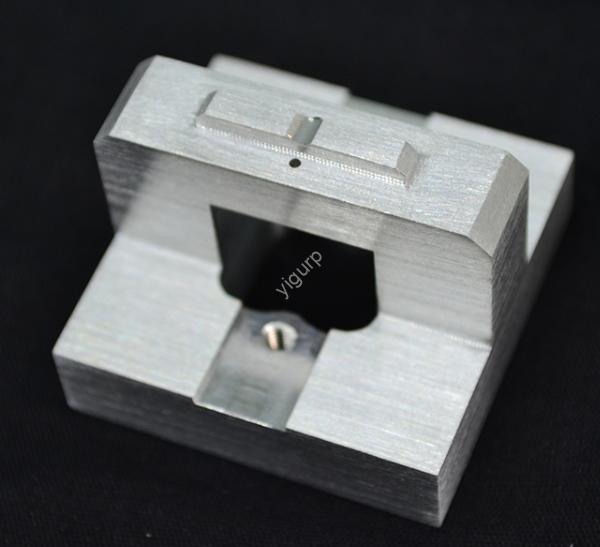
Êtes-vous un ingénieur et avez-vous du mal à trouver une imprimante 3D offrant des performances précises, parties lisses? Ou un acheteur dépassé par le mix de marques, prix, et termes techniques? High-precision 3D printers are the backbone of industrial projects—from small, composants détaillés pour prototypes à grande échelle. Mais choisir le bon n’est pas facile. Ce guide détaille tout ce que vous devez savoir: from key technologies and accuracy metrics to real-world examples and budget tips. Our goal? To help you avoid costly mistakes and choose a printer that fits your needs.
1. Understand 3D Printing Technologies: Which Is Best for Your Precision Needs?
Not all high-precision 3D printers use the same tech. Each method has pros and cons for accuracy, vitesse, and material support. Let’s compare the three most common types to help you decide.
FDM (Modélisation des dépôts fondus)
FDM works by melting plastic filament and extruding it layer by layer. It’s widely used for industrial parts because it’s affordable and supports durable materials like ABS and PETG. But when it comes to precision, FDM has limits: its typical dimensional tolerance is ±0.1mm, and layer thicknesses start at 0.1mm (thicker than other methods).
Idéal pour: Parts where strength matters more than ultra-fine details (par ex., mechanical brackets, poignées d'outils).
Exemple: Le Ultimaker S5 Pro Bundle is a popular FDM choice for small to medium industrial projects. It offers a dimensional tolerance of ±0.1mm and works with 30+ matériels, making it versatile for teams that need reliability without extreme precision.
ANS (Stéréolithographie)
SLA uses a laser to cure liquid resin into solid parts. It’s the gold standard for precision—dimensional tolerance can reach ±0.05mm, and layer thicknesses go as low as 0.025mm. This means SLA prints have smooth surfaces and sharp details, perfect for intricate parts.
Idéal pour: High-detail components (par ex., modèles dentaires, jewelry molds, prototype casings).
Exemple: Le Formulaire Formlabs 4 is an industrial-grade SLA printer trusted by engineers. It delivers a tolerance of ±0.05mm and uses resin materials that mimic the strength of plastic or even metal, ideal for projects where detail can’t be compromised.
DLP (Traitement numérique de la lumière)
DLP is similar to SLA but uses a digital light projector instead of a laser. It’s faster than SLA (since it cures entire layers at once) and still offers strong precision—tolerance around ±0.08mm and layer thicknesses starting at 0.05mm.
Idéal pour: Production par lots de petits, pièces détaillées (par ex., composants électroniques, dispositifs médicaux).
Exemple: Le Peopoly Phenom Noir is a DLP printer favored by manufacturers. It can print 100+ small parts in one batch with consistent precision, saving time for teams that need high volume without sacrificing quality.
2. Key Accuracy Metrics: What to Look for Beyond “Precision”
When sellers say a printer is “high-precision,” they’re referring to specific numbers. Here are the two metrics you must check—and how they impact your work.
Tolérance dimensionnelle
This measures how close the printed part is to its original design. Most industrial high-precision 3D printers have a tolerance of ±0,1mm, but top-tier models can hit ±0,05 mm. Par exemple:
- If you’re printing a gear with a 10mm hole, a ±0.1mm tolerance means the hole could be 9.9mm to 10.1mm.
- For a medical implant (where fit is critical), you’d need a ±0.05mm printer to ensure the part matches the patient’s exact measurements.
Épaisseur de couche
Thinner layers mean smoother surfaces. The table below shows how layer thickness varies by technology and what that means for your parts:
| Technologie | Typical Layer Thickness | Finition de surface | Idéal pour |
| FDM | 0.1mm – 0.3mm | Slightly rough | Pièces fonctionnelles (par ex., parenthèses) |
| ANS | 0.025mm – 0.1mm | Ultra-smooth | Pièces détaillées (par ex., prototypes) |
| DLP | 0.05mm – 0.15mm | Lisse | Batch-produced small parts |
3. Brand & Price: Balancing Quality, Budget, and Support
High-precision 3D printers range from a few thousand to hundreds of thousands of dollars. The brand you choose often determines reliability and after-sales service. Here’s a breakdown of top brands and their price ranges to fit different budgets.
Budget-Friendly (Under $10,000)
These printers are great for small teams or startups that need precision without overspending.
- Brand: Creality (Ender-5 S1 Pro)
- Price: ~$1,500
- Caractéristique clé: Tolérance de ±0,1 mm, FDM tech, easy maintenance.
- Use Case: A small engineering firm using it to print prototype parts for consumer electronics.
Mid-Range ( \(10,000 – \)50,000)
This is the sweet spot for most industrial teams—offering a mix of precision, vitesse, and material support.
- Brand: laboratoires de formulaire (Form 4)
- Price: ~$3,500 (imprimante) + resin costs
- Caractéristique clé: Tolérance de ±0,05 mm, SLA tech, 24/7 support client.
- Brand: Ultimaker (S5 Pro Bundle)
- Price: ~$12,000
- Caractéristique clé: Tolérance de ±0,1 mm, FDM tech, works with 30+ matériels.
- Use Case: A medical device company using Formlabs to print custom surgical guides.
High-End (Sur $50,000)
These printers are for large manufacturers or projects that need extreme precision and mass production.
- Brand: ÉOS (EOS M 290)
- Price: ~$250,000
- Caractéristique clé: Tolérance de ±0,05 mm, impression 3D métal (for industrial parts like engine components).
- Brand: Stratasys (F370)
- Price: ~$60,000
- Caractéristique clé: Tolérance de ±0,1 mm, FDM tech, durable materials for aerospace parts.
- Use Case: An aerospace company using Stratasys to print lightweight, high-strength parts for planes.
4. Other Critical Factors: Print Size, Matériels, et plus encore
Precision isn’t everything. You also need to match the printer to your project’s size, matériels, and workflow.
Print Size & Vitesse
- Print Size: Measure the largest part you’ll ever print. Par exemple:
- A jewelry maker might only need a 100x100x100mm build area.
- A car manufacturer might need a 500x500x500mm area for prototype parts.
- Vitesse d'impression: Faster isn’t always better—high speed can reduce precision. Most high-precision printers print at 20–50mm/s for detailed parts, and 50–100mm/s for larger, less detailed parts.
Compatibilité des matériaux
Not all printers support the same materials. Make sure the printer works with what you need:
- Plastiques: ABS, PETG (FDM); Résines (SLA/DLP)
- Métaux: Titane, acier inoxydable (high-end FDM/SLA)
- Specialty: Flexible materials (for gaskets), heat-resistant materials (pour pièces de moteur)
Exemple: If you’re printing heat-resistant parts for a furnace, you’ll need a printer that supports PEEK (a high-temperature plastic)—like the Ultimaker S5 Pro.
Post-traitement & User Experience
- Post-traitement: High-precision printers need less work (par ex., ponçage), but some still require cleaning (par ex., SLA resin parts need washing). Choose a printer with easy post-processing tools to save time.
- User Experience: Look for intuitive software (so your team can learn fast) and good customer support (in case of breakdowns). The Formlabs Form 4, Par exemple, has a user-friendly app and 24/7 soutien.
5. Yigu Technology’s Take on High-Precision 3D Printers
Chez Yigu Technologie, we believe high-precision 3D printers are game-changers for industrial innovation—but only if you pick the right one for your needs. We often advise clients to prioritize accuracy metrics (tolérance, épaisseur de couche) d'abord, then match tech to their parts (par ex., SLA for details, FDM for strength). We also emphasize after-sales support—since a printer is only useful if it runs reliably. As we work with manufacturers, we’re seeing a shift toward mid-range printers that balance precision and cost, making high-quality 3D printing accessible to more teams. We’re excited to help clients find printers that turn their designs into perfect parts.
FAQ
1. Can a high-precision 3D printer print both small and large parts?
Oui, but you need to check the build area. Most printers have a fixed size—for example, a Formlabs Form 4 (small build area) is great for tiny parts, while a Stratasys F370 (large area) works for bigger parts. If you need both, consider a mid-range printer with a 300x300x300mm area (like the Ultimaker S5 Pro) that handles most sizes.
2. Is metal 3D printing more precise than plastic 3D printing?
Not necessarily. Metal printers (par ex., EOS M 290) can have ±0.05mm tolerance—same as top plastic SLA printers. The difference is material strength: metal parts are stronger, but plastic parts are cheaper and faster to print. Choose based on your part’s use (par ex., metal for load-bearing parts, plastic for prototypes).
3. How much maintenance do high-precision 3D printers need?
It depends on the technology:
- FDM: Clean the nozzle every 10–20 prints, replace filament rolls regularly.
- SLA/DLP: Replace resin tanks every 50–100 prints, clean the laser/projector monthly.
Most mid-range printers have self-cleaning features, so maintenance takes 1–2 hours per week—far less than traditional manufacturing tools.