
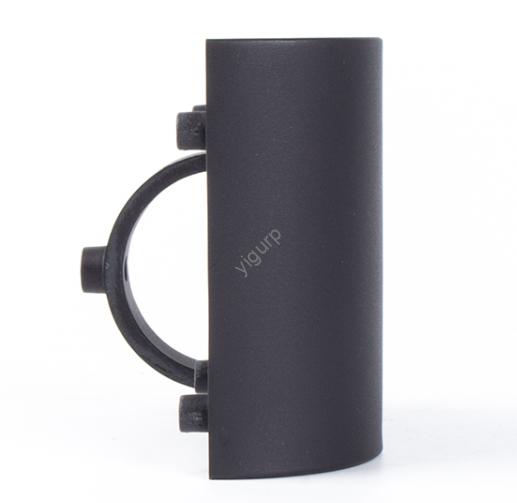
FDM (Modélisation des dépôts fondus) est une technologie d'impression 3D incontournable pour les prototypes, pièces fonctionnelles, et une production en faible volume, mais les impressions médiocres sont une frustration courante. Trop souvent, Les pièces FDM se cassent sous contrainte, déformation pendant l'impression, ou ne résiste pas à une utilisation quotidienne. La bonne nouvelle? Avec les bons choix de matériaux, modifications de conception, et ajustements de processus, you can create strong FDM prints that rival CNC-machined plastic parts. This guide breaks down actionable strategies to boost FDM print strength, backed by real-world data, études de cas, and industry best practices.
Why FDM Prints Often Lack Strength (And How to Fix It)
Before diving into solutions, let’s understand why FDM prints are prone to weakness. The root causes are simple—and fixable:
- Layer Bonding Gaps: FDM builds parts layer by layer, but if molten filament doesn’t fully fuse to the layer below, tiny gaps form. These gaps act as break points under stress.
- Z-Axis Weakness: FDM parts are strongest in the X-Y axis (along the print layer) but weakest in the Z-axis (between layers). This anisotropy means parts often snap when pulled vertically.
- Poor Material Choice: Using low-strength filaments (comme le PLA de base) for load-bearing parts guarantees failure.
- Design Flaws: Thin walls, sharp corners, or improper overhangs create stress concentrations that weaken parts.
Exemple: A hobbyist printed a PLA tool handle that snapped after 5 utilise. The issue? Thin 0.8mm walls and poor layer bonding (due to low nozzle temperature). By switching to PETG and thickening walls to 1.5mm, the handle lasted 100+ utilise.
Étape 1: Choose the Right Filament for Strength
The first (et le plus critique) step to strong FDM prints is picking a high-strength filament. Not all filaments are equal—some are designed for flexibility, while others prioritize durability. Below’s a breakdown of the strongest FDM filaments, leurs traits clés, et les meilleures utilisations:
| Filament Type | Résistance à la traction (MPa) | Résistance aux chocs (kj /) | Key Traits | Best Use Cases | Cost per kg (USD) |
| PETG | 45–55 | 5–8 | Fort, résistant à l'eau, faible déformation | Prototypes fonctionnels, conteneurs, pièces extérieures | \(30–)45 |
| ABS | 40–45 | 10–15 | Résistant aux chocs, résistant à la chaleur (jusqu'à 100°C) | Pièces automobiles, boîtiers électroniques, poignées d'outils | \(25–)40 |
| Nylon (PA12) | 50–60 | 20–30 | Résistant à l'usure, haute résistance, flexible | Engrenages, roulements, load-bearing components | \(50–)80 |
| PC (Polycarbonate) | 60–70 | 25–35 | Ultra-résistant, résistant à la chaleur (jusqu'à 130°C), transparent | Safety gear, high-impact parts, composants de machines | \(60–)90 |
| TPU (High-Density) | 30–40 | 50–100 | Flexible but strong, tear-resistant | Poignées, joints, amortisseurs | \(40–)60 |
| Basic PLA | 30–35 | 2–4 | Cheap, facile à imprimer, but weak | Pièces décoratives, non-functional prototypes | \(20–)30 |
Étude de cas: A robotics team needed strong drone arms. They tested PLA (broke on first crash), PETG (lasted 3 crashes), et PC (survived 10+ crashes). PC was 2x more expensive than PLA but delivered the durability needed for field testing.
Étape 2: Optimize Design for Maximum Strength
Even the strongest filament can’t fix a bad design. Focus on these 6 design rules to eliminate weak points and boost print strength:
1. Use Proper Wall Thickness (Avoid Too Thin or Too Thick)
Thin walls warp or break; overly thick walls waste material and cause internal stress. Follow these guidelines:
- Minimum Wall Thickness: 1.0–1.5mm (or 3x your nozzle diameter—e.g., 1.2mm for a 0.4mm nozzle). This ensures walls are thick enough to withstand stress without warping.
- Internal Structure: Utilisez un cross-mesh infill (not solid) pour la force. A 50–70% infill density balances strength and material use—solid infill adds weight but little extra strength.
Data Point: A 1.5mm wall with 60% infill is 3x stronger than a 0.8mm wall with 100% infill (tests by 3D Printing Nerd).
2. Align Part Orientation with Stress Direction
FDM parts are weakest in the Z-axis, so orient your part to put stress on the stronger X-Y axis.
- Rule of Thumb: Print fragile features (par ex., poignées, parenthèses) parallel to the build plate. This ensures stress acts along the X-Y axis (layer lines don’t separate).
- Exemple: A door hinge printed vertically (Z-axis) will snap at the layer lines. Printed horizontally (X-Y axis), it will bend without breaking.
Real-World Test: A study by Michigan Tech found that horizontally printed ABS brackets could hold 8kg of weight—vs. 3kg for vertically printed ones.
3. Add Fillets and Chamfers to Reduce Stress Concentrations
Sharp corners act as stress magnets—they’re where cracks start. Replace sharp edges with:
- Fillets: Rounded edges (radius = wall thickness) distribute stress evenly.
- Chamfers: Angled edges (45°) work for parts where fillets won’t fit (par ex., tight spaces).
Exemple: A 3D printed PLA tool with sharp corners broke at 20N of force. Adding 1mm fillets let it withstand 45N—more than double the strength.
4. Avoid Unsupported Overhangs (They Weaken Prints)
Overhangs (features sticking out without support) cause sagging and weak layer bonding. Fix them by:
- Limiting Overhang Angle: Keep angles under 45°—no support needed. Angles over 45° require supports (use tree-like supports for easy removal).
- Adding Chamfers to Overhangs: A 30° chamfer on a 60° overhang reduces sagging and improves layer bonding.
Cost Impact: Unsupported overhangs lead to 30% more failed prints (per Xometry’s 2023 FDM Report)—wasting filament and time.
5. Use Bosses and Stiffeners for Reinforcement
For parts that need extra strength (par ex., screw mounts, parenthèses), add:
- Bosses: Cylindrical raised sections for screws—diameter should match the screw size (par ex., 5mm boss for M3 screws).
- Stiffeners: Mince, vertical ribs (1–2mm thick) that reinforce weak areas (par ex., the base of a bracket).
Exemple: A 3D printed ABS shelf bracket with stiffeners held 15kg—vs. 8kg for a bracket without stiffeners.
6. Design Mating Parts with Proper Clearance
If your part fits with another (par ex., a lid and container), too little clearance causes binding; too much makes it loose. For strong, functional fits:
- Interference Fits (tight fit, par ex., press-fit pins): Use 0.15mm clearance.
- Sliding Fits (movable parts, par ex., charnières): Use 0.2–0.3mm clearance.
Tip: Print a test piece first—FDM tolerances vary by printer, so adjust clearance if needed.
Étape 3: Tune FDM Printer Settings for Stronger Layer Bonding
Even a perfect design will fail if your printer settings are off. Focus on these 5 settings to improve layer bonding (the key to Z-axis strength):
1. Température de la buse (Critical for Fusion)
Too low = poor layer bonding; too high = stringing and warping. Use these target temperatures for strong prints:
| Filament | Température de la buse (°C) | Bed Temperature (°C) |
| PETG | 230–250 | 70–80 |
| ABS | 240–260 | 90–110 |
| Nylon | 250–270 | 70–90 |
| PC | 260–280 | 100–120 |
Exemple: A user printed PETG at 210°C (trop bas)—layers peeled apart easily. Increasing to 240°C fixed bonding, and the part withstood 50N of force.
2. Hauteur de couche (Thinner = Stronger Bonding)
Thinner layers mean more contact between layers—better bonding. Aim for:
- Hauteur de couche: 0.15–0,2 mm (for a 0.4mm nozzle). Thinner layers (0.1mm) are stronger but slower; couches plus épaisses (0.3mm) are faster but weaker.
Data Point: Tests by All3DP show that 0.15mm layers are 20% stronger than 0.3mm layers for PETG.
3. Infill Density and Pattern
Infill adds internal strength—choose the right density and pattern:
- Densité: 50–70% for functional parts. 100% is overkill (adds weight, not strength).
- Pattern: Grid ou Gyroid patterns are stronger than honeycomb or rectilinear. Gyroid is more complex but distributes stress evenly.
Exemple: UN 60% gyroid infill ABS part held 12kg—vs. 8kg for 60% honeycomb infill.
4. Vitesse d'impression (Slower = Better Bonding)
Fast printing reduces layer bonding—slow down for strength:
- Perimeter Speed: 30–50mm/s (slower = smoother walls, better bonding).
- Infill Speed: 40–60 mm/s (faster than perimeters, but not too fast).
Tip: Use “coasting” (stop extrusion before the end of a perimeter) to reduce stringing without slowing down.
5. Retraction (Minimize Stringing, Not Bonding)
Retraction pulls filament back to prevent stringing—but too much retraction creates gaps between layers. Utiliser:
- Retraction Distance: 2–4mm (for direct-drive printers); 4–6mm (for bowden printers).
- Retraction Speed: 20–40 mm/s.
Warning: Too much retraction (par ex., 8mm) causes under-extrusion and weak layers.
Étape 4: Post-Processing to Boost Strength
Post-processing can add 20–50% more strength to FDM prints. Try these 3 méthodes:
1. Traitement thermique (Recuit)
Annealing heats prints to just below the filament’s glass transition temperature, reducing internal stress and improving layer bonding.
- How to Do It:
- Preheat an oven to 10–20°C below the filament’s Tg (par ex., 70°C for PETG, 90°C for ABS).
- Place the print on a baking sheet and heat for 30–60 minutes.
- Let it cool slowly (turn off the oven and leave the door slightly open).
Résultat: Annealed PETG prints are 30% stronger than unannealed ones (per tests by 3D Hubs).
2. Lissage chimique (For ABS and PLA)
Chemical smoothing melts the surface of the print, filling gaps between layers and creating a stronger, smoother finish.
- ABS: Use acetone vapor—place the print in a sealed container with acetone (10–15 minutes).
- PLA: Use ethyl acetate (soak for 5–10 minutes).
Caution: Work in a well-ventilated area—chemicals are flammable.
3. Revêtement époxy (For Maximum Strength)
Coating prints with epoxy adds a hard, protective layer that boosts strength—great for load-bearing parts.
- How to Do It:
- Sand the print lightly (200-grit sandpaper) to rough the surface.
- Apply a thin layer of epoxy (par ex., 5-minute epoxy) with a brush.
- Let it cure for 24 heures.
Exemple: An epoxy-coated PLA bracket held 10kg—vs. 4kg for an uncoated one.
Real-World Case: Strong FDM Print for a Robotics Arm
A student team needed a strong, lightweight arm for their competition robot. Here’s how they used the strategies above to create a successful print:
- Filament Choice: Nylon PA12 (haute résistance, résistant à l'usure).
- Conception: 1.5murs mm, 60% gyroid infill, fillets on all corners, and stiffeners along the arm’s length.
- Printer Settings: 260°C nozzle, 80°C bed, 0.2mm layer height, 40 mm/s perimeter speed.
- Post-traitement: Annealed at 80°C for 45 minutes.
Résultat: The arm weighed 150g and lifted 5kg (33x its own weight)—it survived the entire competition without breaking.
Yigu Technology’s Perspective on FDM 3D Printing for Strong Prints
Chez Yigu Technologie, we help clients create strong FDM prints by focusing on three pillars: sélection des matériaux, optimisation de la conception, and setting tuning. For functional parts, we recommend PETG or Nylon (balance of strength and cost) and guide clients to thicken walls, align orientation with stress, and use 50–70% infill. We also offer annealing and epoxy coating services to boost strength for critical parts. Our team tests prints with stress tests (traction, flexion) to ensure they meet client needs—no guesswork. For us, strong FDM prints aren’t just about technology—they’re about combining the right tools, designs, and processes to deliver parts that work.
FAQ About FDM 3D Printing for Strong Prints
1. Can PLA be used for strong FDM prints?
Basic PLA is weak, mais high-strength PLA blends (par ex., PLA+ with glass fiber) can be strong enough for light-duty parts (par ex., petites parenthèses). For heavy load-bearing parts, switch to PETG, ABS, or Nylon—they’re 2–3x stronger than basic PLA.
2. What’s the maximum weight a strong FDM print can hold?
It depends on the filament, conception, and settings. A well-optimized PC print (100mm x 20mm x 5mm) can hold 20–30kg. A Nylon gear with proper infill and annealing can handle 5–10kg of torque. Always test prints with your specific load before use.
3. Is post-processing necessary for strong FDM prints?
No—good design and settings can create strong prints without post-processing. But post-processing (recuit, époxy) adds 20–50% more strength, making it worth it for critical parts (par ex., robot arms, poignées d'outils). For non-critical parts (par ex., prototypes), skip post-processing to save time.