
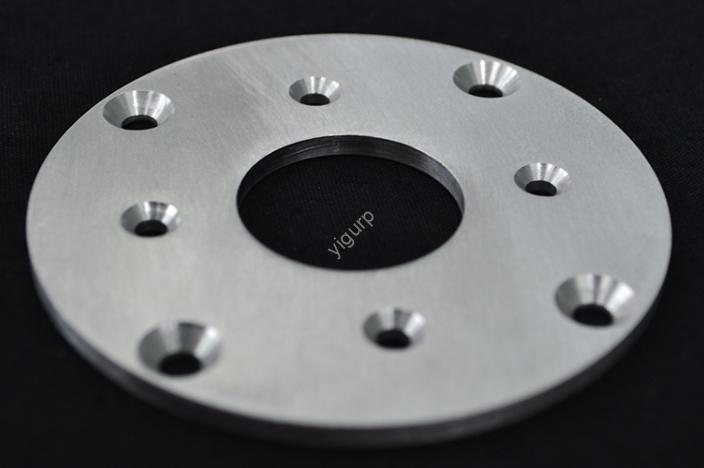
CNC sheet processing process is the backbone of creating high-quality, consistent sheet metal parts for industries like automotive, electrónica, and construction. Unlike traditional manual sheet metal work, this computer-controlled process eliminates human error, boosts efficiency, and ensures parts meet strict design standards. Whether you’re making a small electronic enclosure or a large automotive panel, understanding each step of the CNC sheet processing process is key to avoiding delays, reduciendo el desperdicio, and delivering top-notch products. This guide breaks down the entire workflow, with real-world examples and data to help you master every detail.
1. Preprocesamiento: Lay the Groundwork with Design & Selección de materiales
Before the CNC machine starts cutting, two critical steps set the stage for success: CAD/CAM programming y material choice. Skipping or rushing these steps often leads to costly rework later.
1.1 Diseño CAD & Programación CAM: The Digital Blueprint
The first step in the CNC sheet processing process is turning your part idea into a digital plan:
- CANALLA (Diseño asistido por computadora): Use software like SolidWorks, autocad, or Fusion 360 to create a 3D model of the sheet metal part. You’ll define every detail—from hole positions and bend angles to edge radii. Por ejemplo, a prototype for a laptop chassis needs precise cutouts for ports, so the CAD model must mark these with ±0.05mm accuracy.
- LEVA (Fabricación asistida por computadora): Convert the CAD model into machine-readable code (código g). The CAM software optimizes key parameters like machining path, velocidad de corte, y selección de herramientas to avoid collisions (p.ej., the tool hitting the machine’s fixture) and ensure efficiency.
Why This Matters: A well-written CAM program can reduce machining time by 20–30%. Por ejemplo, a furniture manufacturer cut the time to make aluminum table frames from 45 minutos para 30 minutes by optimizing the tool path in CAM.
1.2 Selección de materiales: Match the Sheet to Your Needs
Choosing the right sheet material directly impacts the part’s performance, costo, y facilidad de procesamiento. Below’s a breakdown of common options and their best uses:
| Tipo de material | Rango de espesor | Propiedades clave | Aplicaciones ideales | Costo (USD/sq.ft) |
| Aleación de aluminio 6061 | 0.5mm – 6 mm | Ligero, resistente a la corrosión | Cajas electrónicas, paneles automotrices | \(2.0 – \)5.5 |
| Acero inoxidable 304 | 0.3mm – 10mm | Durable, inoxidable | Equipo medico, food industry parts | \(3.5 – \)8.0 |
| Cold-Rolled Steel | 0.2mm – 8 mm | Alta resistencia, bajo costo | Soportes estructurales, piezas de electrodomésticos | \(1.5 – \)4.0 |
| Plastic Sheets (ABS) | 1.0mm – 12mm | Ligero, fácil de cortar | Consumer product casings | \(1.0 – \)3.0 |
Ejemplo del mundo real: A medical device company needed a sheet metal part for a surgical cart. They chose acero inoxidable 304 for its rust resistance (critical for sterilization) and 1.5mm thickness for strength. The part passed all durability tests and met medical industry standards.
2. Configuración de la máquina: Prepare Tools & Equipment for Processing
Once the design and material are finalized, the next step in the CNC sheet processing process is setting up the machine and tools. This ensures the CNC system runs smoothly and accurately.
2.1 Choose the Right CNC Machine
Not all CNC machines work for every sheet processing task. The most common types include:
- CNC Laser Cutters: Best for precise, complex cuts (p.ej., intricate patterns in thin aluminum sheets). They cut cleanly without leaving burrs and work well with materials up to 20mm thick.
- CNC Punch Presses: Ideal for high-volume production of parts with repeated holes (p.ej., electrical junction boxes). They’re faster than laser cutters for simple shapes—able to punch 50+ holes per minute.
- CNC Press Brakes: Used to bend sheets into angles or curves (p.ej., a 90° bend for a metal shelf). They ensure consistent bend angles with ±0.1° accuracy.
2.2 Selección de herramientas & Configuración de parámetros
The right tool and settings prevent damage to the sheet and machine:
- Herramientas: For laser cutting, use a fiber laser for metals (aluminio, acero) and a CO₂ laser for plastics. For punch presses, select punches and dies that match the hole size (p.ej., a 5mm punch for 5mm holes).
- Parameters: Set velocidad de corte (100–500 mm/min for aluminum), tasa de avance (50–200 mm/min for steel), y potencia del láser (1–5 kW) basado en el espesor del material. Por ejemplo, cutting a 2mm aluminum sheet with a 3kW fiber laser at 300 mm/min produces a smooth edge.
Common Mistake to Avoid: Using a dull punch for stainless steel sheets. This causes rough hole edges and may require post-processing to fix—adding 10–15 minutes per part.
3. Core Processing: Roughing, Refinamiento & Strategy Planning
The heart of the CNC sheet processing process is the actual machining. This phase includes roughing (removing excess material), refinamiento (refining the part), and strategic planning to prevent issues like sheet deformation.
3.1 Roughing: Speed Up Material Removal
Roughing’s goal is to quickly remove extra material from the sheet while leaving enough allowance for finishing. Por ejemplo:
- When making a 100x100mm aluminum bracket from a 150x150mm sheet, roughing cuts off the 50mm excess on all sides.
- Key settings: Use a larger profundidad de corte (1–3mm for aluminum) and higher feed rate to save time. A CNC laser cutter can rough a 3mm aluminum sheet in 2–3 minutes.
3.2 Refinamiento: Ensure Precision & Calidad
Finishing refines the part to meet final design specs. This step focuses on:
- Precisión dimensional: Trim the sheet to exact sizes (p.ej., from 102x102mm after roughing to 100x100mm final size).
- Calidad de la superficie: Remove any tool marks or burrs. Por ejemplo, a CNC press brake can smooth bend edges to avoid sharp corners on consumer products.
Data Point: Finishing typically takes 20–30% of total processing time but improves part quality by 40–50%, reducing the risk of customer returns.
3.3 Processing Strategy: Prevent Deformation & Vibration
Thin sheets (≤1mm) are prone to deformation during machining. To avoid this:
- Clamp Securely: Use multiple clamps to hold the sheet flat—loose clamps cause vibration, leading to uneven cuts.
- Optimize Cutting Path: Start cutting from the center of the sheet and move outward. This distributes stress evenly, evitando la deformación.
- Use Coolant: For metal sheets, apply coolant to reduce heat (which can bend the sheet). Water-soluble coolant works best for aluminum and steel.
Estudio de caso: An electronics manufacturer was struggling with warped aluminum enclosures (0.8mm de espesor). By switching to a center-out cutting path and adding coolant, they reduced deformation by 70%—all enclosures now meet flatness standards.
4. Postprocesamiento & Control de calidad: Finalize the Part
El CNC sheet processing process doesn’t end when the machine stops. Post-processing and quality control ensure the part is ready for use.
4.1 Pasos de posprocesamiento
Después del mecanizado, finish the part with these steps:
- Cleaning: Wipe off coolant, aceite, or metal chips with a solvent (p.ej., isopropyl alcohol) to prevent contamination.
- Desbarbado: Use a deburring tool or sandpaper to remove sharp edges—critical for parts that people will handle (p.ej., toolboxes).
- Tratamiento superficial: Add coatings to improve performance or appearance:
- Anodizado: Para piezas de aluminio (adds scratch resistance).
- Recubrimiento en polvo: For steel parts (adds color and rust protection).
- Anti-Rust Treatment: For outdoor parts (p.ej., galvanizing steel brackets).
4.2 Control de calidad: Check for Accuracy
Regular checks ensure the part meets design requirements:
- Dimensional Checks: Use calipers or a coordinate measuring machine (MMC) to verify size (p.ej., diámetro del agujero, bend angle). Por ejemplo, a CMM can measure a part’s dimensions with ±0.001mm accuracy.
- Llanura & Verticality Tests: Use a straightedge to check if the sheet is flat—any gap >0.1mm means the part is defective.
- Inspección visual: Look for scratches, dents, or uneven edges—these are common issues that can be fixed with minor rework.
Quality Control Tip: Test 10% of parts from each batch. If one fails, test 50%—this balances efficiency and thoroughness.
Yigu Technology’s View on CNC Sheet Processing Process
En Yigu Tecnología, we see the CNC sheet processing process as a blend of precision and strategy. Encima 12 años, we’ve refined our workflow to deliver consistent results: we use CAD/CAM software to optimize tool paths (cutting time by 25%), select materials based on client needs (p.ej., stainless steel for medical parts), and apply strict quality control (99.5% of parts pass first inspection). We also prioritize environmental safety—recycling 80% of cutting waste and using eco-friendly coolants. For us, a smooth CNC sheet processing process isn’t just about making parts—it’s about helping clients build reliable, long-lasting products.
Preguntas frecuentes
Q1: How long does the CNC sheet processing process take for a single part?
A: It depends on size and complexity. A small aluminum enclosure (100x100mm) takes 15–20 minutes (desde el diseño hasta el postprocesamiento). A large steel panel (1000x500mm) with complex cuts takes 1–2 hours.
Q2: Can the CNC sheet processing process handle custom designs?
A: Sí! The process is highly flexible—just provide a CAD model of your custom part. Whether it’s a one-of-a-kind prototype or small-batch production (50–100 partes), CNC machines can bring your design to life with high accuracy.
Q3: What’s the most common mistake in the CNC sheet processing process?
A: Poor material selection. Choosing a sheet that’s too thin (for heavy-use parts) or too thick (para partes delicadas) leads to performance issues. Always match the material to the part’s function—our team can help with this if you’re unsure!